
LFE
LFE Support in Sublime Text
Labels language syntax
Details
Installs
- Total 305
- Win 70
- Mac 147
- Linux 88
| Sep 3 | Sep 2 | Sep 1 | Aug 31 | Aug 30 | Aug 29 | Aug 28 | Aug 27 | Aug 26 | Aug 25 | Aug 24 | Aug 23 | Aug 22 | Aug 21 | Aug 20 | Aug 19 | Aug 18 | Aug 17 | Aug 16 | Aug 15 | Aug 14 | Aug 13 | Aug 12 | Aug 11 | Aug 10 | Aug 9 | Aug 8 | Aug 7 | Aug 6 | Aug 5 | Aug 4 | Aug 3 | Aug 2 | Aug 1 | Jul 31 | Jul 30 | Jul 29 | Jul 28 | Jul 27 | Jul 26 | Jul 25 | Jul 24 | Jul 23 | Jul 22 | Jul 21 | |
|---|---|---|---|---|---|---|---|---|---|---|---|---|---|---|---|---|---|---|---|---|---|---|---|---|---|---|---|---|---|---|---|---|---|---|---|---|---|---|---|---|---|---|---|---|---|
| Windows | 0 | 0 | 0 | 0 | 0 | 0 | 0 | 0 | 0 | 0 | 0 | 0 | 0 | 0 | 0 | 1 | 0 | 0 | 0 | 0 | 0 | 0 | 0 | 0 | 0 | 0 | 0 | 0 | 0 | 0 | 0 | 0 | 0 | 0 | 0 | 0 | 0 | 0 | 0 | 0 | 0 | 0 | 0 | 0 | 0 |
| Mac | 0 | 0 | 1 | 1 | 1 | 0 | 0 | 0 | 0 | 0 | 0 | 0 | 0 | 0 | 0 | 0 | 0 | 0 | 0 | 0 | 0 | 0 | 0 | 0 | 0 | 0 | 0 | 0 | 0 | 0 | 0 | 0 | 0 | 0 | 0 | 0 | 0 | 0 | 0 | 0 | 0 | 0 | 0 | 0 | 0 |
| Linux | 0 | 0 | 0 | 0 | 0 | 0 | 0 | 0 | 0 | 0 | 0 | 0 | 0 | 0 | 0 | 0 | 0 | 0 | 0 | 0 | 0 | 0 | 0 | 0 | 0 | 0 | 0 | 0 | 0 | 0 | 0 | 0 | 0 | 0 | 0 | 0 | 0 | 0 | 0 | 0 | 0 | 0 | 0 | 0 | 0 |
Readme
- Source
- raw.githubusercontent.com
Sublime Text Plugin for LFE (Lisp Flavored Erlang)
This Sublime Text package provides support for syntax highlighting of LFE and is intended to be installed via Package Control.
If you would like to use the stand-alone package and install it manually, visit the other project home.
Installation
In a terminal:
$ mkdir -p ~/lab/SublimeText
$ cd ~/lab/SublimeText
$ git clone https://github.com/lfex/sublime-lfe.git
$ cd ~/Library/Application\ Support/Sublime\ Text\ 2/Packages/
$ ln -s ~/lab/SublimeText/sublime-lfe/LFE .
Configuration
If you would like to dim the parenthesis down visually, you can use the VimBlackboard Sublime Text package. This will give you a look such as this:
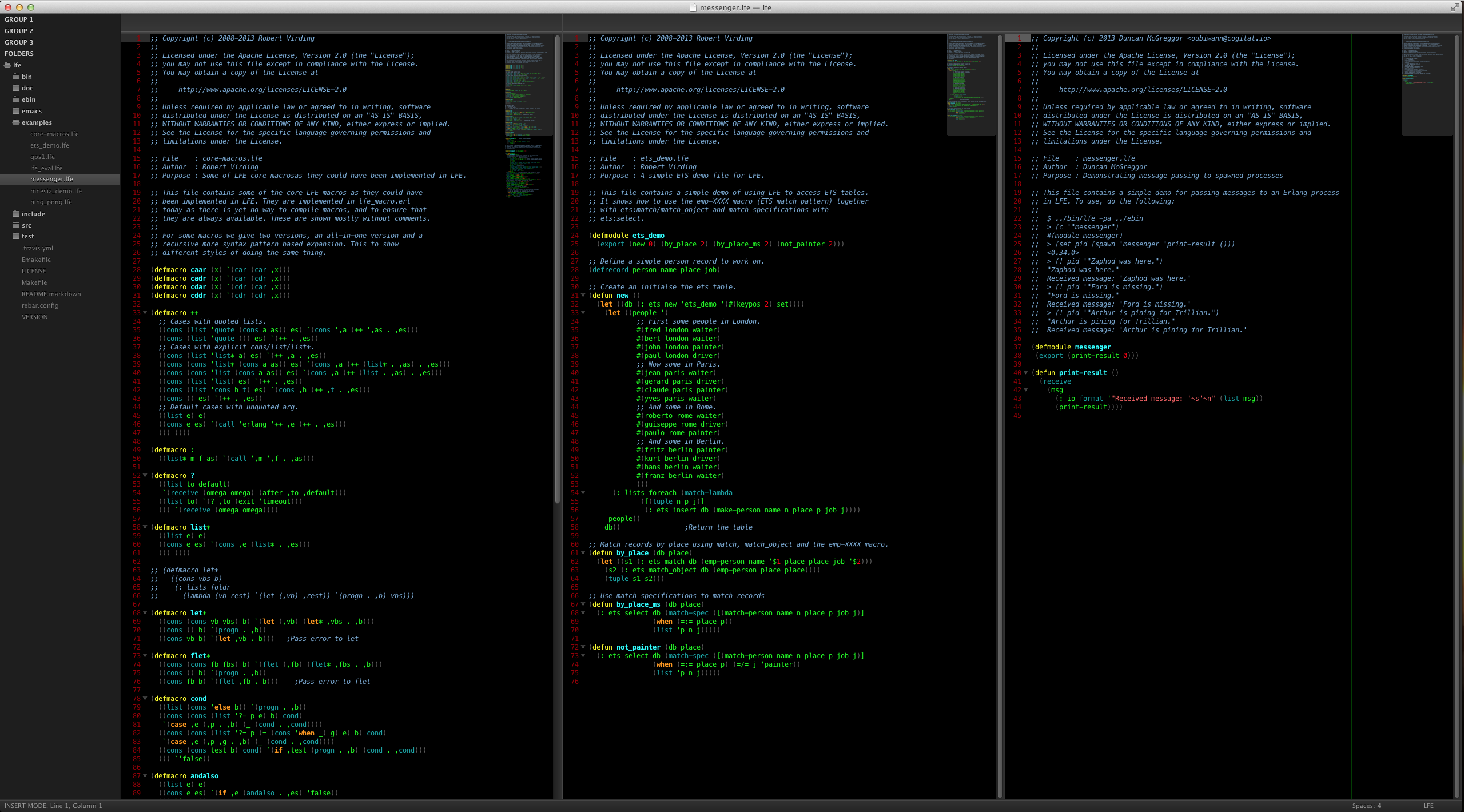
If you'd just like to continue using your own theme, you can update it to use dimmed parens with the following snippet:
<dict>
    <key>name</key>
    <string>Lisp Parens</string>
    <key>scope</key>
    <string>source.parens.lfe</string>
    <key>settings</key>
    <dict>
        <key>foreground</key>
        <string>#666666</string>
    </dict>
</dict>