
NeoCodeMap
HTML rendered code map for sublime text
Details
Installs
- Total 87
- Win 49
- Mac 21
- Linux 17
| Oct 14 | Oct 13 | Oct 12 | Oct 11 | Oct 10 | Oct 9 | Oct 8 | Oct 7 | Oct 6 | Oct 5 | Oct 4 | Oct 3 | Oct 2 | Oct 1 | Sep 30 | Sep 29 | Sep 28 | Sep 27 | Sep 26 | Sep 25 | Sep 24 | Sep 23 | Sep 22 | Sep 21 | Sep 20 | Sep 19 | Sep 18 | Sep 17 | Sep 16 | Sep 15 | Sep 14 | Sep 13 | Sep 12 | Sep 11 | Sep 10 | Sep 9 | Sep 8 | Sep 7 | Sep 6 | Sep 5 | Sep 4 | Sep 3 | Sep 2 | Sep 1 | Aug 31 | Aug 30 | |
|---|---|---|---|---|---|---|---|---|---|---|---|---|---|---|---|---|---|---|---|---|---|---|---|---|---|---|---|---|---|---|---|---|---|---|---|---|---|---|---|---|---|---|---|---|---|---|
| Windows | 0 | 0 | 0 | 1 | 0 | 0 | 0 | 1 | 0 | 0 | 0 | 0 | 0 | 0 | 0 | 0 | 1 | 0 | 0 | 1 | 0 | 0 | 0 | 0 | 0 | 0 | 0 | 0 | 0 | 0 | 0 | 0 | 0 | 0 | 0 | 0 | 0 | 0 | 1 | 0 | 1 | 0 | 0 | 1 | 1 | 1 |
| Mac | 0 | 0 | 0 | 0 | 0 | 1 | 0 | 0 | 0 | 0 | 0 | 0 | 0 | 0 | 1 | 0 | 0 | 0 | 0 | 0 | 1 | 0 | 0 | 0 | 0 | 0 | 0 | 0 | 0 | 0 | 0 | 0 | 0 | 0 | 0 | 0 | 0 | 0 | 0 | 0 | 0 | 1 | 0 | 0 | 0 | 1 |
| Linux | 0 | 0 | 0 | 0 | 0 | 0 | 0 | 0 | 0 | 0 | 0 | 0 | 0 | 1 | 0 | 0 | 0 | 0 | 1 | 0 | 0 | 0 | 1 | 0 | 0 | 0 | 0 | 0 | 0 | 0 | 0 | 0 | 0 | 0 | 0 | 0 | 0 | 0 | 0 | 0 | 0 | 0 | 0 | 0 | 0 | 0 |
Readme
- Source
- raw.githubusercontent.com
NeoCodeMap
This plugin is inspired by sublime-codemap but using Sublime Text 4 capabilities.
It displays on the side of the editor. You can jump to symbol definition and references to it.
It supports all languages through native Sublime indexing.
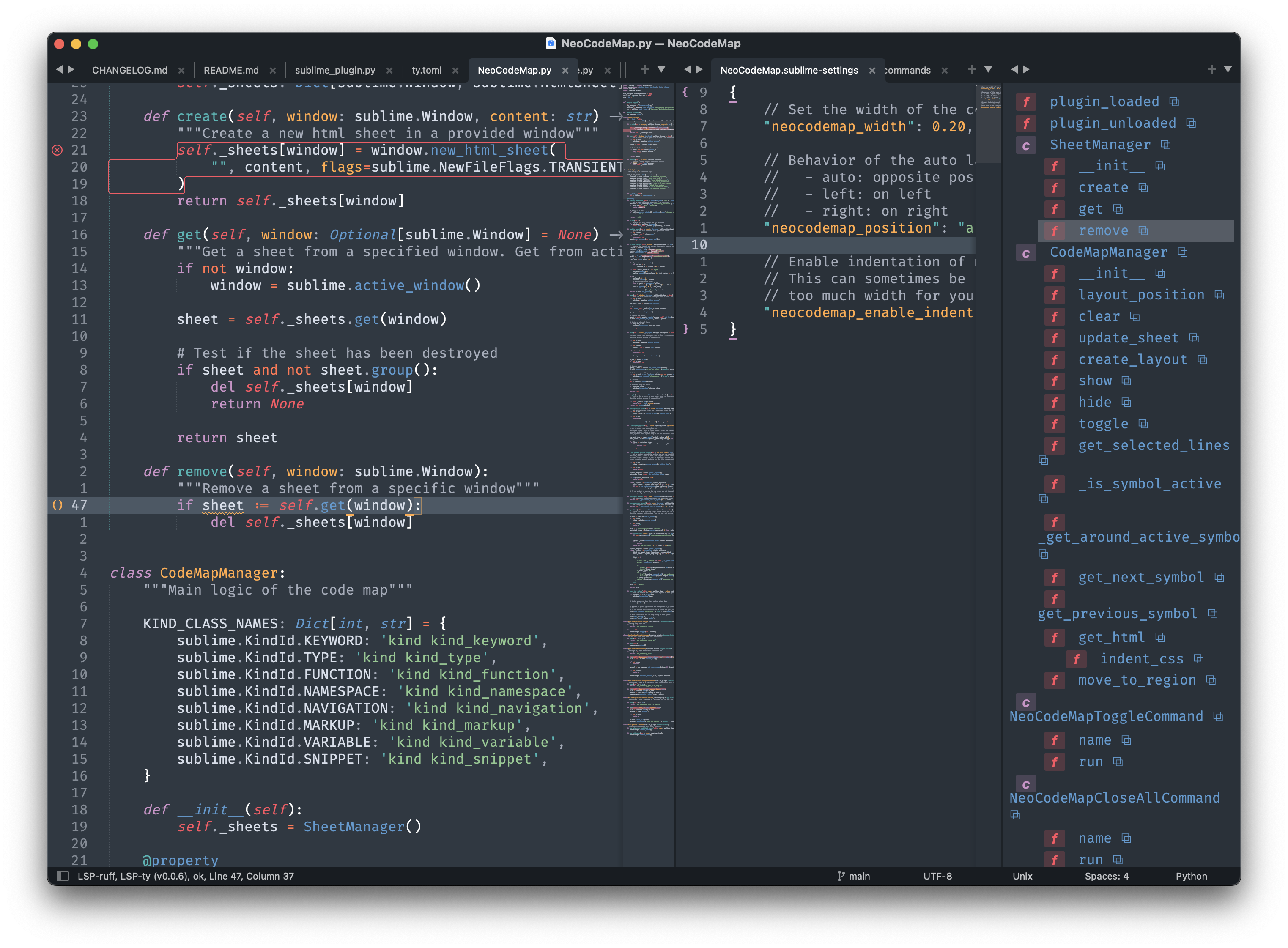
Specific languages features
Generic
Nesting level is guessed through indentation level.
Markdown
The package supports markdown headings.
Make your own
You can make your own Indenter and register it with register_indenter.
This looks like this for a markdown indenter:
import sublime
from CodeMapManager import indenter

def my_markdown_indenter(view: sublime.View, symbol: sublime.SymbolRegion) -> int:
    # process stuff
    return x

indenter.register_indenter("text.html.markdown", my_markdown_indenter)
The last registered indenter takes priority.
You can even override the default indenter by overriding None.
import sublime
from CodeMapManager import indenter

def my_default_indenter(view: sublime.View, symbol: sublime.SymbolRegion) -> int:
    # process stuff
    return x

indenter.register_indenter(None, my_default_indenter)
Installation
This plugins is compatible with Sublime Text >= 4132.
Package Control
The easiest way to install is using Package Control. It's listed as NeoCodeMap.
- Open
Command Paletteusing ctrl+shift+P (Linux/Windows) or cmd+shift+P (OSX) or menu itemTools -> Command Palette.... - Choose
Package Control: Install Package. - Find
NeoCodeMapand hit Enter.
Manual install
Clean repository in your Packages directory.
Command Palette
Press ctrl+shift+P (Linux/Windows) or cmd+shift+p (OSX). Type neocodemap to see the available commands:
- Toggle: Toggle the code map view
- Close All: Close all code maps on all windows
- Move Up: Move to the next symbol on the current view
- Move Down: Move to the previous symbol on the current view
- Preferences: Edit preferences (see below)
Preferences
You can configure the plugin to use:
| Preference | Description | Default |
|---|---|---|
| neocodemap_width | Set the default width of the codemap column The value is a percentage of the layout It should be compride between 0 and 1 where 1 is 100% |
0.20 |
| neocodemap_position | Position of the codemap - auto: opposite position of the sidebar - left: on left - right: on right |
auto |
| neocodemap_max_indent | Choose the maximum indentation level to display Using a negative value disables the limit |
-1 |