
Packed
Ultra dark user interface for Sublime Text 3.
Details
Installs
- Total 2K
- Win 2K
- Mac 432
- Linux 167
| Oct 17 | Oct 16 | Oct 15 | Oct 14 | Oct 13 | Oct 12 | Oct 11 | Oct 10 | Oct 9 | Oct 8 | Oct 7 | Oct 6 | Oct 5 | Oct 4 | Oct 3 | Oct 2 | Oct 1 | Sep 30 | Sep 29 | Sep 28 | Sep 27 | Sep 26 | Sep 25 | Sep 24 | Sep 23 | Sep 22 | Sep 21 | Sep 20 | Sep 19 | Sep 18 | Sep 17 | Sep 16 | Sep 15 | Sep 14 | Sep 13 | Sep 12 | Sep 11 | Sep 10 | Sep 9 | Sep 8 | Sep 7 | Sep 6 | Sep 5 | Sep 4 | Sep 3 | |
|---|---|---|---|---|---|---|---|---|---|---|---|---|---|---|---|---|---|---|---|---|---|---|---|---|---|---|---|---|---|---|---|---|---|---|---|---|---|---|---|---|---|---|---|---|---|
| Windows | 0 | 0 | 0 | 0 | 0 | 1 | 1 | 0 | 0 | 1 | 0 | 0 | 0 | 0 | 0 | 0 | 1 | 3 | 0 | 0 | 0 | 0 | 0 | 0 | 0 | 0 | 1 | 0 | 0 | 1 | 0 | 1 | 0 | 0 | 0 | 0 | 1 | 0 | 0 | 0 | 1 | 1 | 0 | 1 | 0 |
| Mac | 0 | 0 | 0 | 0 | 0 | 0 | 0 | 0 | 0 | 0 | 0 | 0 | 0 | 0 | 0 | 0 | 0 | 0 | 0 | 0 | 0 | 0 | 0 | 1 | 0 | 0 | 0 | 0 | 0 | 0 | 0 | 0 | 0 | 0 | 0 | 0 | 0 | 1 | 0 | 0 | 0 | 0 | 0 | 0 | 0 |
| Linux | 0 | 0 | 0 | 0 | 0 | 0 | 0 | 0 | 0 | 0 | 0 | 0 | 0 | 0 | 0 | 0 | 0 | 0 | 0 | 1 | 0 | 0 | 0 | 0 | 0 | 0 | 0 | 0 | 0 | 0 | 1 | 0 | 0 | 0 | 0 | 0 | 0 | 0 | 0 | 0 | 0 | 0 | 0 | 0 | 0 |
Readme
- Source
- raw.githubusercontent.com
Packed





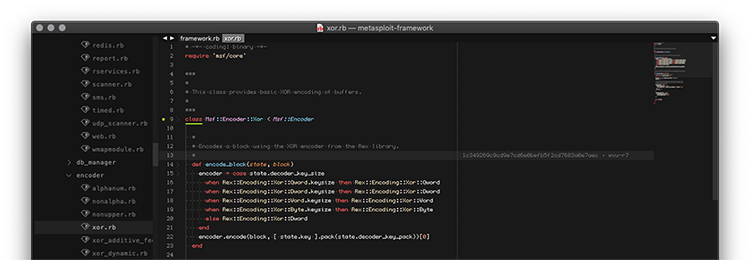
Ultra dark user interface for Sublime Text 3.
[install], [github], [website], [screenshots]
Fully featured Sublime Text 3 UI redesign. Custom theme & color scheme. In hackish, digital and sick form. Inspired by Vim, Emacs, irssi and alike.
Parent hierarchy:
* Icon set: FileIcons + custom icons
* Colorscheme: 1337 Scheme + custom fixes
* Themes:
* Spacefunk =>
* Devastate =>
* DevastateMini =>
* Final Package: Packed => (this package)
Icons distributed by braver/FileIcons. Theme DevastateMini distributed by vlakarados/devastate.
To clone this repository:
$ git clone git@github.com:duraki/sublime-packed.git
Introduction
Since switching to ST3, I've spent time searching for config that will support all my requirements. I found none. Therefore, I built this for myself and now share it openly, so others can enjoy it too.
| Pros | Cons |
|---|---|
| easy to use | might get you addicted to ST3 |
| easy to extend | your friends will think you are hacking NSA |
| looks slick out-of-the box | ??? |
| 30x productivity increase | ??? |
New features:
* Unique, Vim-like user interface
* Max compact view, forced minimal dimensions on UI elements
* New color scheme, easy on your eyes
* Includes *.sublime-settings to provide custom mods
* Includes tewi (bitmap) font provided by @Confuseh (@see lucy/tewi-font#23)
* Includes Extras for featured/supported Packages (@see /extras)
* Richful syntax support for Ruby & Crystal
Linux and OSX friendly! Tested under MacOS High Sierra, Sublime Text build 3176/3207.
Requirements
This interface is supported and developed on Sublime Text 3, I will not provide patches to older versions!
- Sublime Text 3 (tested on build
3176/3207) - Package Control for quick install (else, do manual installation)
Devastate&DevastateMiniinstalledTewifont installed (download ttf from/ttf/tewi.ttfhere)- MacOS / OSX:
cp ttf/tewi.ttf ~/Library/Fonts/ - GNU / Linux:
cp ttf/tewi.ttf ~/.fonts/ && fc-cache -f
- MacOS / OSX:
Installation
via Package Control
- 1. Make sure you already have Package Control installed.
- 2. Choose Install Package from the Command Palette (via
Tools > Coomand Palettefrom the main menu).- 2.1 Install Devastate package
- 2.2 Install DevastateMini package
- 3. Choose Install Package, select
Packedand press Enter. - 4. Latest official release requests at wband/package_control_channel
or Manual Installation
- Download or clone the desired
sublime-packedrepository. - Browse Packages from the Command Palette (via
Preferences > Browse packagesfrom the main menu). - Copy the **
sublime-packed** file toPackages/User/.
or Other way
The best way to use this theme professionally is to fork it, otherwise installing the package will not store permanent changes.
Activation
To activate the UI, you need to configure and enable it through User.Preferences file.
Simply go to User Preferences ("Preferences: Settings - User" in command palette) and add:
"color_scheme": "Packages/Packed/Packed.tmTheme",
"theme": "Packed.sublime-theme",
Configuration
Note: This step isn't necessary. Just restart your ST3 after enabling the theme to use and enjoy it.
Custom configuration provides additional settings for various options.
If you may want to manually configure specific theme options; simply
copying/editing the content of Packed.Preferences from this repository
to your User configuration file is enough.
Copy the content of Packed.Preferences to User Preferences ("Preferences: Settings -
User" in command palette).
Screenshots
Out-of-the box Packed style
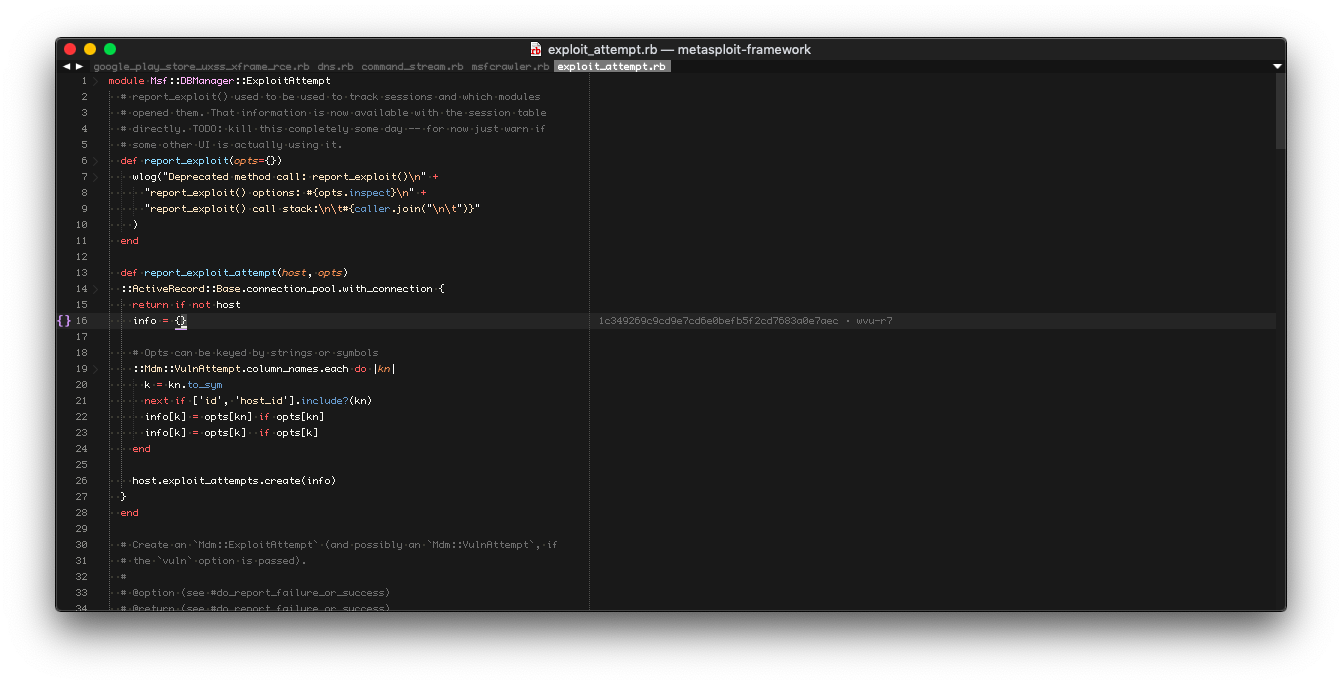
Side-by-side view
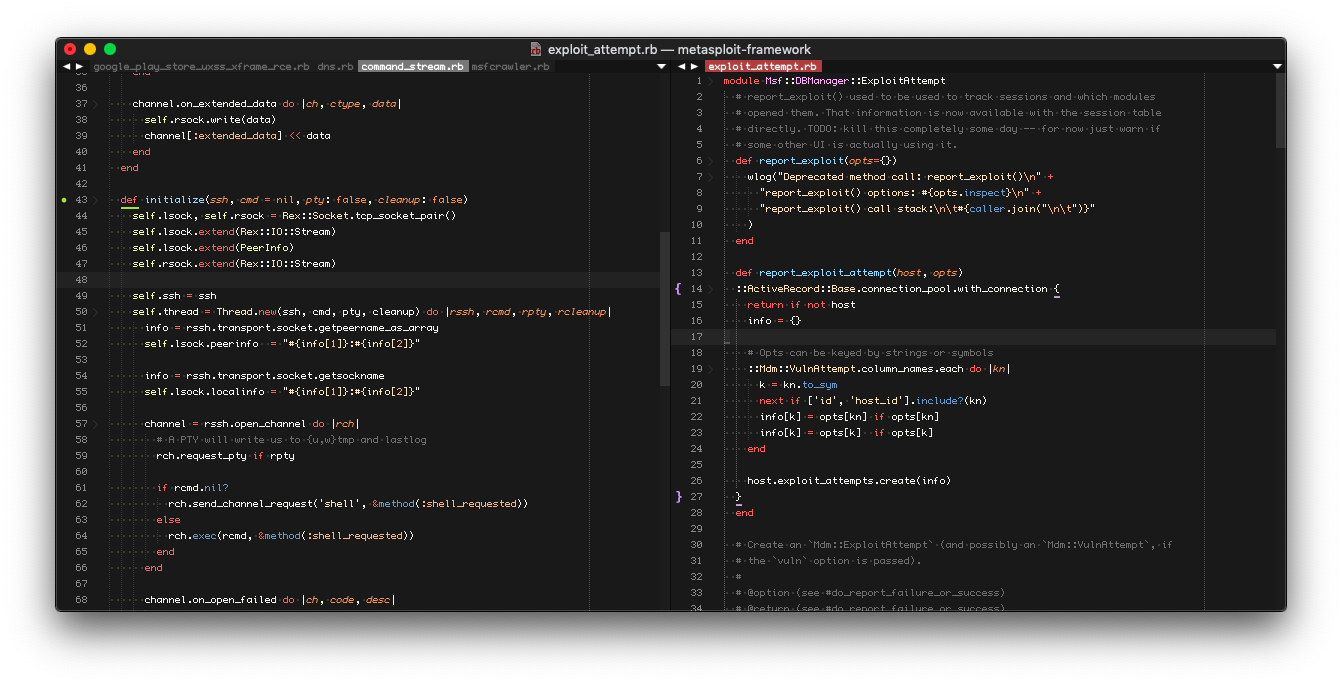
See more showreel at screenshot page.
Say Hi!
to project:
- packagescontrol: http://packagecontrol.io/Packed
- repository: https://github.com/duraki/sublime-packed
- website: https://duraki.github.io/sublime-packed
to author:
- Halis Duraki duraki@linuxmail.org, Twitter, GitHub, Blog
to wallet:
- btc: 14nEUXKgxovKNBwMR25UA6UQs79UFygzDG
- btc cash: qptsv80vxj9tnesvd0yuqyrnfufc9xjvusnv389ywj
- eth: 0xD1c72EA0b860b65c3fDfc6945ec1D2761eDa5785
- paypal: Link
LICENSE
Copyright © 2019 duraki/sublime-packed, MIT
See LICENSE for details.