
Atlas Ragnarok Color Scheme
Tech-blue thunder above, crimson fire below. A Ghostty terminal theme + storm-fire vignette shader, forged in pure black.
Details
Installs
- Total 42
- Win 18
- Mac 11
- Linux 13
| Oct 21 | Oct 20 | Oct 19 | Oct 18 | Oct 17 | Oct 16 | Oct 15 | Oct 14 | Oct 13 | Oct 12 | Oct 11 | Oct 10 | Oct 9 | Oct 8 | Oct 7 | Oct 6 | Oct 5 | Oct 4 | Oct 3 | Oct 2 | Oct 1 | Sep 30 | Sep 29 | Sep 28 | Sep 27 | Sep 26 | Sep 25 | Sep 24 | Sep 23 | Sep 22 | Sep 21 | Sep 20 | Sep 19 | Sep 18 | Sep 17 | Sep 16 | Sep 15 | Sep 14 | Sep 13 | Sep 12 | Sep 11 | Sep 10 | Sep 9 | Sep 8 | Sep 7 | Sep 6 | |
|---|---|---|---|---|---|---|---|---|---|---|---|---|---|---|---|---|---|---|---|---|---|---|---|---|---|---|---|---|---|---|---|---|---|---|---|---|---|---|---|---|---|---|---|---|---|---|
| Windows | 0 | 0 | 0 | 0 | 1 | 0 | 0 | 0 | 0 | 1 | 0 | 0 | 0 | 0 | 0 | 0 | 1 | 0 | 0 | 0 | 1 | 0 | 0 | 0 | 0 | 0 | 0 | 0 | 0 | 0 | 0 | 0 | 0 | 0 | 1 | 0 | 0 | 0 | 0 | 0 | 0 | 0 | 0 | 0 | 0 | 1 |
| Mac | 0 | 0 | 0 | 0 | 0 | 0 | 0 | 0 | 0 | 0 | 0 | 0 | 0 | 0 | 0 | 0 | 0 | 0 | 0 | 0 | 0 | 0 | 0 | 1 | 0 | 0 | 1 | 1 | 0 | 0 | 0 | 0 | 0 | 0 | 0 | 0 | 0 | 0 | 0 | 0 | 0 | 0 | 0 | 0 | 0 | 0 |
| Linux | 0 | 0 | 0 | 1 | 0 | 0 | 0 | 0 | 0 | 0 | 0 | 0 | 0 | 0 | 0 | 0 | 0 | 0 | 0 | 0 | 0 | 0 | 0 | 0 | 0 | 0 | 0 | 0 | 0 | 0 | 0 | 0 | 0 | 0 | 0 | 0 | 0 | 0 | 0 | 0 | 0 | 0 | 0 | 0 | 0 | 0 |
Readme
- Source
- raw.githubusercontent.com
atlas-ragnarok





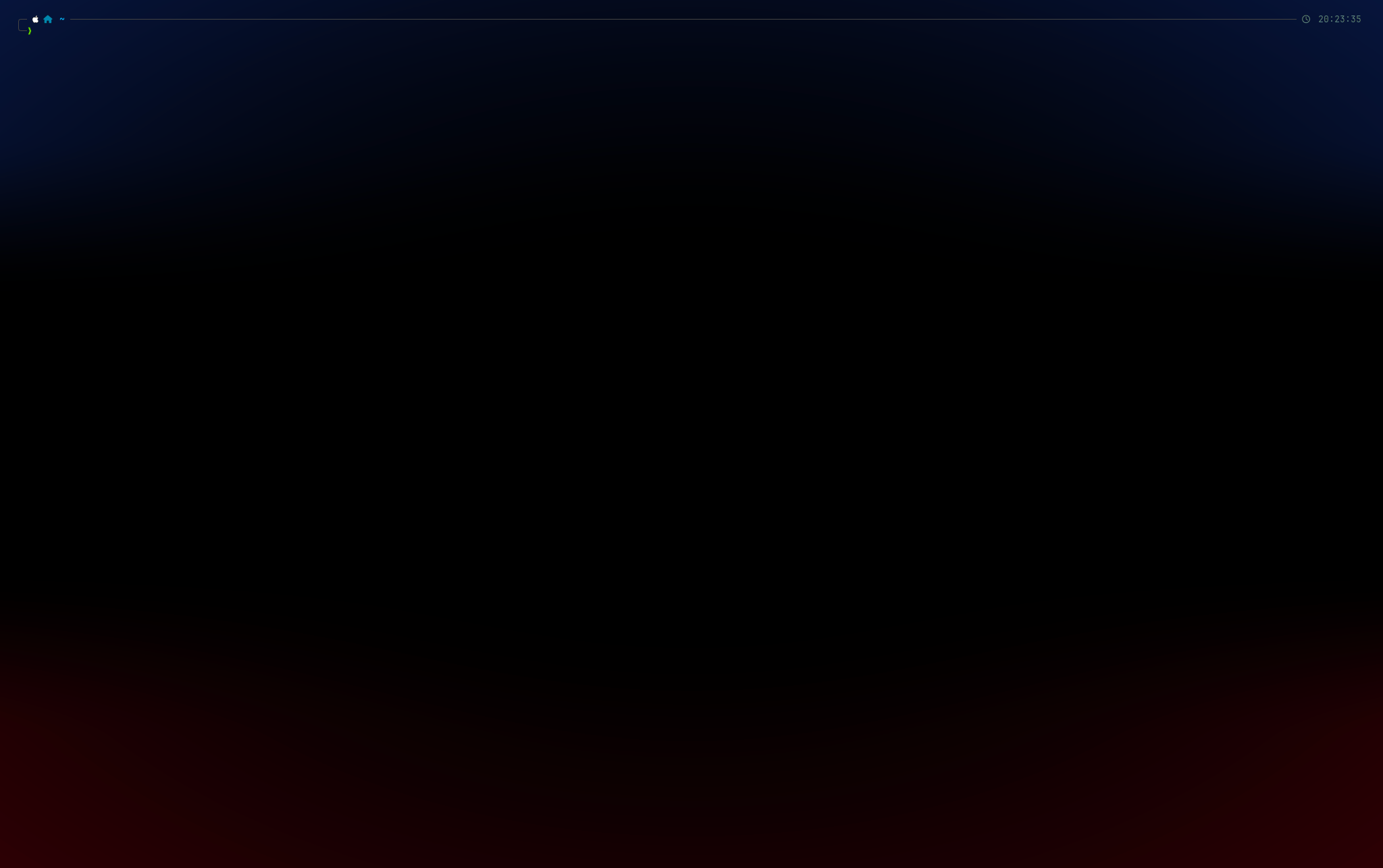
Tech-blue thunder above. Crimson fire below. Pure black through the middle. The end-of-days terminal theme for Ghostty.
The palette in motion

The storm-fire glow is the same atlas-ragnarok vignette you'd see in Ghostty — screenshots/_shader.py is a pixel-exact reimplementation of atlas-ragnarok.glsl (same colors, same smoothsteps, same luminance mask), applied to every frame in post since vhs/ttyd can't run the GPU shader directly. Text never gets tinted; backgrounds carry the glow. Also available as MP4. Regenerate with sh screenshots/gen.sh (needs vhs, ffmpeg, webp, bat, tree, pillow, numpy).
A Ghostty theme + custom shader inspired by the Norse apocalypse — where the sky cracks open with electric storm-blue and the world burns crimson beneath. The middle stays pure black. Text never gets tinted: a luminance mask keeps code, prompts, and output perfectly legible at every shader intensity.
Built on the syntactic structure of Vesper
(the orange-and-peppermint Rauno Freiberg VSCode theme), with the orange family
remapped to a Tailwind blue gradient and a storm/fire vignette layered on top
of pure-black #000000.
Install
macOS
git clone https://github.com/AyoubTadlaoui/atlas-ragnarok.git
cd atlas-ragnarok

mkdir -p ~/.config/ghostty/themes ~/.config/ghostty/shaders
cp atlas-ragnarok.conf ~/.config/ghostty/themes/
cp atlas-ragnarok.glsl ~/.config/ghostty/shaders/

# Activate it
echo 'config-file = ~/.config/ghostty/themes/atlas-ragnarok.conf' \
  >> "$HOME/Library/Application Support/com.mitchellh.ghostty/config.ghostty"
Reload with Cmd+Shift+, or restart Ghostty.
Linux
git clone https://github.com/AyoubTadlaoui/atlas-ragnarok.git
cd atlas-ragnarok

mkdir -p ~/.config/ghostty/themes ~/.config/ghostty/shaders
cp atlas-ragnarok.conf ~/.config/ghostty/themes/
cp atlas-ragnarok.glsl ~/.config/ghostty/shaders/

# Activate it
echo 'config-file = ~/.config/ghostty/themes/atlas-ragnarok.conf' \
  >> ~/.config/ghostty/config
Reload with Ctrl+Shift+, or restart Ghostty.
Windows (WSL2)
Ghostty doesn't yet ship a native Windows build. Run it under WSL2 with an X-server (WSLg on Windows 11 handles this automatically).
# Inside your WSL2 shell
git clone https://github.com/AyoubTadlaoui/atlas-ragnarok.git
cd atlas-ragnarok

mkdir -p ~/.config/ghostty/themes ~/.config/ghostty/shaders
cp atlas-ragnarok.conf ~/.config/ghostty/themes/
cp atlas-ragnarok.glsl ~/.config/ghostty/shaders/

echo 'config-file = ~/.config/ghostty/themes/atlas-ragnarok.conf' \
  >> ~/.config/ghostty/config
Restart Ghostty in WSLg. If you're on Windows 10 (no WSLg), install
VcXsrv and set DISPLAY in
your WSL profile.
Want the palette in Windows Terminal or WezTerm instead? See Terminals — the
palette = N=#hexlines map cleanly to either format. The vignette shader is Ghostty-only.
PowerShell one-liner (downloads without git)
For Windows users who want the raw files without git:
$dest = "$HOME\.config\ghostty"
New-Item -ItemType Directory -Force -Path "$dest\themes","$dest\shaders" | Out-Null
Invoke-WebRequest "https://raw.githubusercontent.com/AyoubTadlaoui/atlas-ragnarok/main/atlas-ragnarok.conf" -OutFile "$dest\themes\atlas-ragnarok.conf"
Invoke-WebRequest "https://raw.githubusercontent.com/AyoubTadlaoui/atlas-ragnarok/main/atlas-ragnarok.glsl" -OutFile "$dest\shaders\atlas-ragnarok.glsl"
Add-Content "$dest\config" "config-file = ~/.config/ghostty/themes/atlas-ragnarok.conf"
One-shot curl (macOS / Linux, no git)
mkdir -p ~/.config/ghostty/themes ~/.config/ghostty/shaders
curl -fsSL https://raw.githubusercontent.com/AyoubTadlaoui/atlas-ragnarok/main/atlas-ragnarok.conf \
  -o ~/.config/ghostty/themes/atlas-ragnarok.conf
curl -fsSL https://raw.githubusercontent.com/AyoubTadlaoui/atlas-ragnarok/main/atlas-ragnarok.glsl \
  -o ~/.config/ghostty/shaders/atlas-ragnarok.glsl

CONFIG="$HOME/.config/ghostty/config"
[[ "$OSTYPE" == "darwin"* ]] && CONFIG="$HOME/Library/Application Support/com.mitchellh.ghostty/config.ghostty"
echo 'config-file = ~/.config/ghostty/themes/atlas-ragnarok.conf' >> "$CONFIG"
Palette
ANSI colors are Vesper's 5-color system, with the warm-accent family replaced
by a tech-blue gradient (Tailwind blue-600 → blue-300).
| Role | Hex | Sample |
|---|---|---|
| Background | #000000 |
pure black |
| Foreground | #ffffff |
white |
| Thunder-blue primary | #3b82f6 |
functions, types, cursor |
| Thunder-blue deep | #2563eb |
tags, numbers |
| Thunder-blue bright | #60a5fa |
emphasis |
| Thunder-blue pale | #93c5fd |
accents |
| Peppermint | #99ffe4 |
strings, symbols, git-added |
| Gray | #a0a0a0 |
keywords, operators, storage |
| Crimson | #ff8080 |
errors, invalid, git-deleted |
| Selection | #1e3a5f |
deep navy |
Shader
The atlas-ragnarok.glsl shader adds the storm-fire vignette:
- Top ~30% of the screen — thunder-blue glow (
#0e1d52-ish, vignetted) - Bottom ~30% of the screen — crimson glow (
#380404-ish, vignetted) - Middle ~40% — untouched pure black
- Text pixels — never tinted (luminance mask kicks in at
lum > 0.04)
The intensity curves are tuned for OLED + modern LCD. If you want to dial it
up or down, the knobs are at the bottom of atlas-ragnarok.glsl:
vec3 thunder_blue = vec3(0.055, 0.115, 0.320);  // raise for more sky
vec3 red_tint     = vec3(0.220, 0.014, 0.028);  // raise for more fire

float top_only    = smoothstep(0.65, 0.85, 1.0 - uv.y);  // wider blue band
float bottom_only = smoothstep(0.65, 0.85, uv.y);        // wider red band
Code editors
Atlas Ragnarok ships as a full color theme to every major editor. See EDITORS.md for the publish matrix + maintainer notes.
| Editor | Install | Marketplace status |
|---|---|---|
| VSCodium / Gitpod / Eclipse Theia | codium --install-extension AyoubTadlaoui.atlas-ragnarok |
✓ Live on Open VSX |
| VS Code / Cursor | Download VSIX from Open VSX, then code --install-extension <file>.vsix |
VS Code Marketplace listing pending |
| Zed | zed: install extension Atlas Ragnarok (once merged) |
⏳ zed-industries/extensions#6129 — green, awaiting maintainer merge |
| JetBrains (IntelliJ, PyCharm, GoLand, WebStorm, Rider, RustRover, CLion, RubyMine, PhpStorm, DataGrip, Android Studio) | Plugins → Marketplace → Atlas Ragnarok (once approved) | ⏳ Plugin #31820 in moderation |
| Helix | cp editors/helix/atlas-ragnarok.toml ~/.config/helix/themes/ and :theme atlas-ragnarok |
⏳ Upstream PR helix-editor/helix#15754; works locally today |
| Sublime Text 4 | After merge: Package Control → Install Package → Atlas Ragnarok |
⏳ sublimehq/package_control_channel#9421 |
| Neovim | { "AyoubTadlaoui/atlas-ragnarok", rtp = "editors/neovim" } via lazy.nvim / packer |
✓ Install directly from this repo |
| Vim | Plug 'AyoubTadlaoui/atlas-ragnarok', { 'rtp': 'editors/vim' } |
✓ Install directly from this repo |
Full syntax + UI coverage in every port: comments, strings, numbers, keywords, functions, types, tags, variables, properties, decorators, markdown, diff, git decorations, debugger, terminal pane, and Treesitter / LSP semantic tokens where supported.
Terminals
- Ghostty ≥ 1.0 — full support (theme + shader). Once mbadolato/iTerm2-Color-Schemes#697 merges,
theme = atlas-ragnarokbecomes a built-in option (no manual file copy). The shader still needs the one-timecpfrom this repo. - Alacritty / Kitty / WezTerm / iTerm2 / Hyper / Konsole / Foot / Termite / Termux / +20 others — same iTerm2-Color-Schemes PR auto-flows the palette to every terminal in that submodule on merge.
- Alacritty — palette ported in
themes/alacritty.toml. Import viageneral.import = ["~/.config/alacritty/themes/atlas-ragnarok.toml"]. - Kitty — palette ported in
themes/kitty.conf. Drop into~/.config/kitty/andinclude atlas-ragnarok.conffrom yourkitty.conf. - WezTerm — palette ported in
themes/wezterm.lua. Drop into~/.config/wezterm/colors/, then reference viacolor_scheme = 'atlas-ragnarok'. - iTerm2 — palette ported in
themes/iterm2.itermcolors. Double-click the file in Finder to import as a Color Preset. - Windows Terminal — palette ported in
themes/windows-terminal.json. Add the object to theschemesarray insettings.json, then set"colorScheme": "atlas-ragnarok"on a profile. - Other terminals — PRs welcome — see CONTRIBUTING.md.
Credits
- Palette structure inherited from raunofreiberg/vesper (MIT)
- Tailwind color tokens for the blue gradient
- Forged by Atlas Kaisar
License
MIT — do whatever you want, just keep the copyright notice.