
Candela Color Schemes
Candela is a family of color schemes tuned for long, comfortable coding sessions. Low-glare backgrounds, desaturated accents, and WCAG-AA contrast throughout. (Sublime Text — generated; source: schovi/candela-themes)
Details
Installs
- Total 118
- Win 55
- Mac 36
- Linux 27
| Oct 21 | Oct 20 | Oct 19 | Oct 18 | Oct 17 | Oct 16 | Oct 15 | Oct 14 | Oct 13 | Oct 12 | Oct 11 | Oct 10 | Oct 9 | Oct 8 | Oct 7 | Oct 6 | Oct 5 | Oct 4 | Oct 3 | Oct 2 | Oct 1 | Sep 30 | Sep 29 | Sep 28 | Sep 27 | Sep 26 | Sep 25 | Sep 24 | Sep 23 | Sep 22 | Sep 21 | Sep 20 | Sep 19 | Sep 18 | Sep 17 | Sep 16 | Sep 15 | Sep 14 | Sep 13 | Sep 12 | Sep 11 | Sep 10 | Sep 9 | Sep 8 | Sep 7 | Sep 6 | |
|---|---|---|---|---|---|---|---|---|---|---|---|---|---|---|---|---|---|---|---|---|---|---|---|---|---|---|---|---|---|---|---|---|---|---|---|---|---|---|---|---|---|---|---|---|---|---|
| Windows | 0 | 0 | 0 | 1 | 0 | 2 | 0 | 2 | 0 | 1 | 2 | 1 | 0 | 1 | 2 | 0 | 0 | 0 | 1 | 1 | 0 | 0 | 0 | 0 | 0 | 0 | 0 | 2 | 2 | 2 | 0 | 1 | 0 | 1 | 3 | 1 | 0 | 0 | 0 | 0 | 0 | 0 | 1 | 0 | 0 | 1 |
| Mac | 0 | 0 | 0 | 0 | 0 | 0 | 0 | 0 | 2 | 0 | 0 | 0 | 0 | 0 | 1 | 0 | 0 | 0 | 0 | 0 | 1 | 3 | 0 | 0 | 0 | 0 | 0 | 1 | 0 | 0 | 0 | 0 | 0 | 0 | 1 | 0 | 2 | 0 | 0 | 1 | 0 | 0 | 0 | 0 | 0 | 0 |
| Linux | 0 | 0 | 0 | 0 | 0 | 0 | 0 | 0 | 1 | 1 | 0 | 0 | 1 | 0 | 0 | 0 | 1 | 0 | 0 | 0 | 0 | 0 | 1 | 0 | 0 | 1 | 0 | 1 | 0 | 1 | 1 | 0 | 0 | 0 | 0 | 0 | 0 | 1 | 0 | 0 | 1 | 0 | 0 | 1 | 0 | 0 |
Readme
- Source
- raw.githubusercontent.com
Candela Color Schemes for Sublime Text
Color schemes for Sublime Text and your terminal, tuned for long sessions and tired eyes. Low-glare backgrounds, desaturated accents, and WCAG-AA contrast throughout, with the same palette everywhere you work.
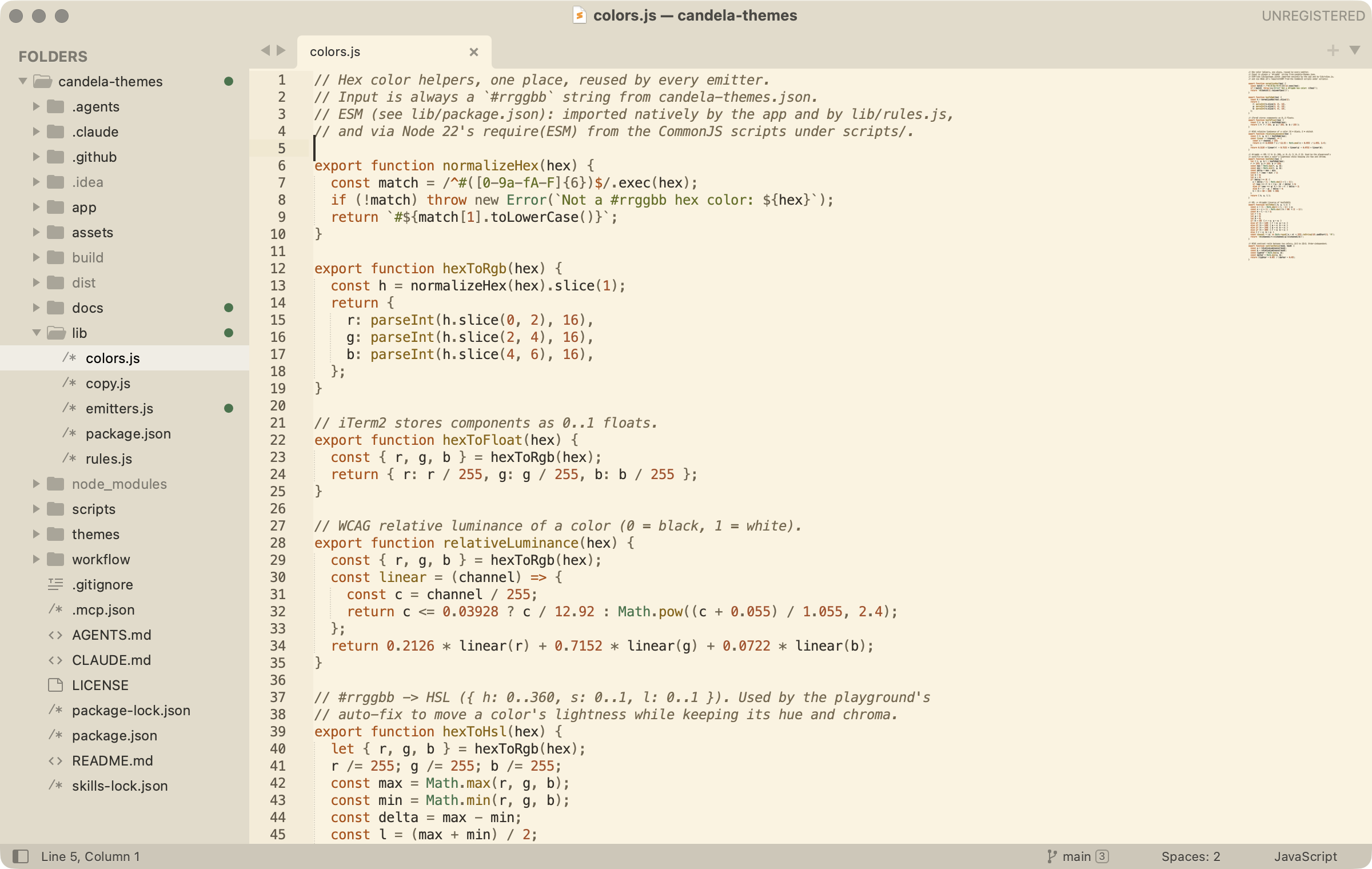
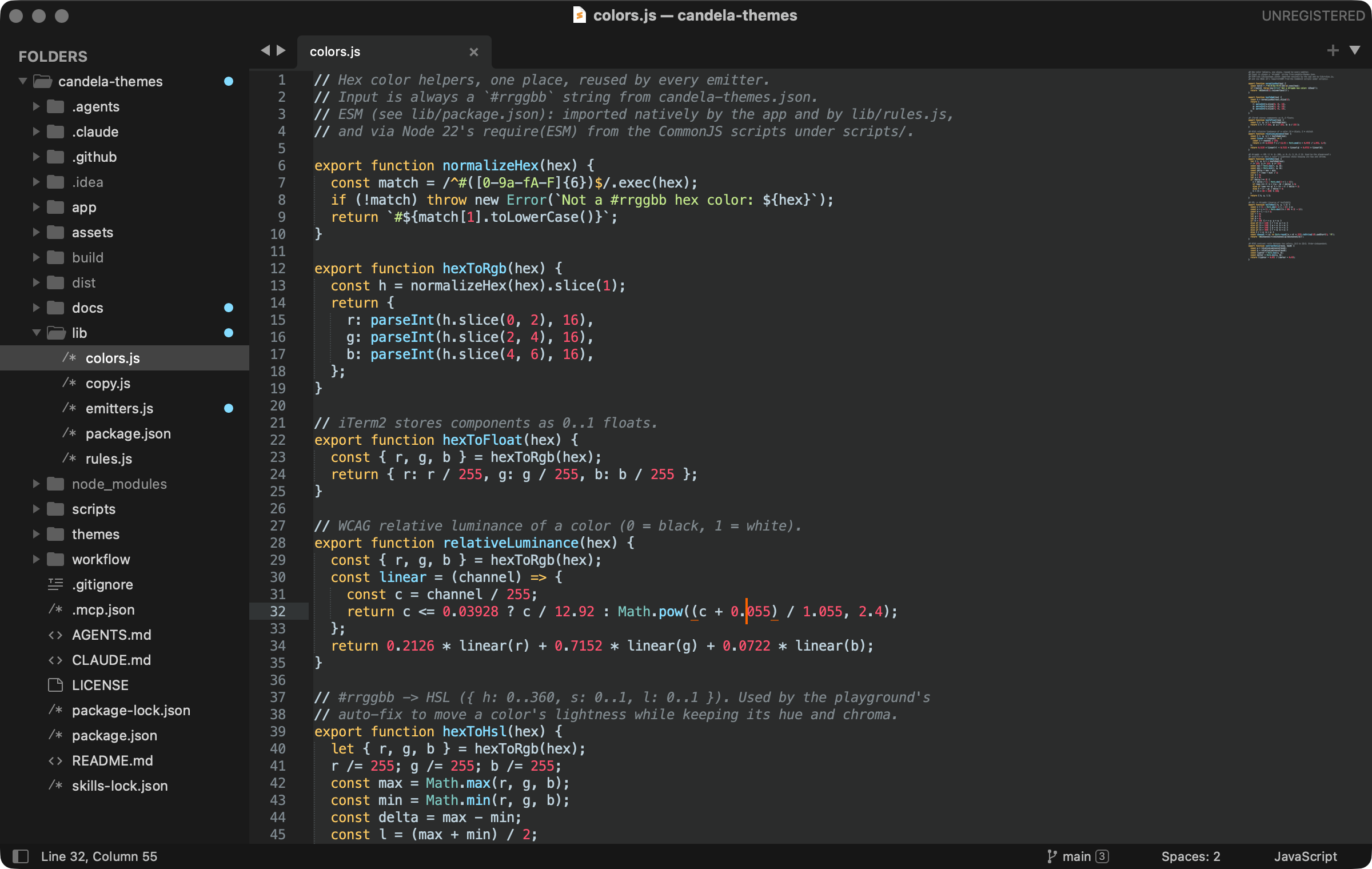
Why Candela
- Built for tired eyes — low-glare backgrounds (never pure white or black) and desaturated accents that resist visual fringing.
- Readable by design — every syntax and UI color clears WCAG-AA contrast; primary text clears AAA.
- One palette everywhere — the same colors in your editor and your terminal.
- A whole family — light schemes for every room, plus dark companions, all from one coordinated, curated set.
After installing, choose a Candela scheme from Preferences > Select Color Scheme.
Candela then offers to switch the UI theme to Adaptive, which extends the palette to the
sidebar, tabs and status bar — every other UI theme keeps its own grays. Decline it and
only the editor recolors; you can turn it on later with Candela: Color the sidebar, tabs
and status bar too in the command palette, or by hand with "theme": "Adaptive.sublime-theme".
Build your own in the browser: adjust any palette, keep the same contrast rules, export it for your editor — candela.ink/editor.
Every color scheme
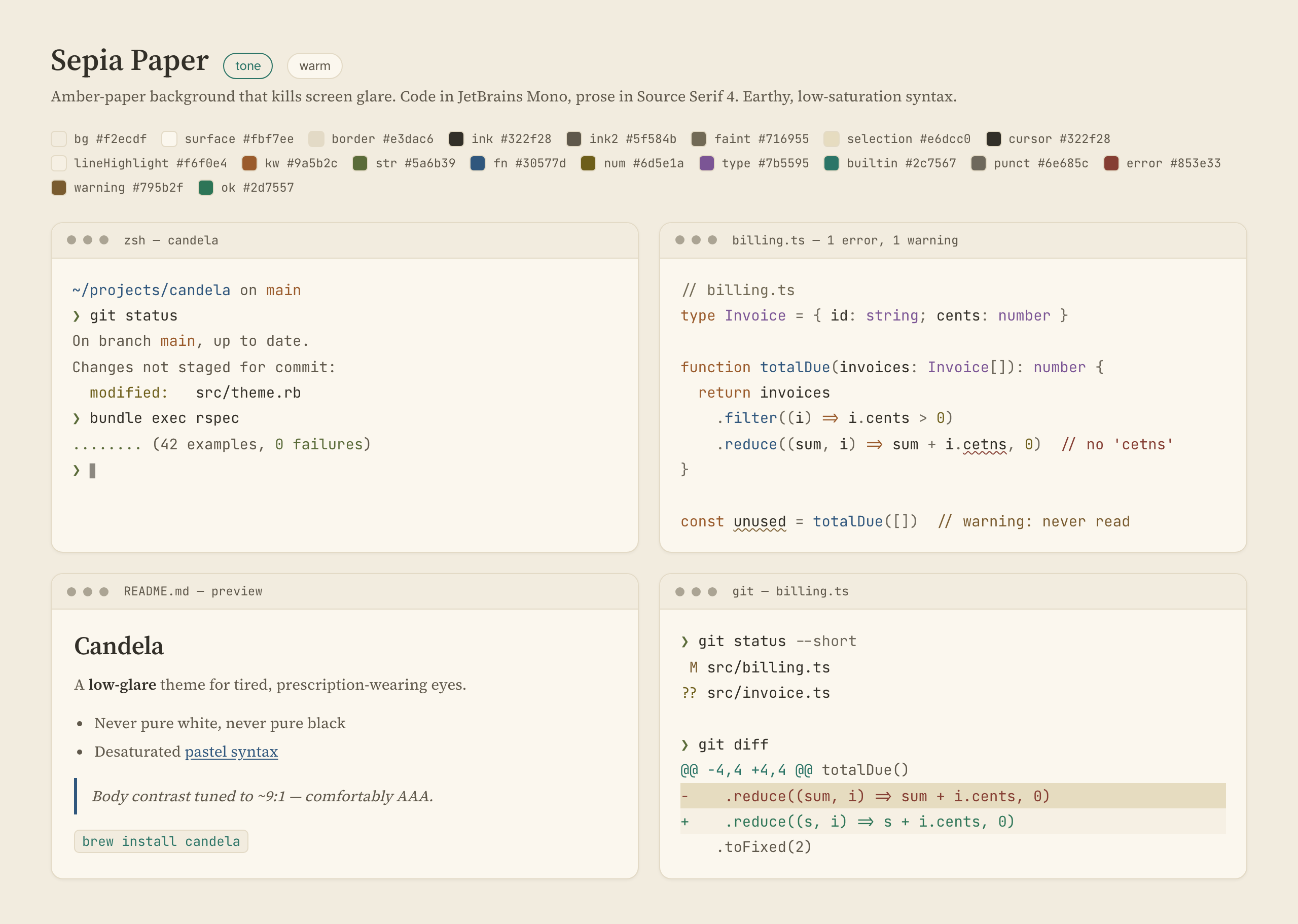
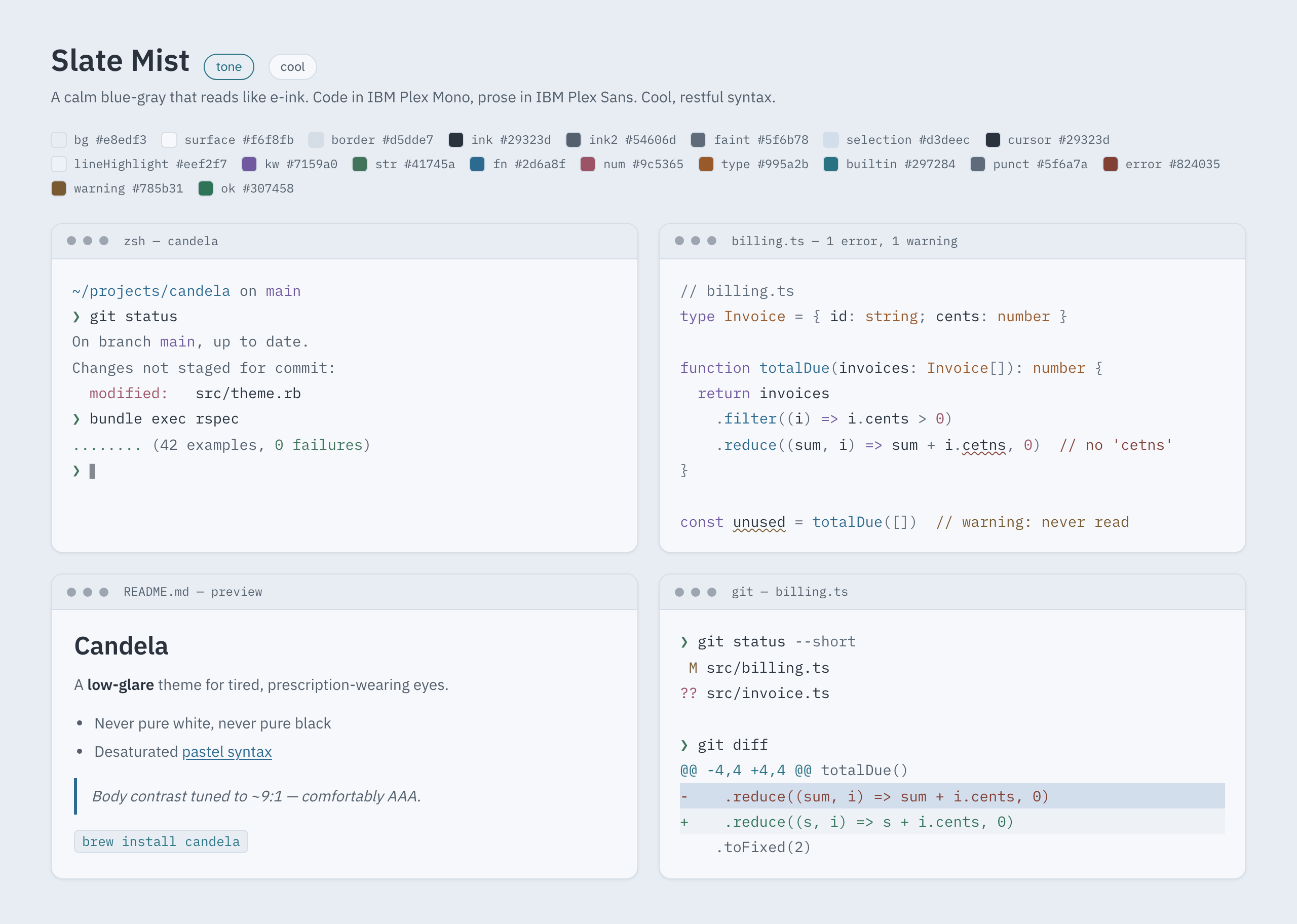
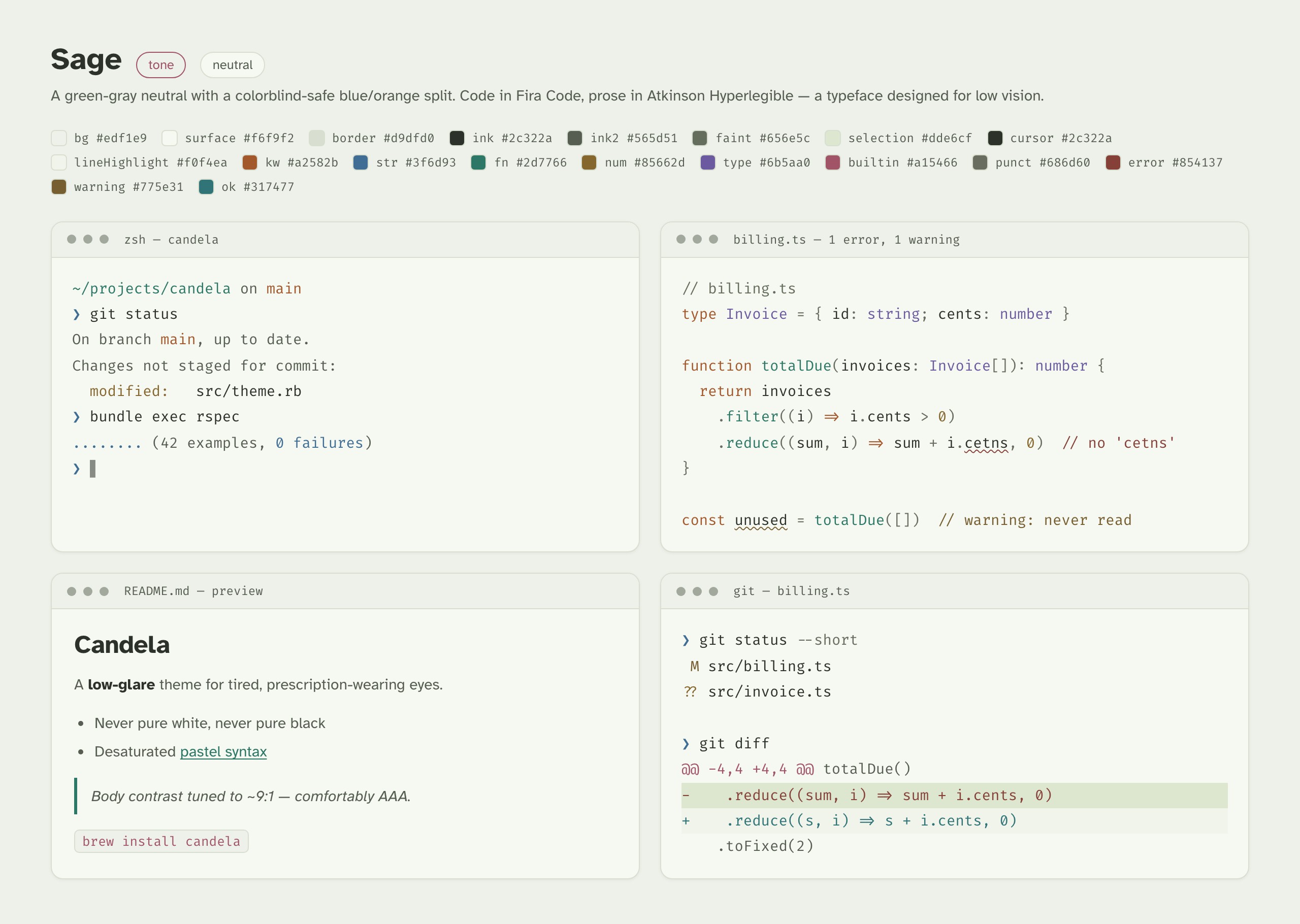
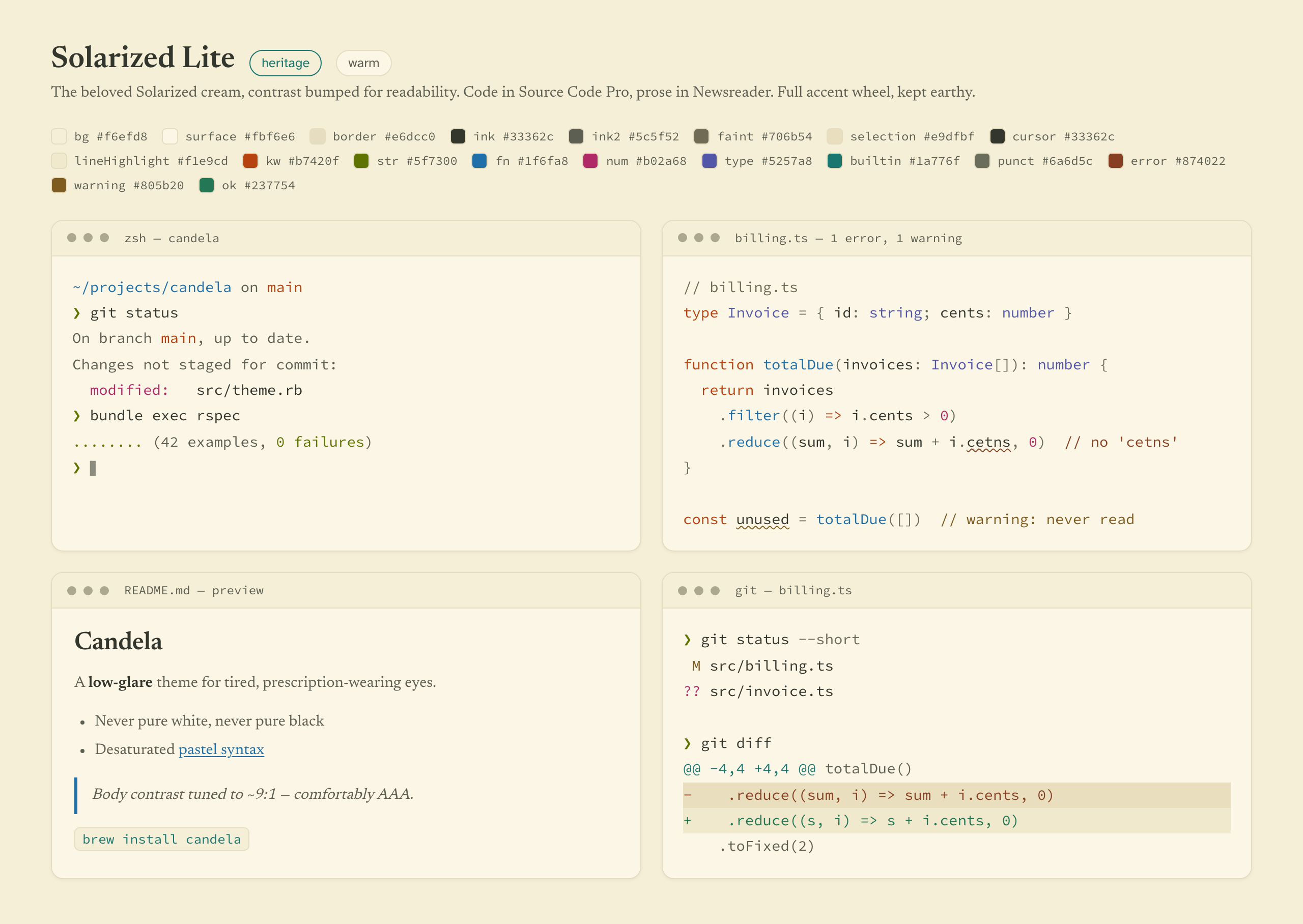
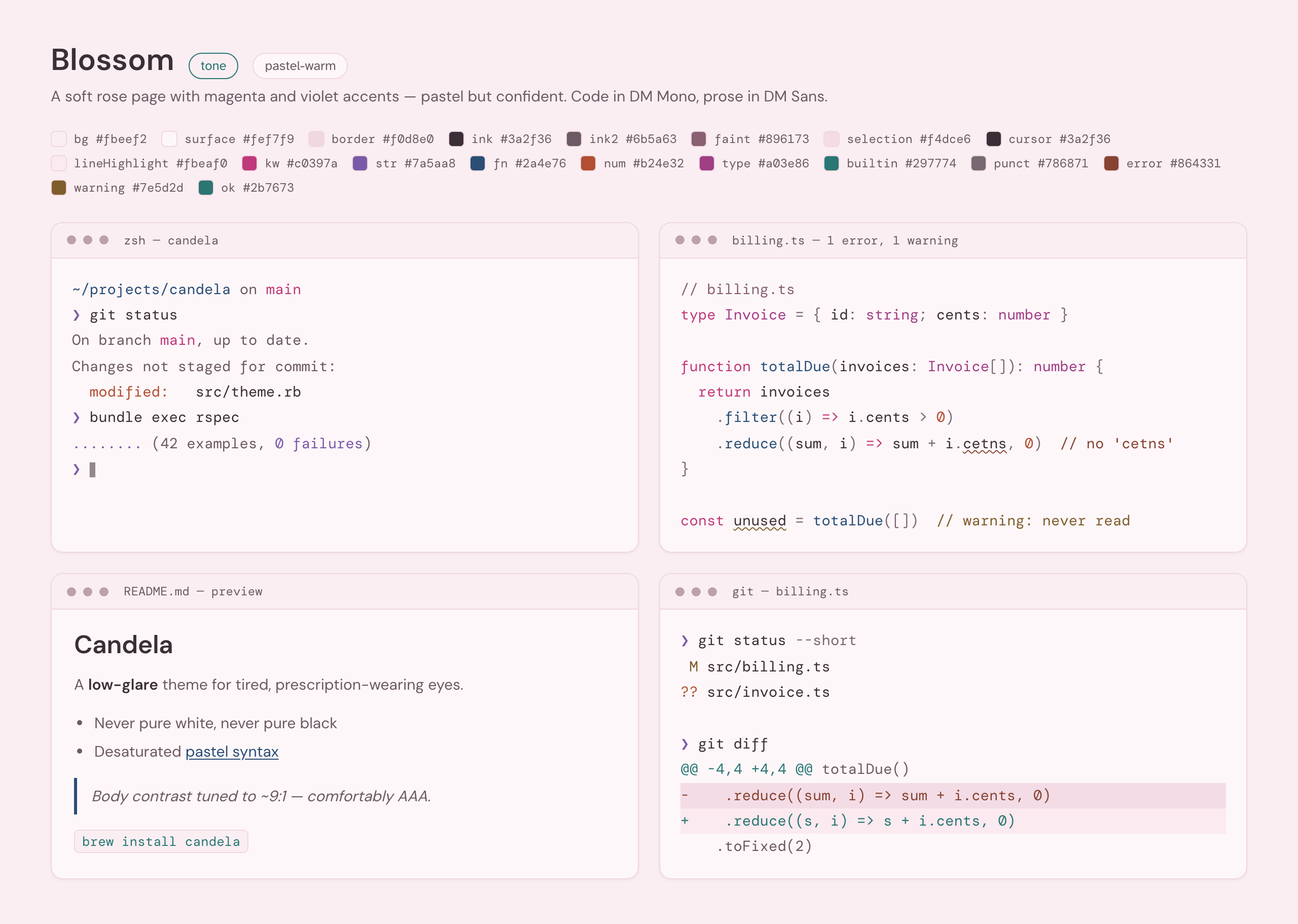
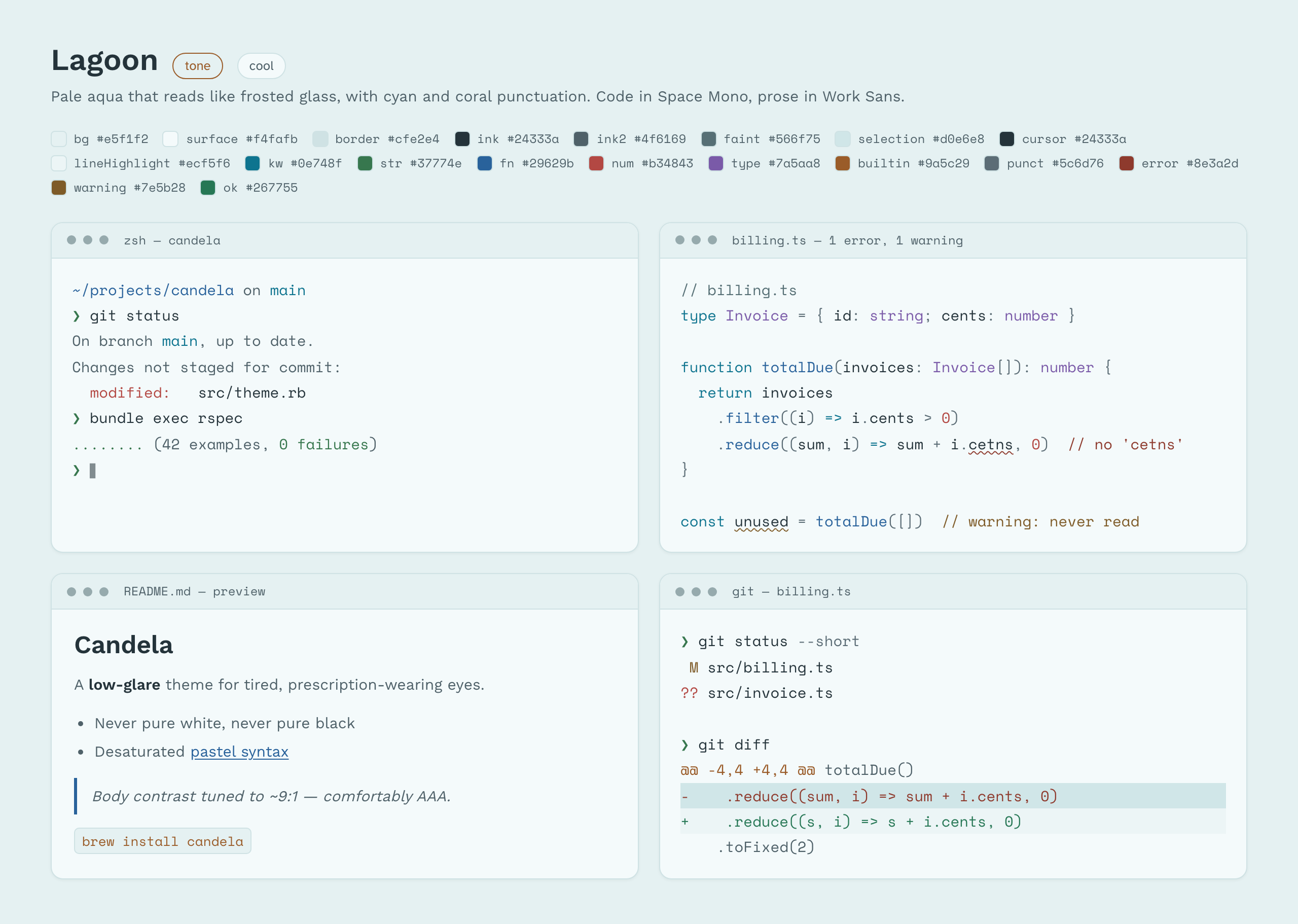
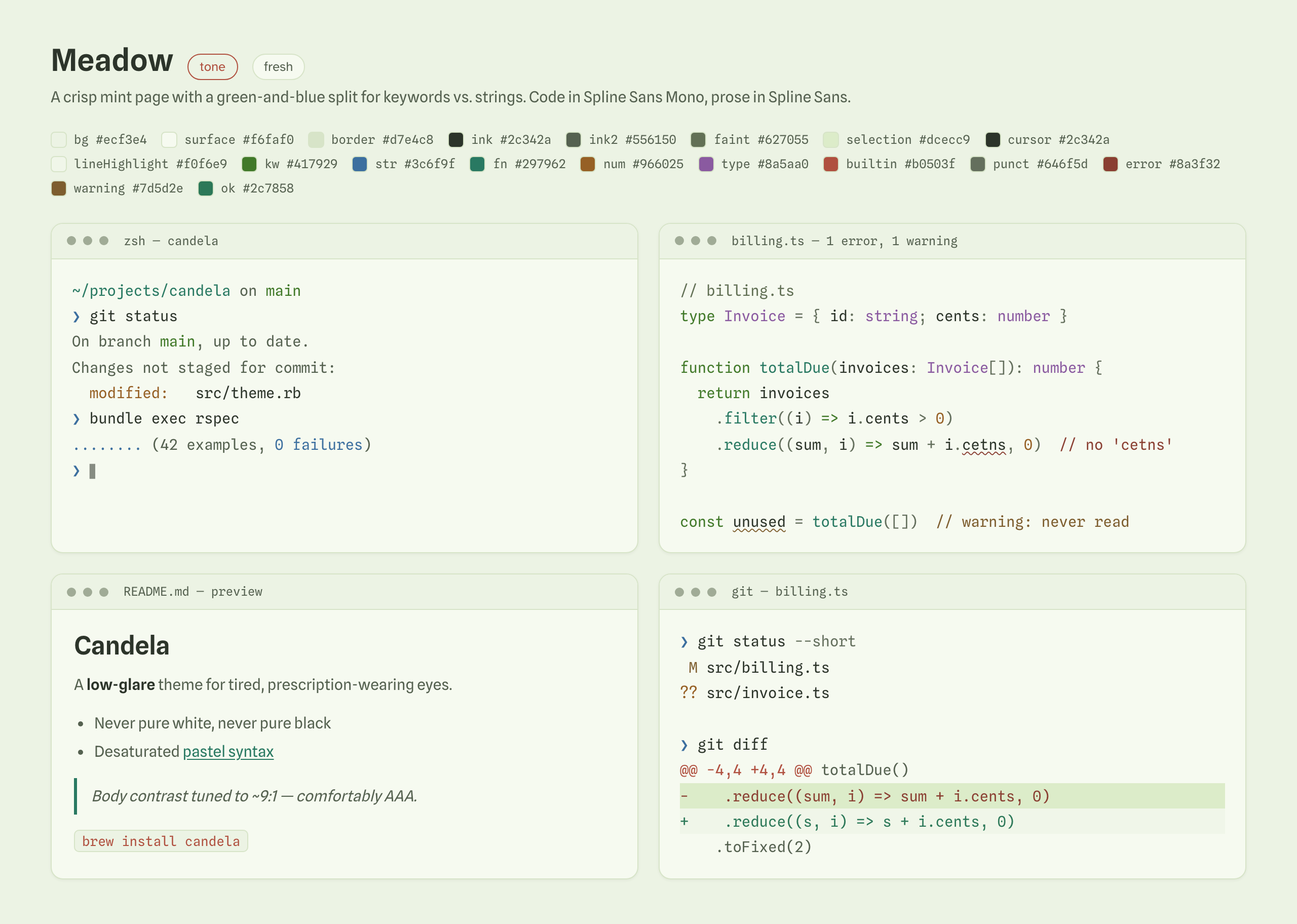
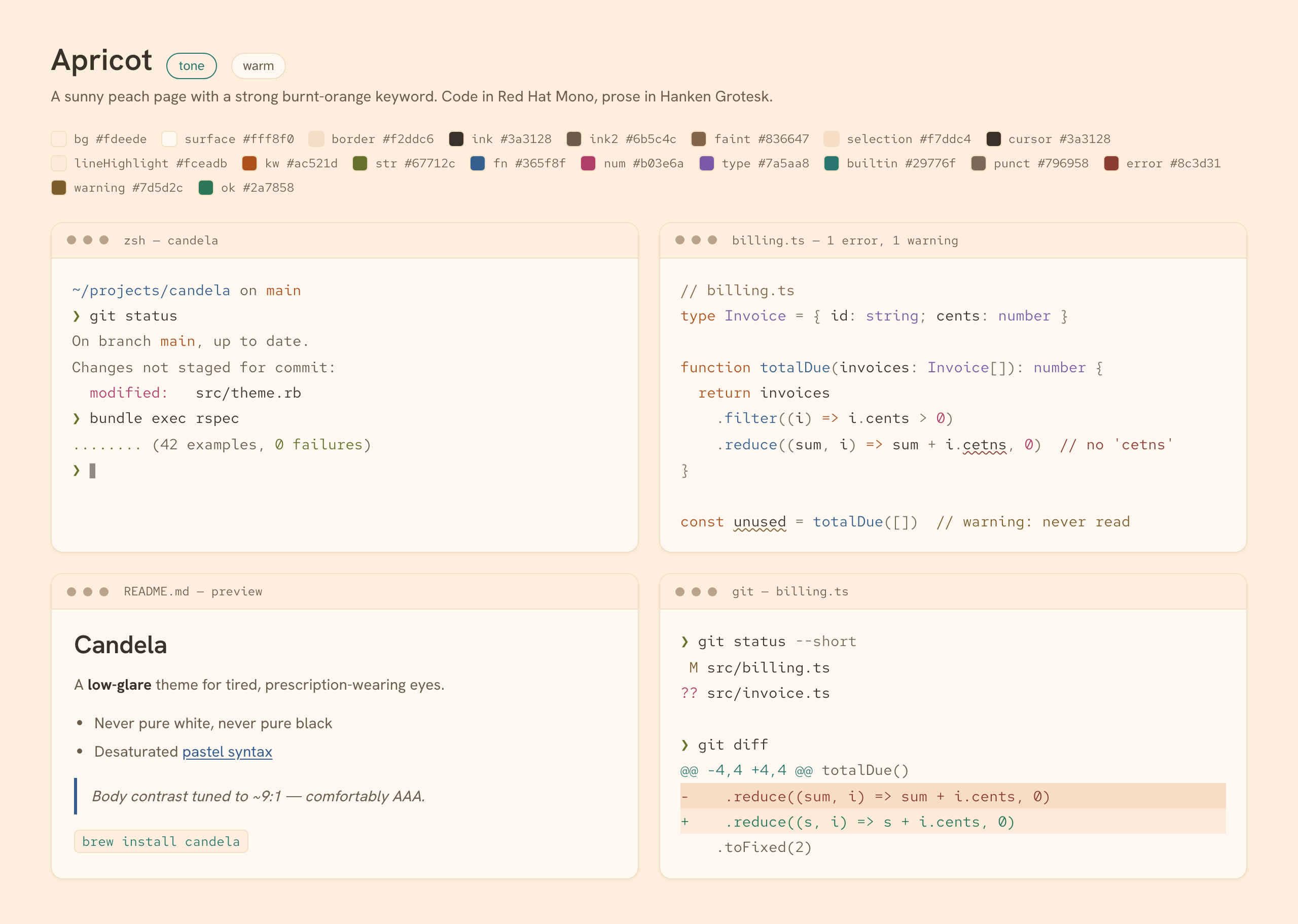
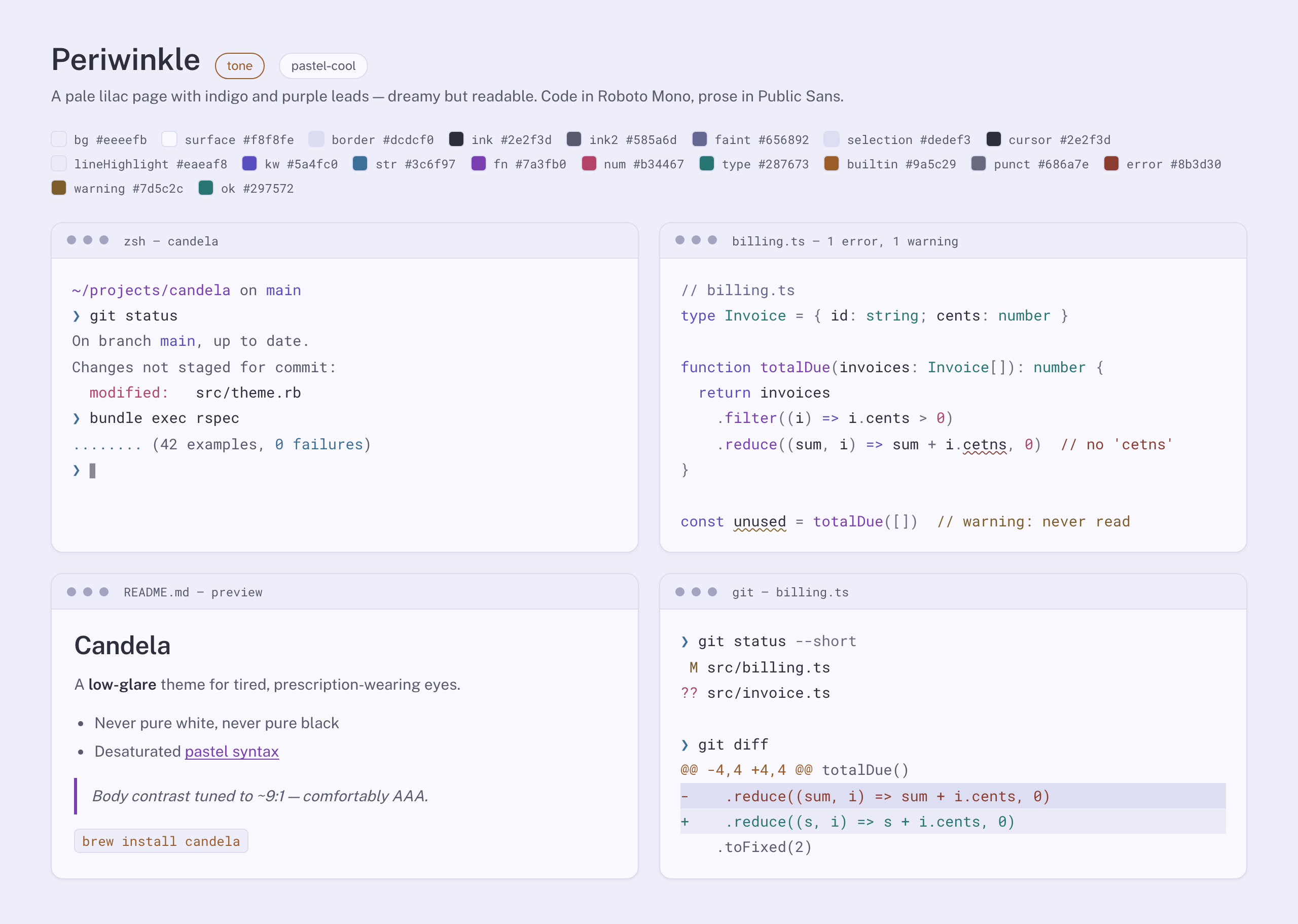
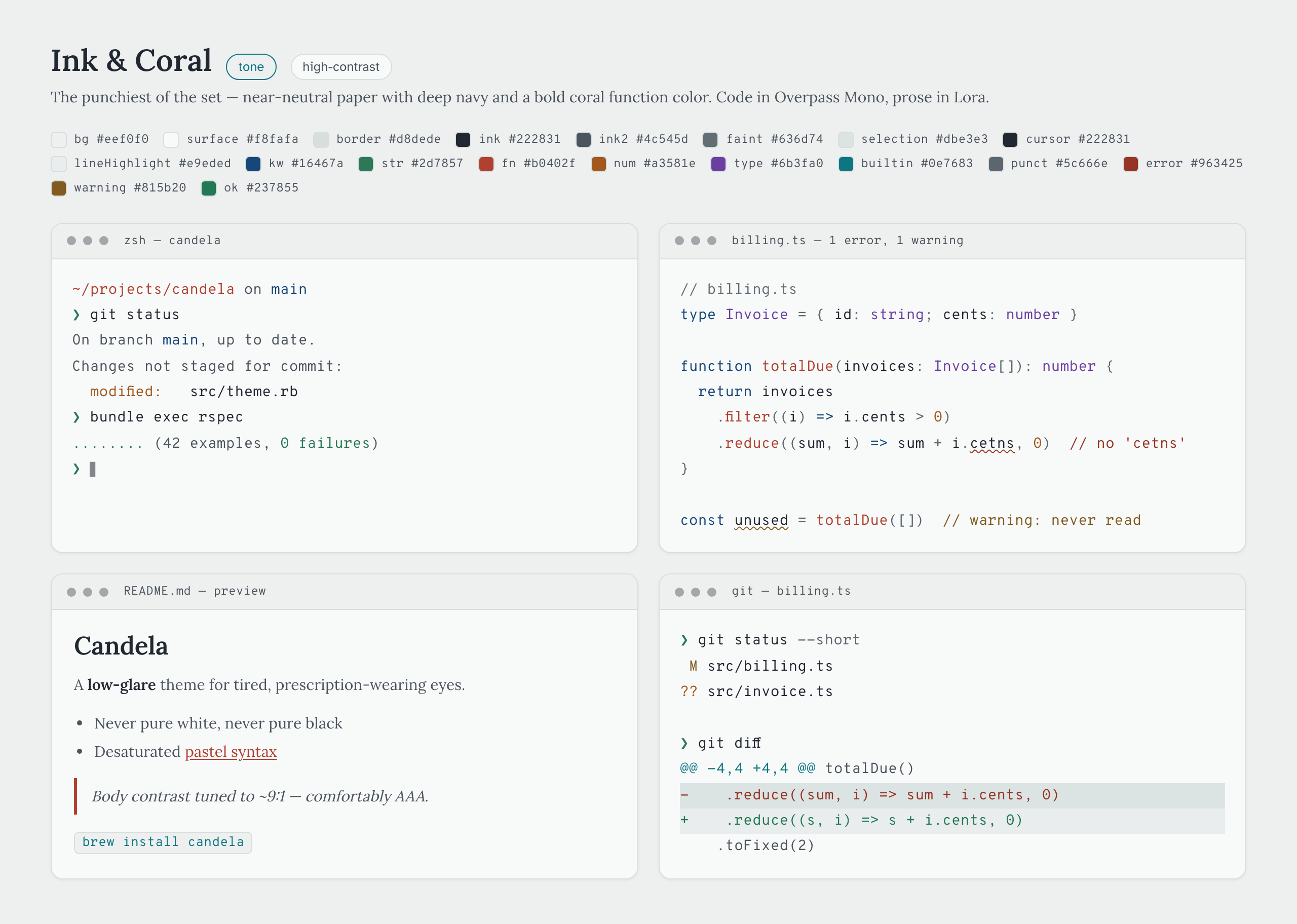
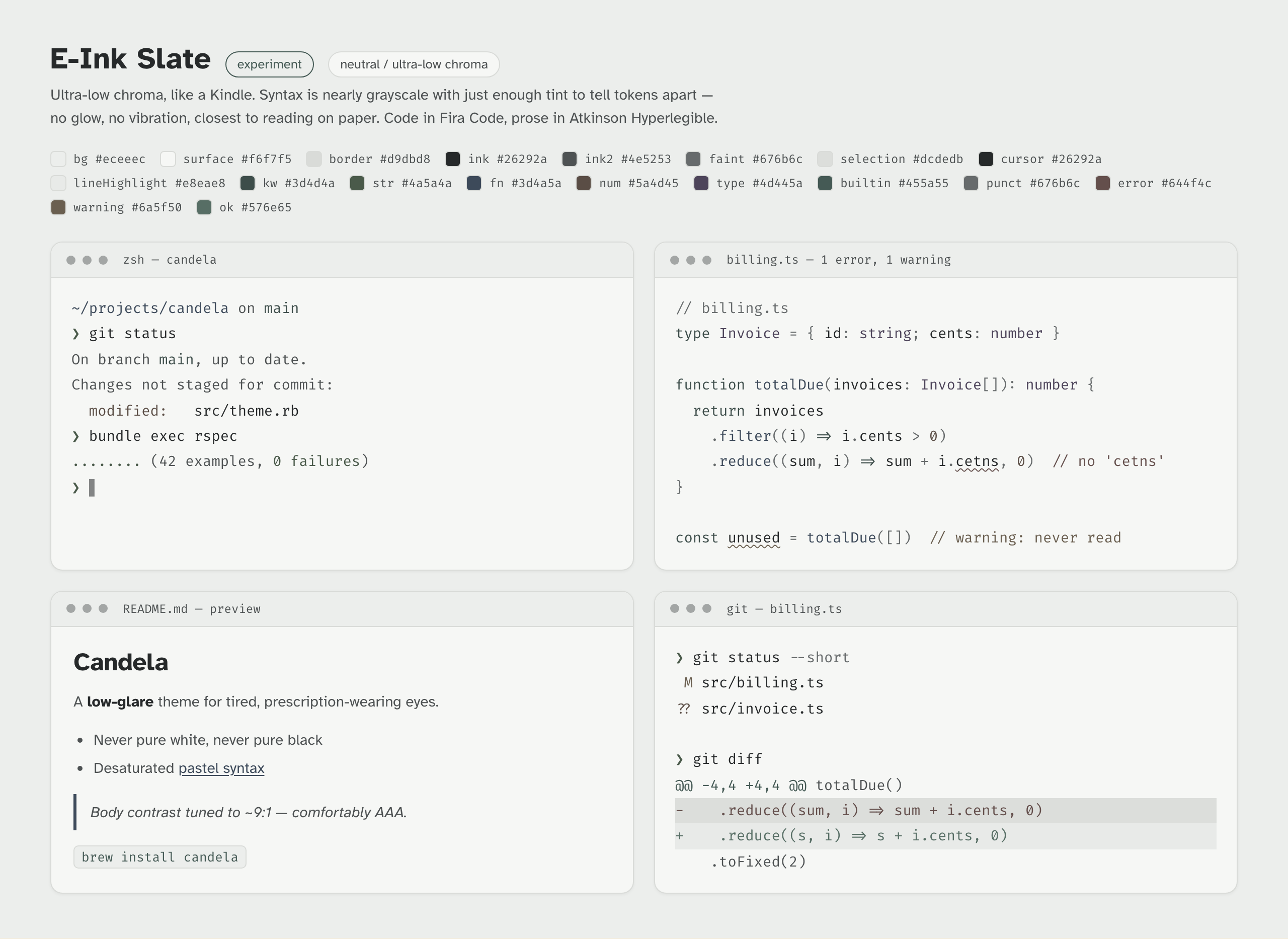
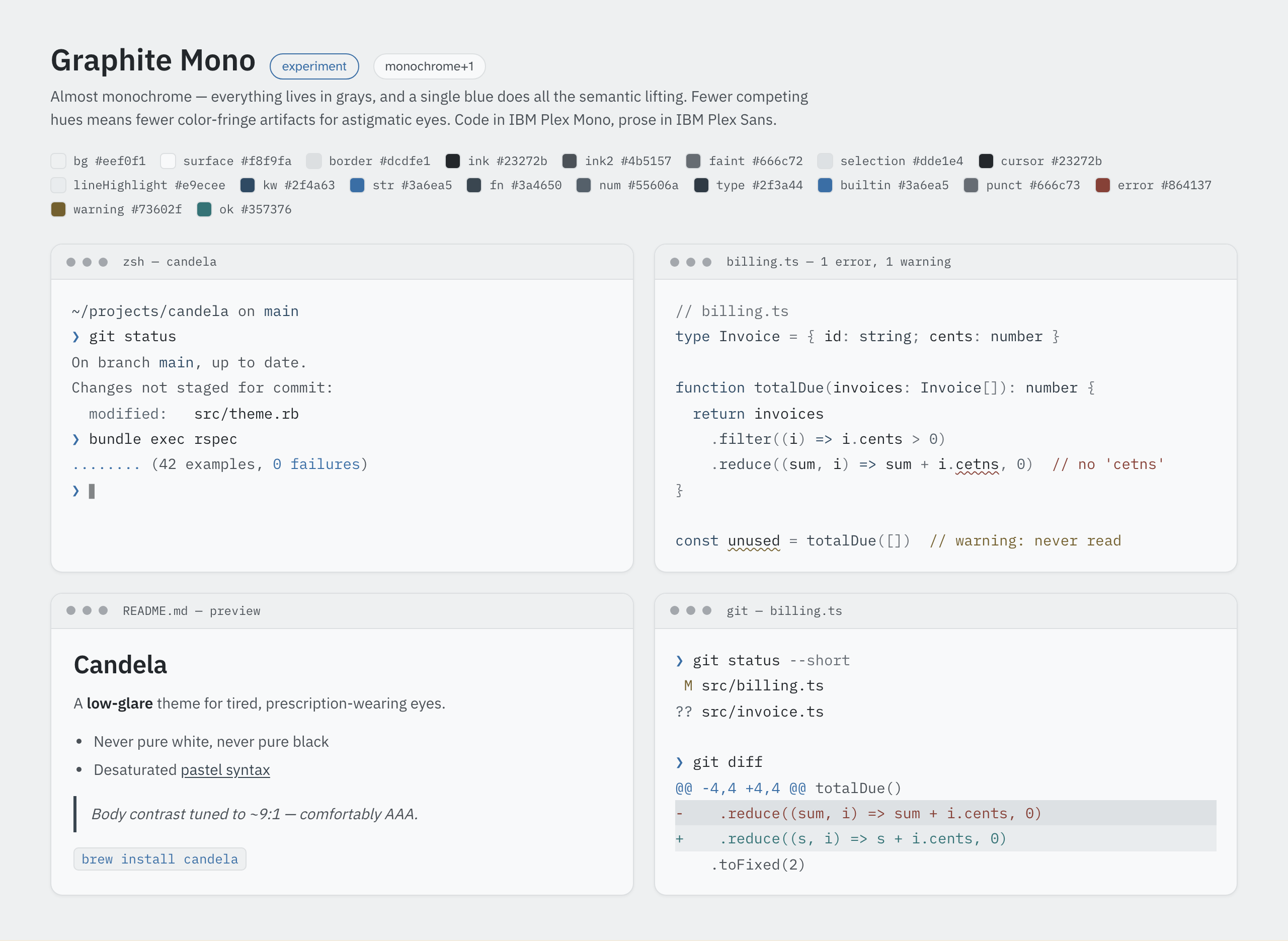
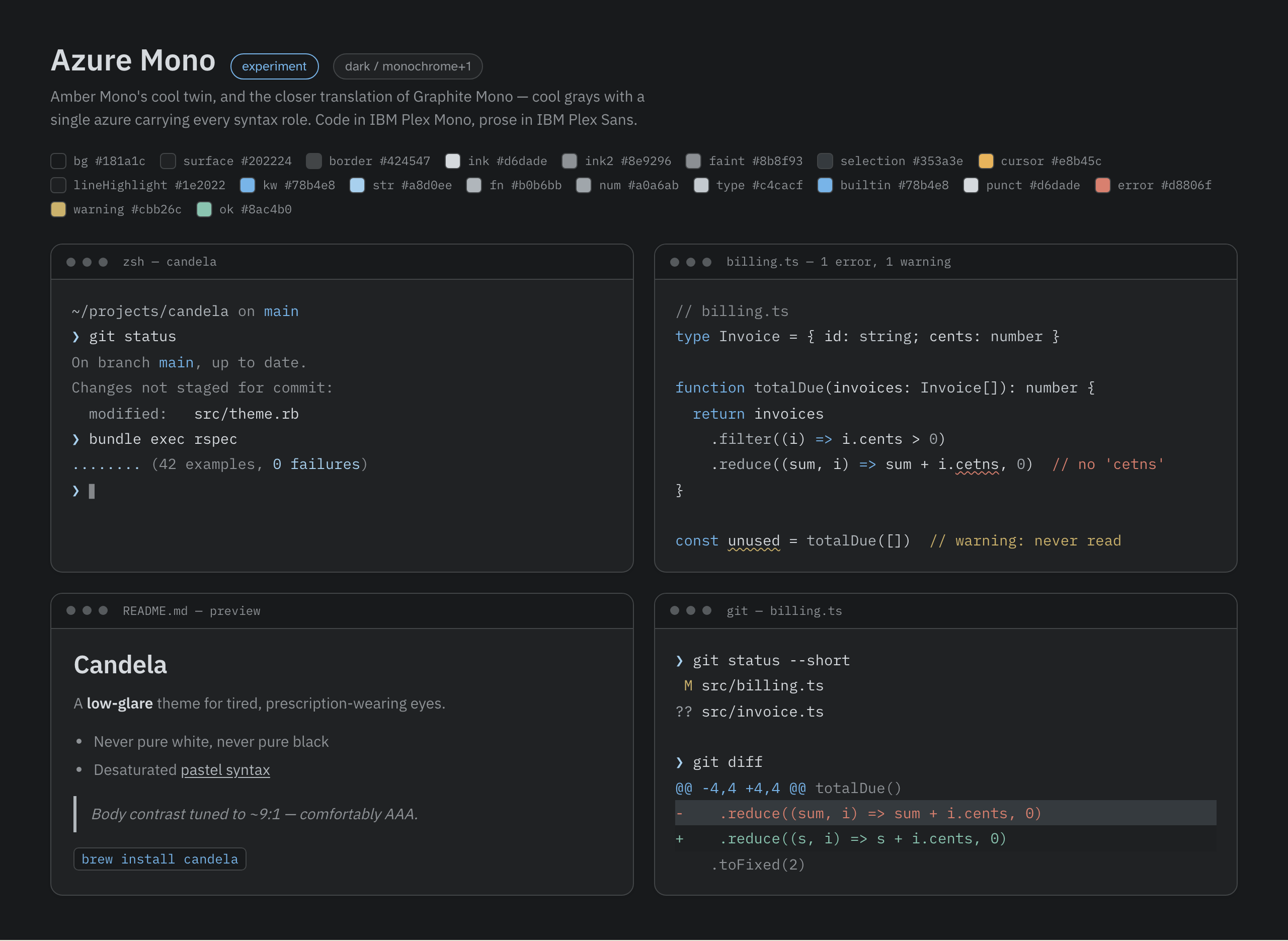
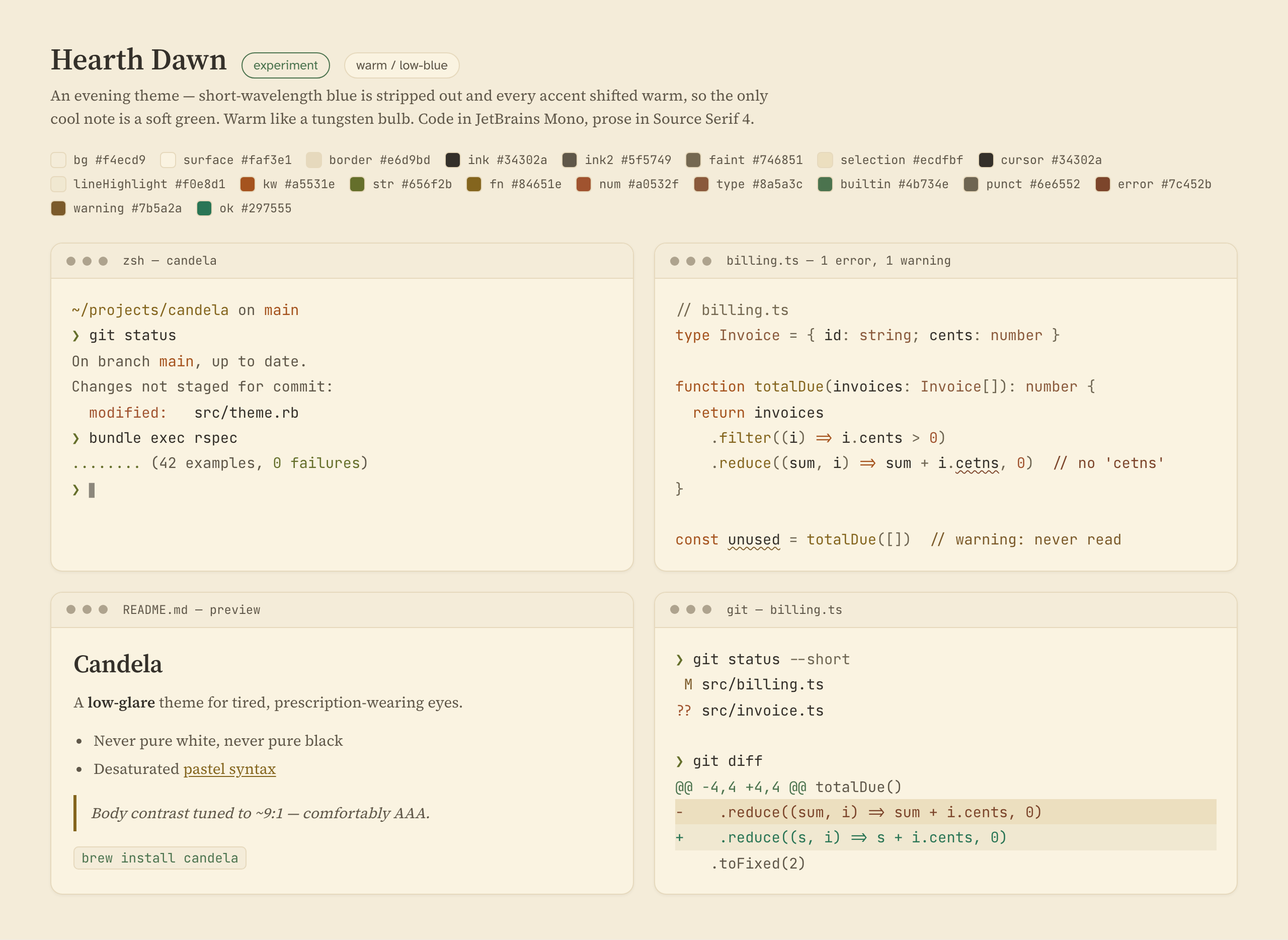
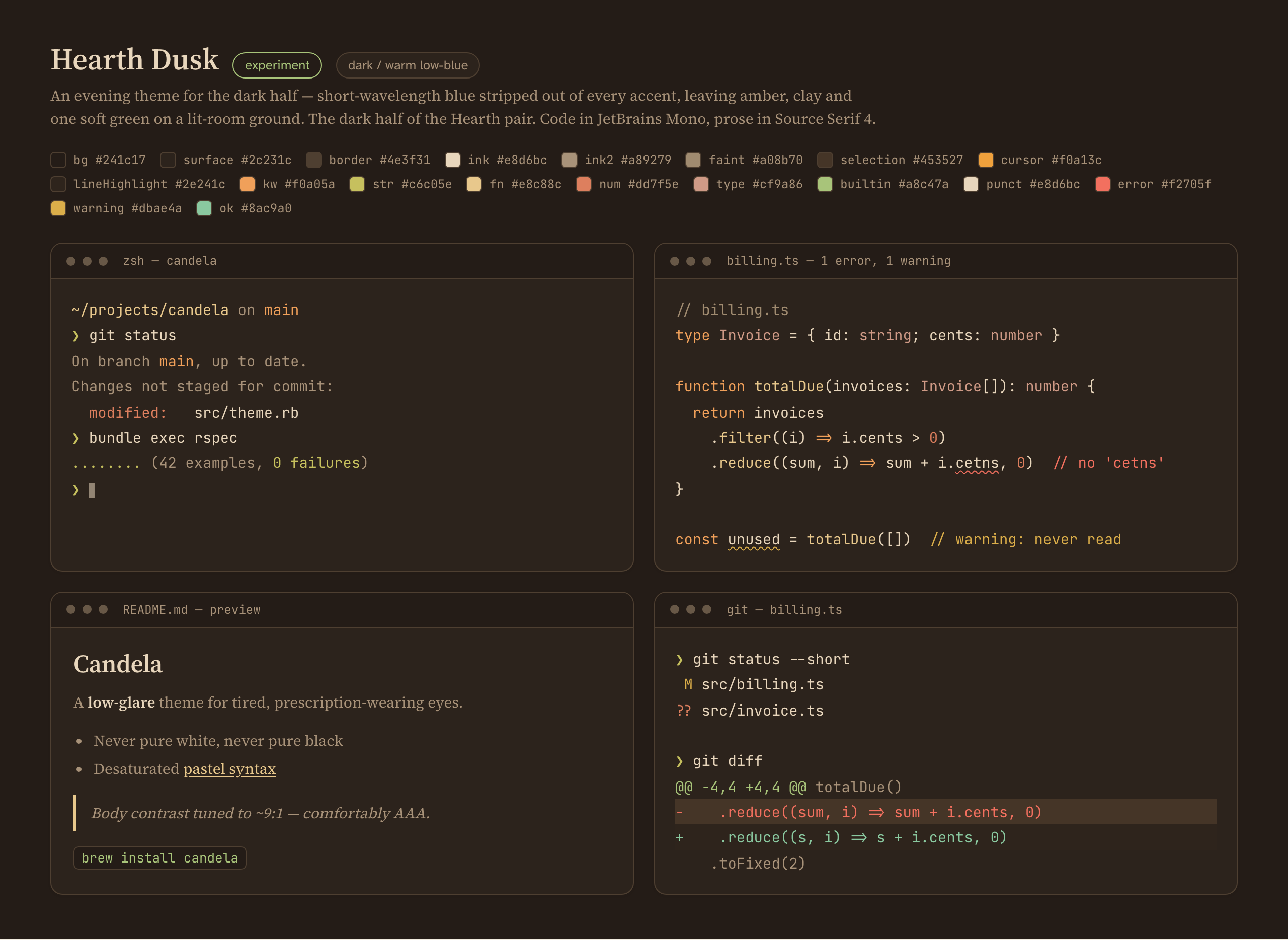
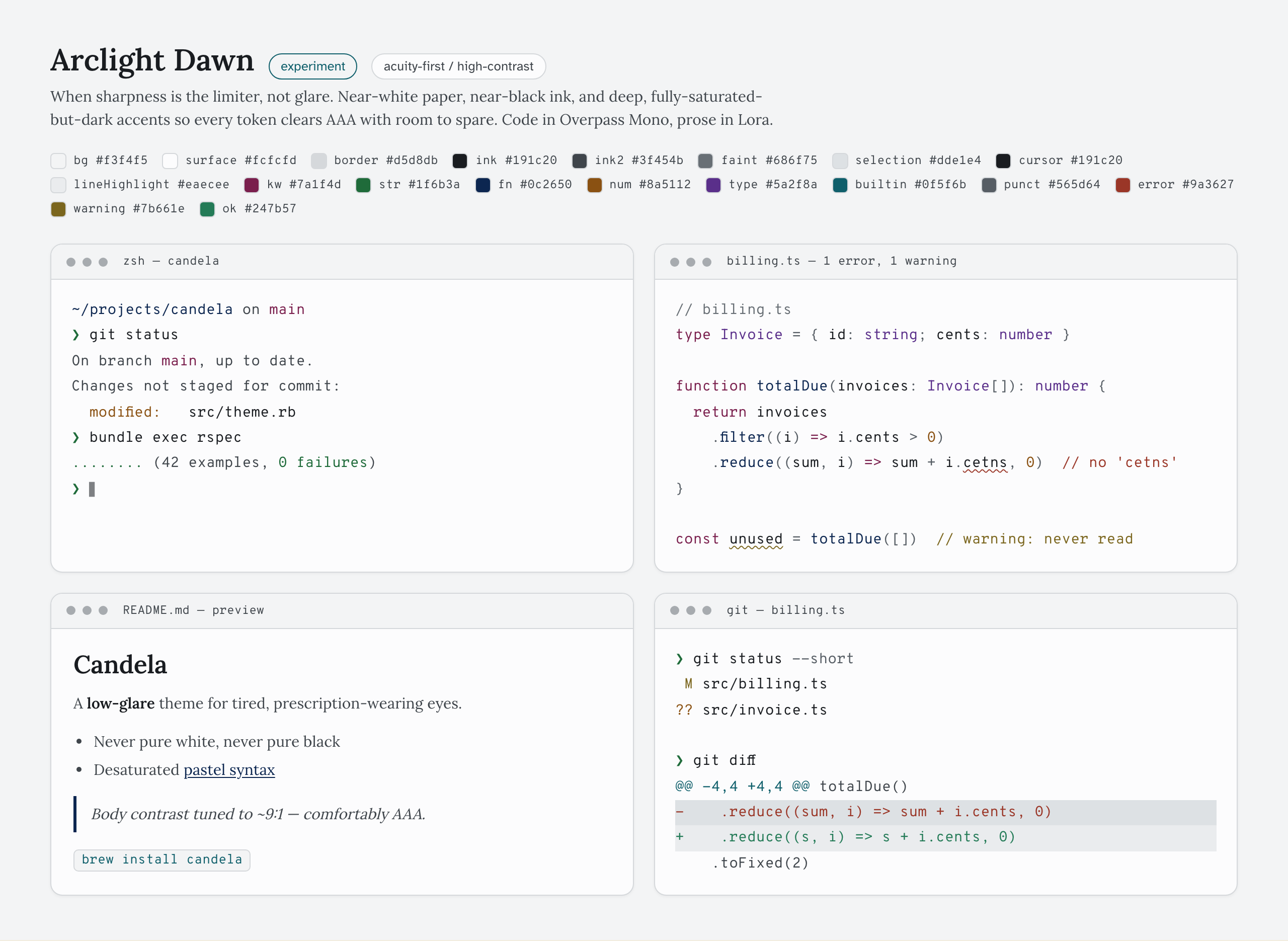
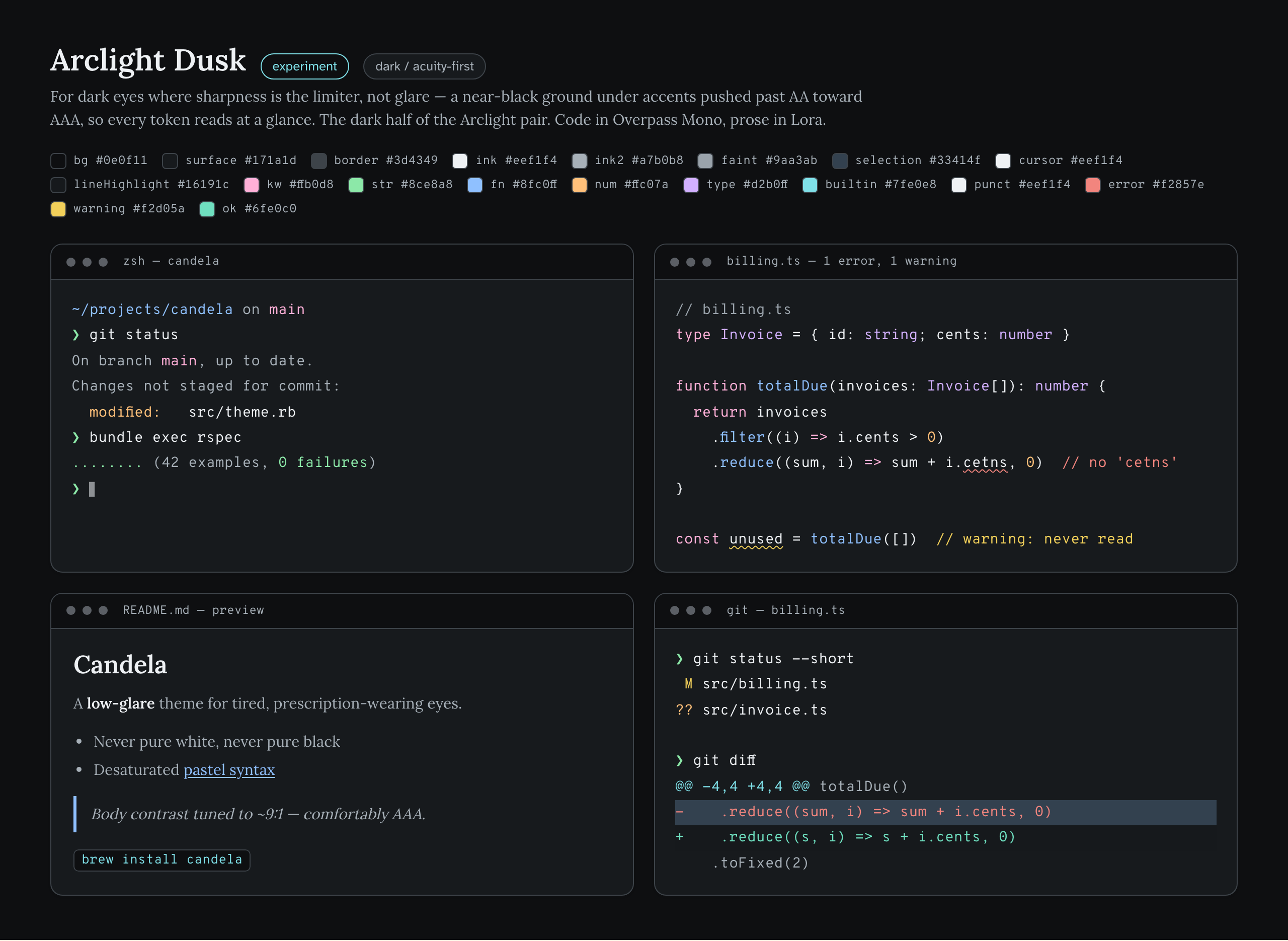
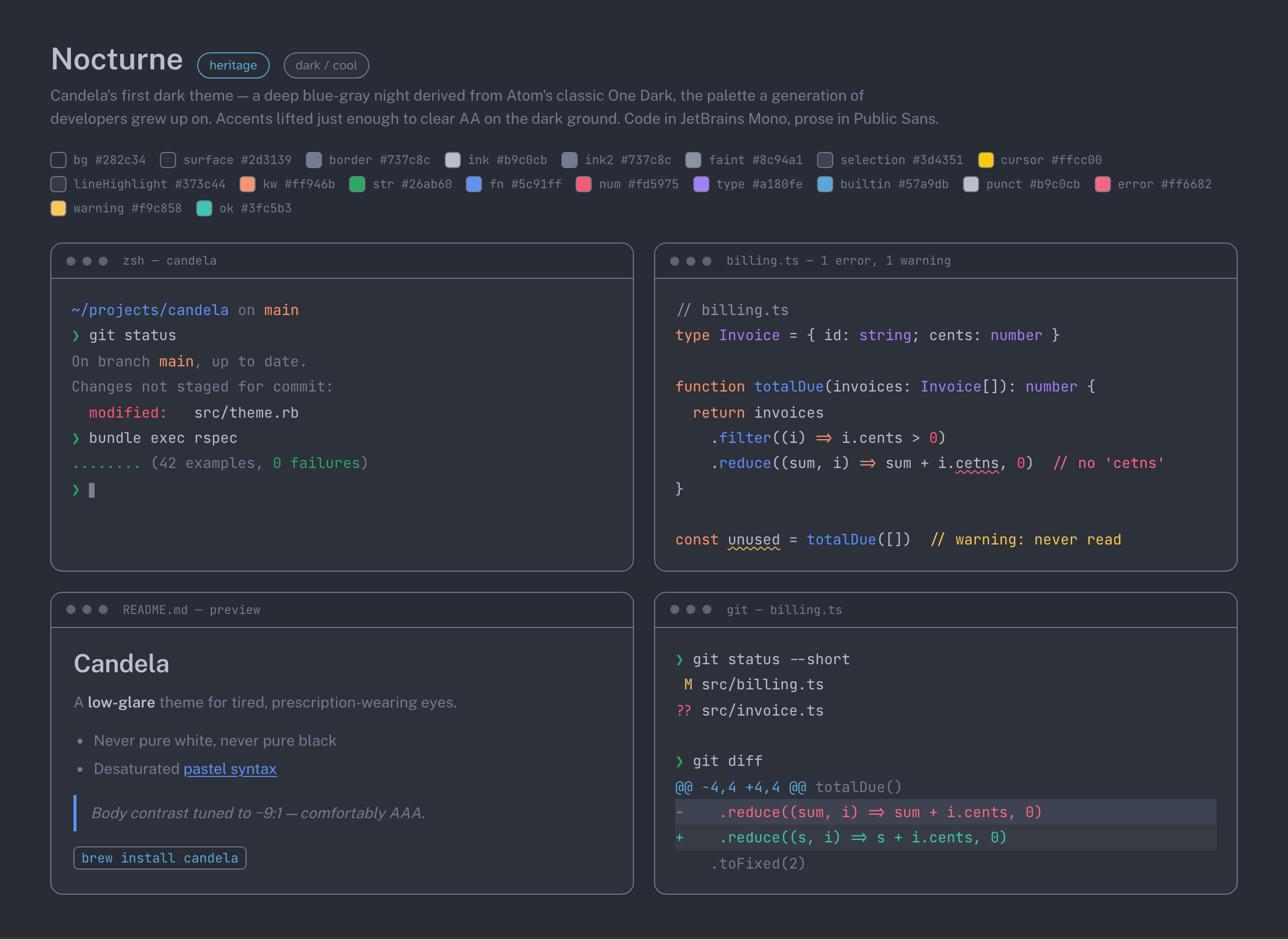
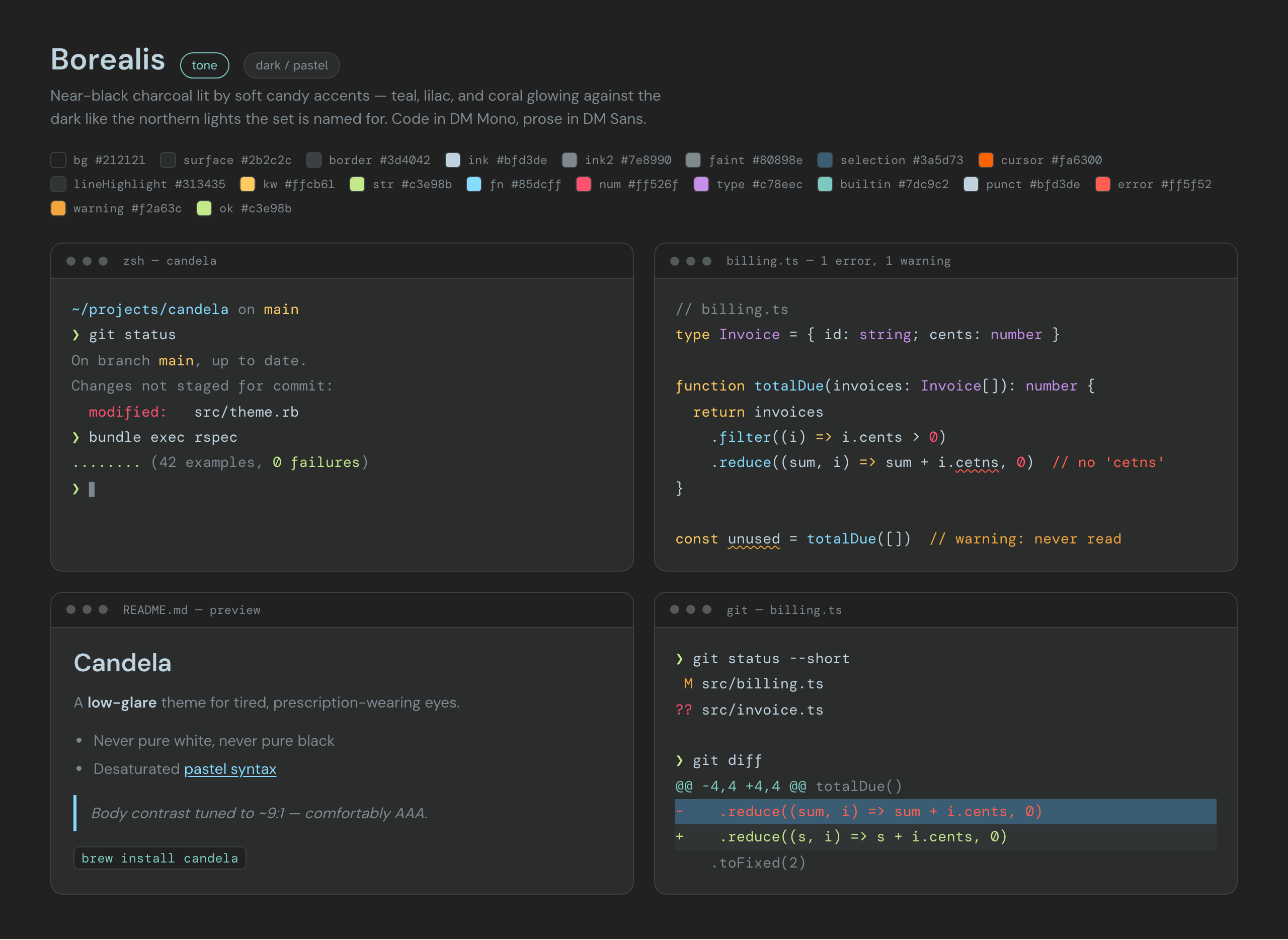
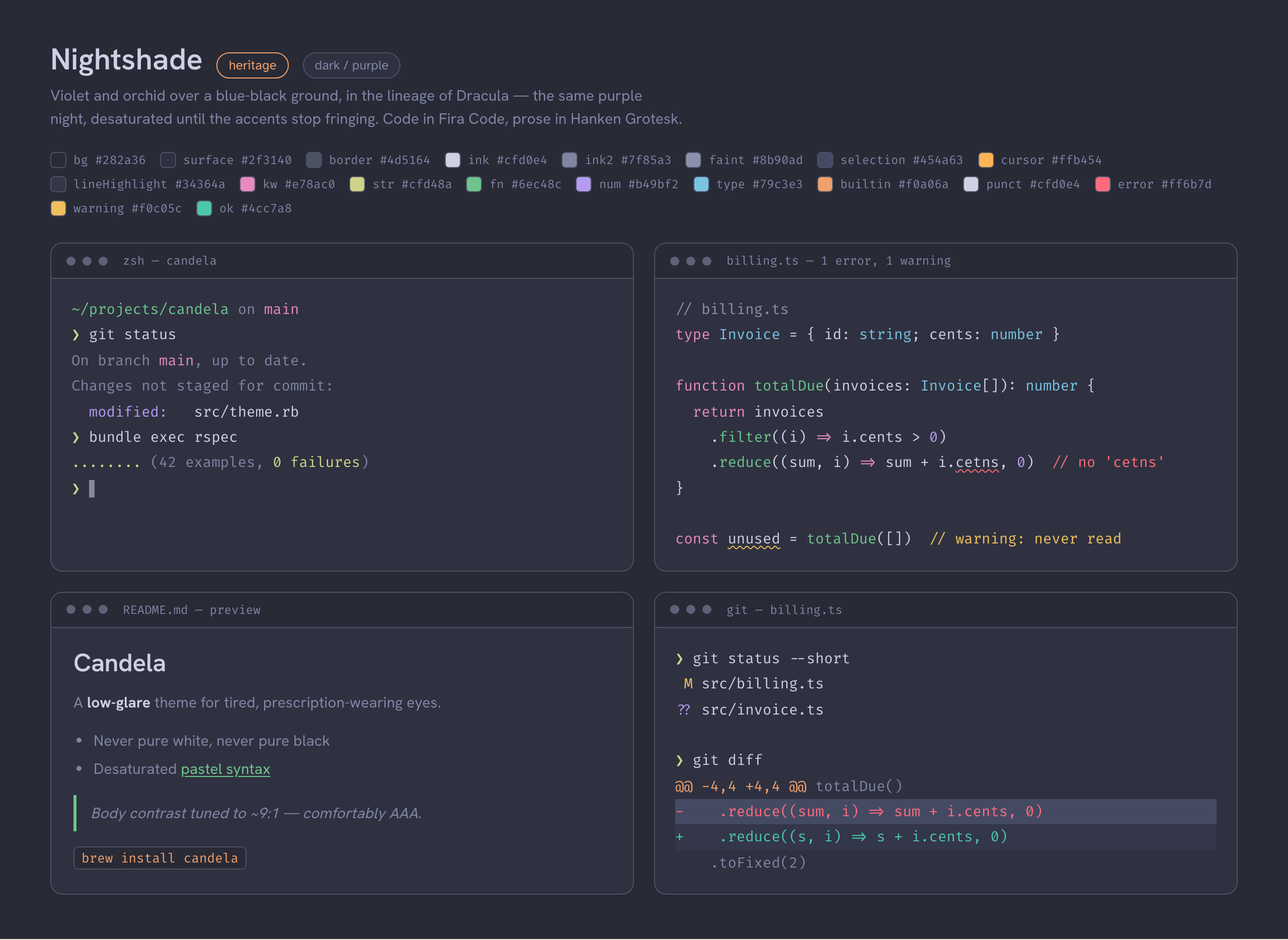
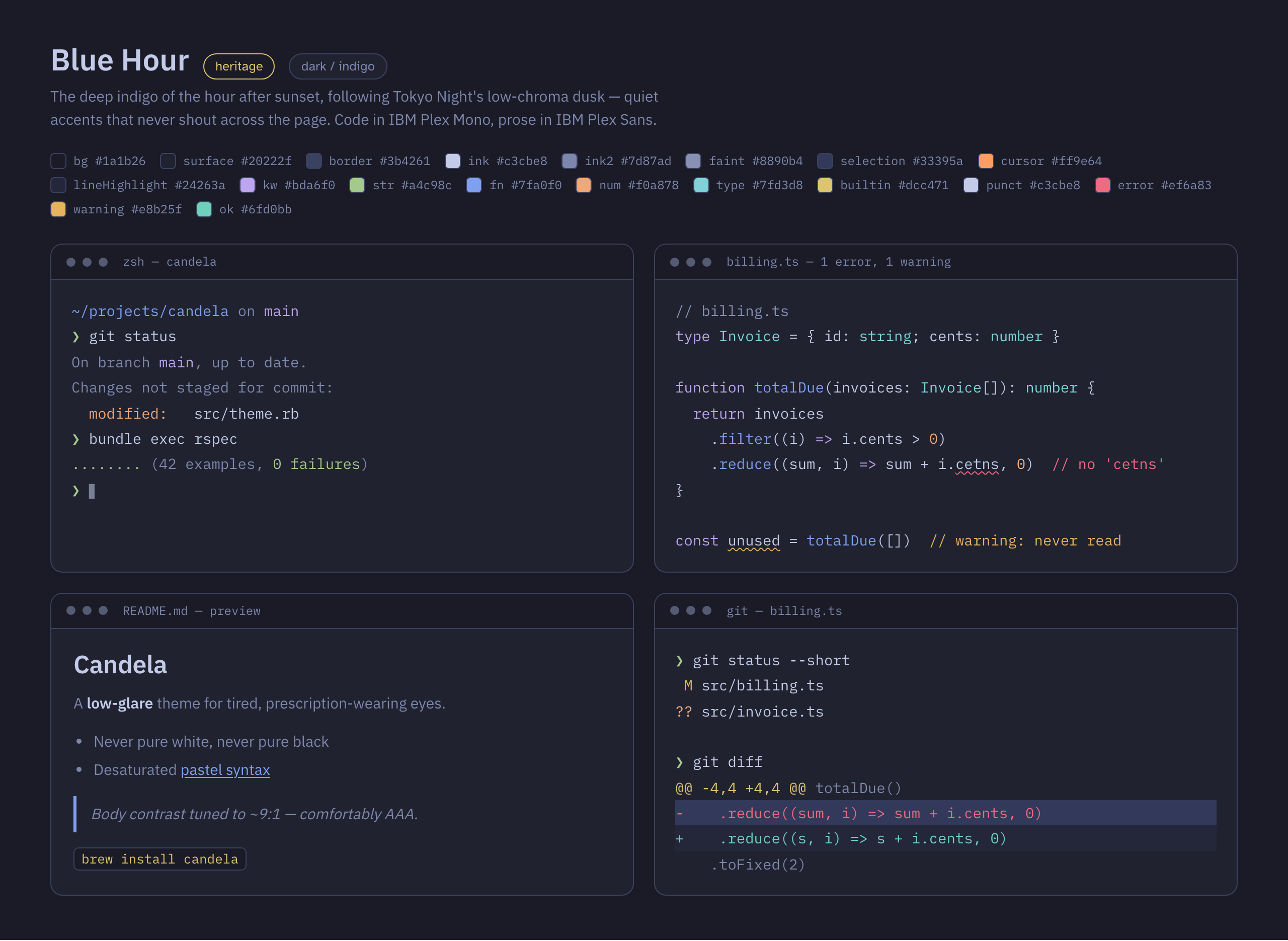
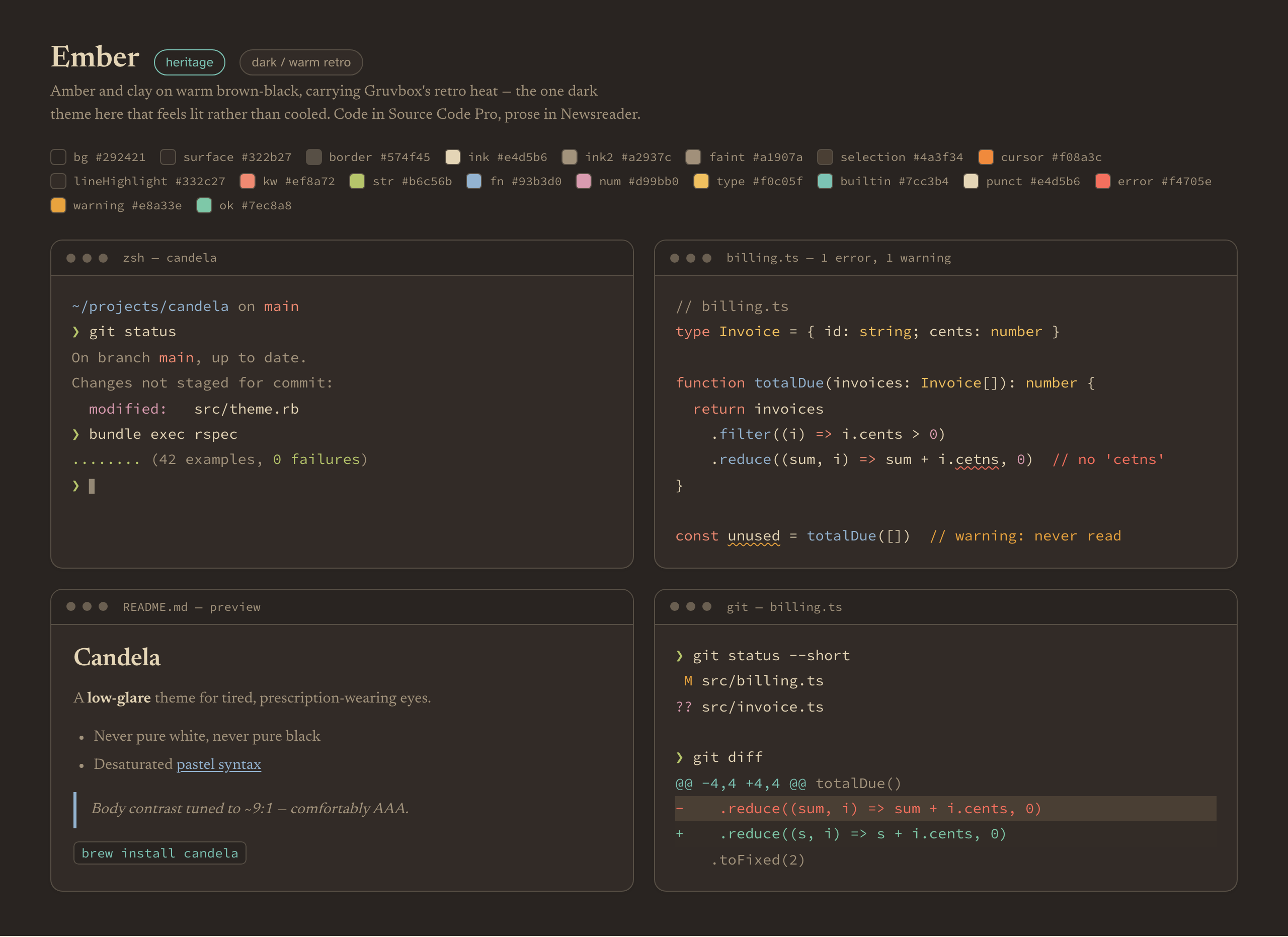
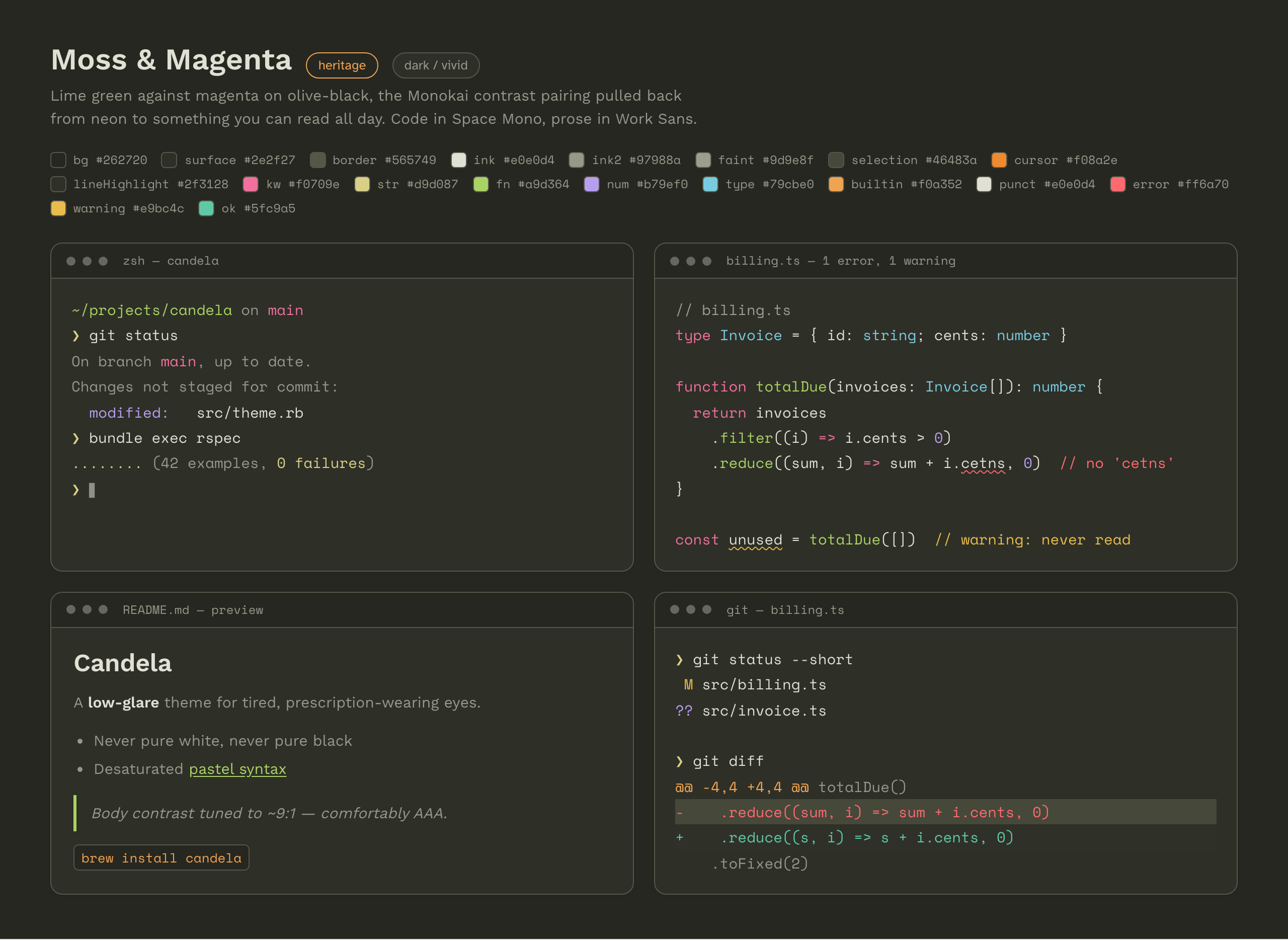
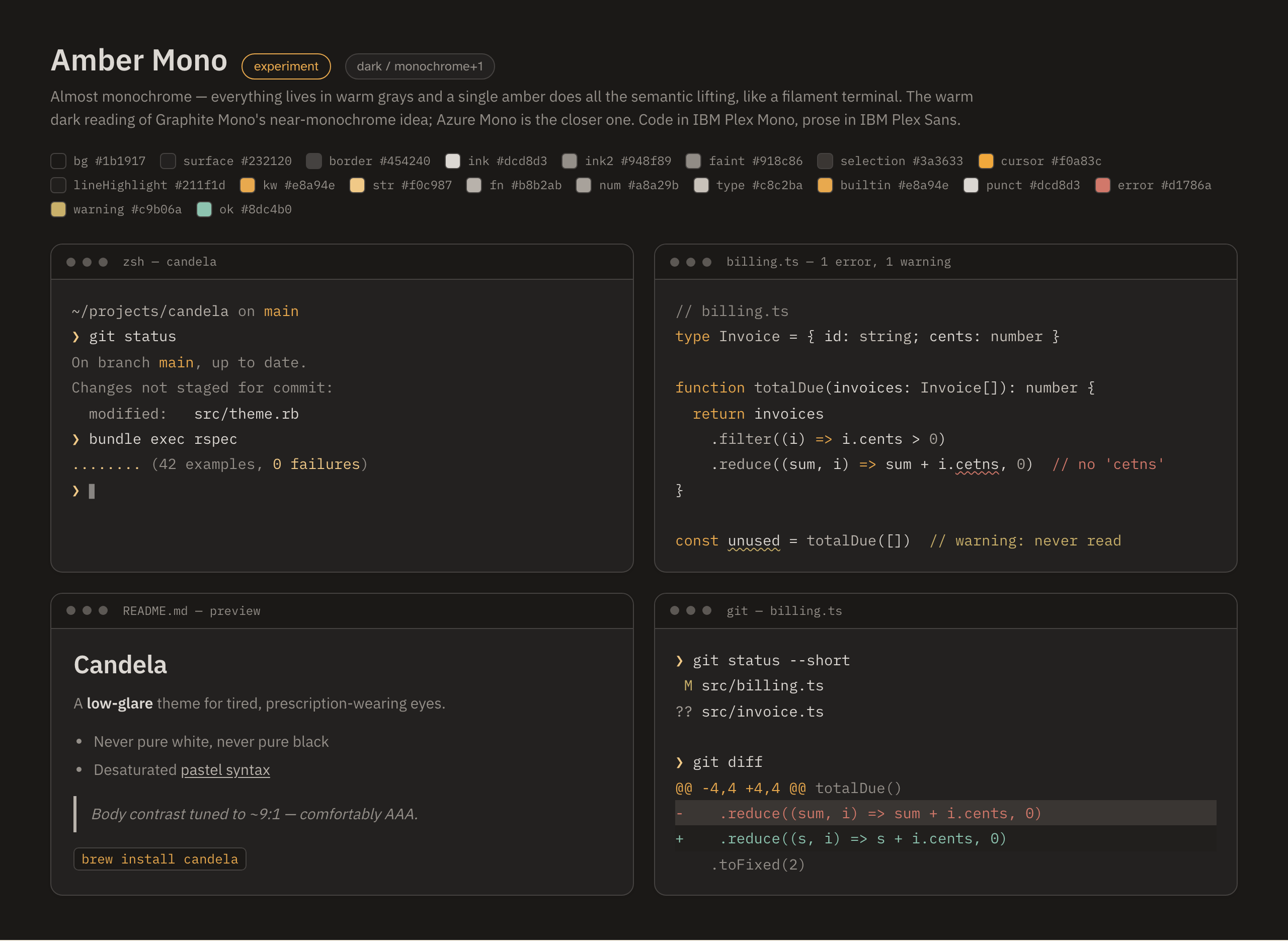
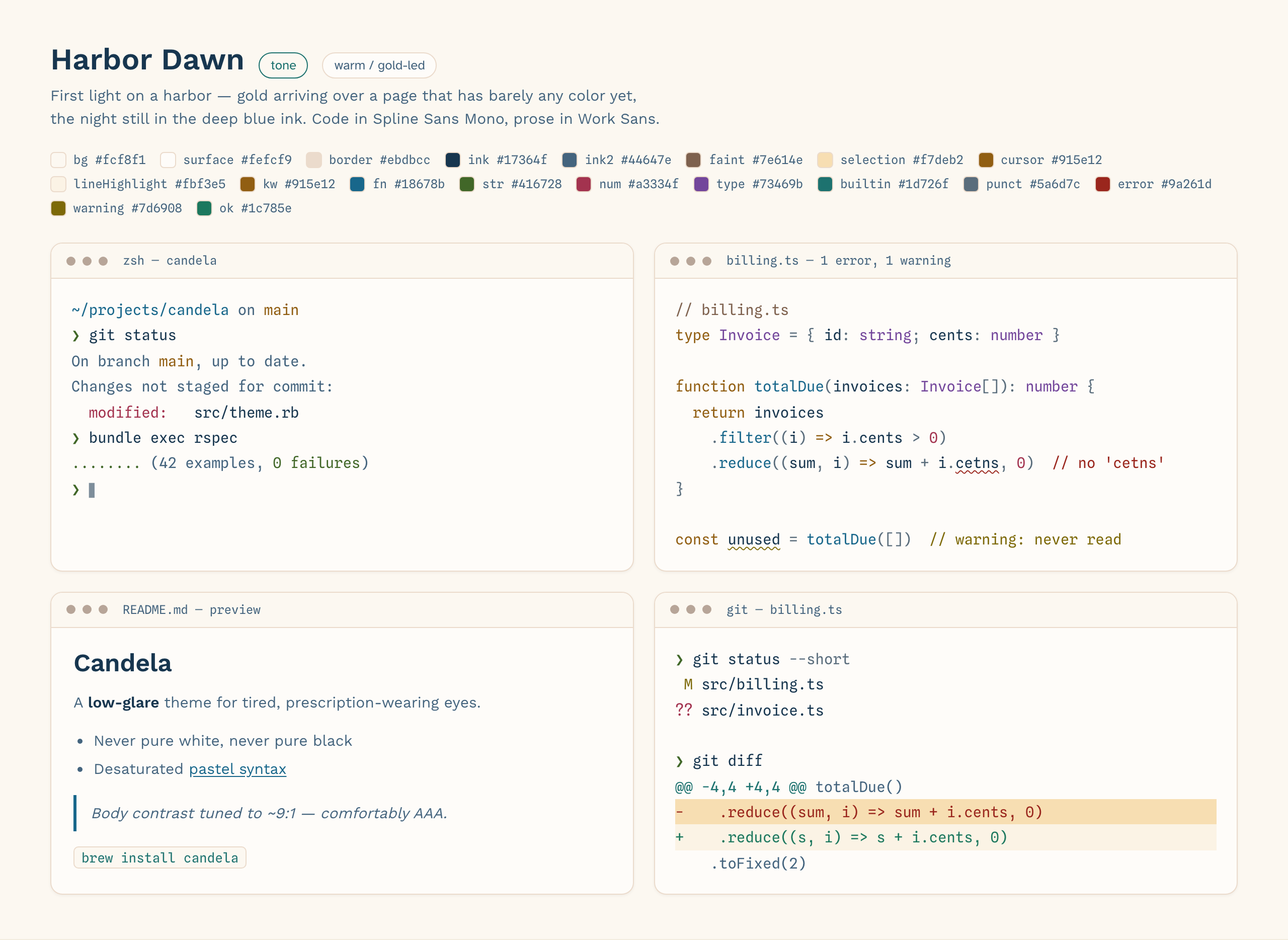
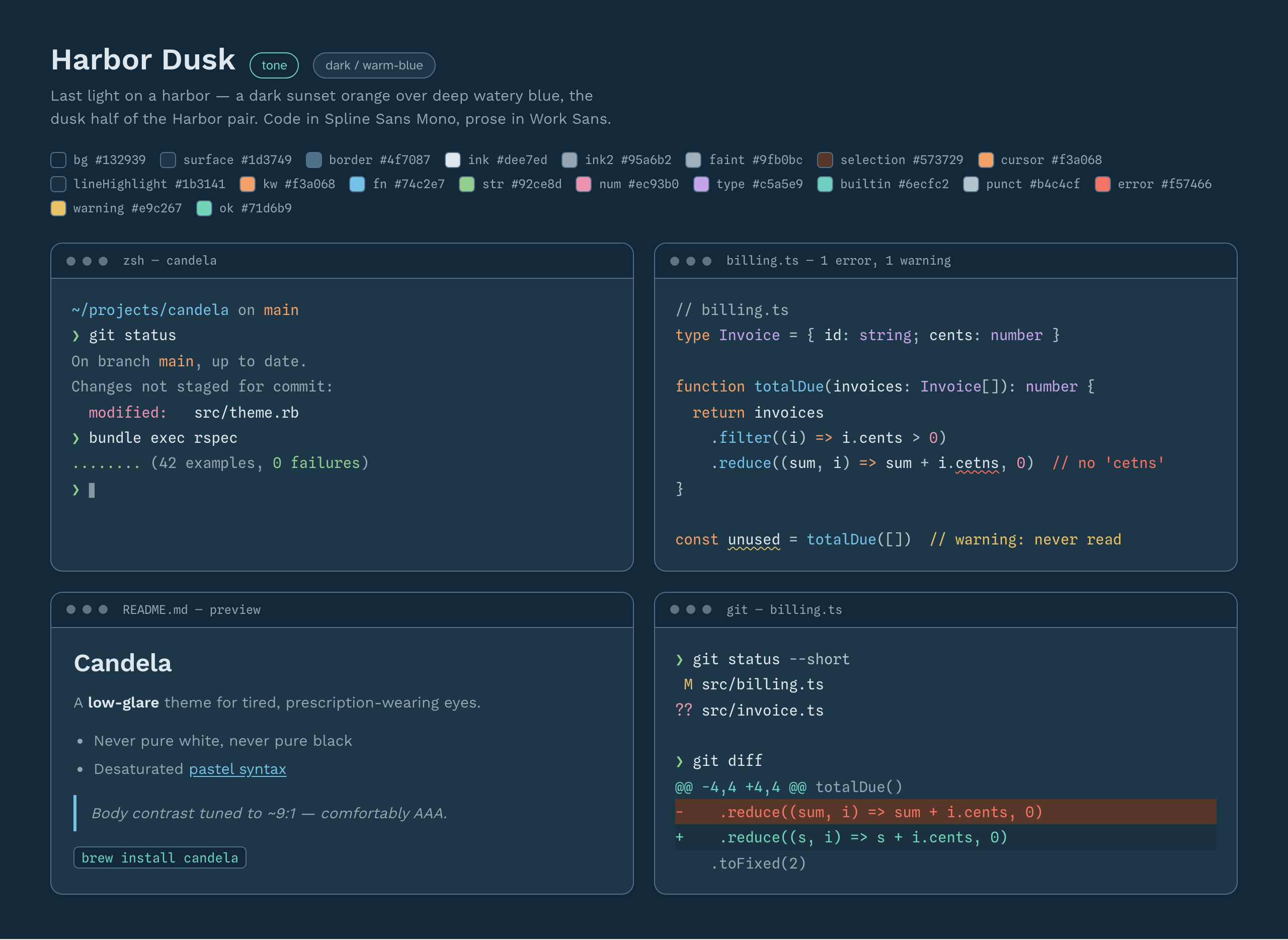
All 26 color schemes, each shown across terminal, TypeScript, Markdown, and git panes.
Sepia Paper — light
Slate Mist — light
Sage — light
Solarized Lite — light
Blossom — light
Lagoon — light
Meadow — light
Apricot — light
Periwinkle — light
Ink & Coral — light
E-Ink Slate — light
Graphite Mono — light
Azure Mono — dark
Hearth Dawn — light
Hearth Dusk — dark
Arclight Dawn — light
Arclight Dusk — dark
Nocturne — dark
Borealis — dark
Nightshade — dark
Blue Hour — dark
Ember — dark
Moss & Magenta — dark
Amber Mono — dark
Harbor Dawn — light
Harbor Dusk — dark
Generated from the Candela source of truth — do not edit by hand.