
Cremisi Color Scheme
Cremisi, a gothic colour scheme for Sublime Text: Obsidian and Ivory
Details
Installs
- Total 6
- Win 5
- Mac 0
- Linux 1
| Oct 28 | Oct 27 | Oct 26 | Oct 25 | Oct 24 | Oct 23 | Oct 22 | Oct 21 | Oct 20 | Oct 19 | Oct 18 | Oct 17 | Oct 16 | Oct 15 | Oct 14 | Oct 13 | Oct 12 | Oct 11 | Oct 10 | Oct 9 | Oct 8 | Oct 7 | Oct 6 | Oct 5 | Oct 4 | Oct 3 | Oct 2 | Oct 1 | Sep 30 | Sep 29 | Sep 28 | Sep 27 | Sep 26 | Sep 25 | Sep 24 | Sep 23 | Sep 22 | Sep 21 | Sep 20 | Sep 19 | Sep 18 | Sep 17 | Sep 16 | Sep 15 | Sep 14 | |
|---|---|---|---|---|---|---|---|---|---|---|---|---|---|---|---|---|---|---|---|---|---|---|---|---|---|---|---|---|---|---|---|---|---|---|---|---|---|---|---|---|---|---|---|---|---|
| Windows | 5 | 0 | 0 | 0 | 0 | 0 | 0 | 0 | 0 | 0 | 0 | 0 | 0 | 0 | 0 | 0 | 0 | 0 | 0 | 0 | 0 | 0 | 0 | 0 | 0 | 0 | 0 | 0 | 0 | 0 | 0 | 0 | 0 | 0 | 0 | 0 | 0 | 0 | 0 | 0 | 0 | 0 | 0 | 0 | 0 |
| Mac | 0 | 0 | 0 | 0 | 0 | 0 | 0 | 0 | 0 | 0 | 0 | 0 | 0 | 0 | 0 | 0 | 0 | 0 | 0 | 0 | 0 | 0 | 0 | 0 | 0 | 0 | 0 | 0 | 0 | 0 | 0 | 0 | 0 | 0 | 0 | 0 | 0 | 0 | 0 | 0 | 0 | 0 | 0 | 0 | 0 |
| Linux | 1 | 0 | 0 | 0 | 0 | 0 | 0 | 0 | 0 | 0 | 0 | 0 | 0 | 0 | 0 | 0 | 0 | 0 | 0 | 0 | 0 | 0 | 0 | 0 | 0 | 0 | 0 | 0 | 0 | 0 | 0 | 0 | 0 | 0 | 0 | 0 | 0 | 0 | 0 | 0 | 0 | 0 | 0 | 0 | 0 |
Readme
- Source
- raw.githubusercontent.com
Cremisi
A gothic, arcane colour scheme for Sublime Text in two variants: Cremisi Obsidian, dark as crypt stone, and Cremisi Ivory, pale as a page of vellum. Every colour is born from an object: blood for keywords, lapis for functions, malachite for strings, amber for numbers, tallow for types.
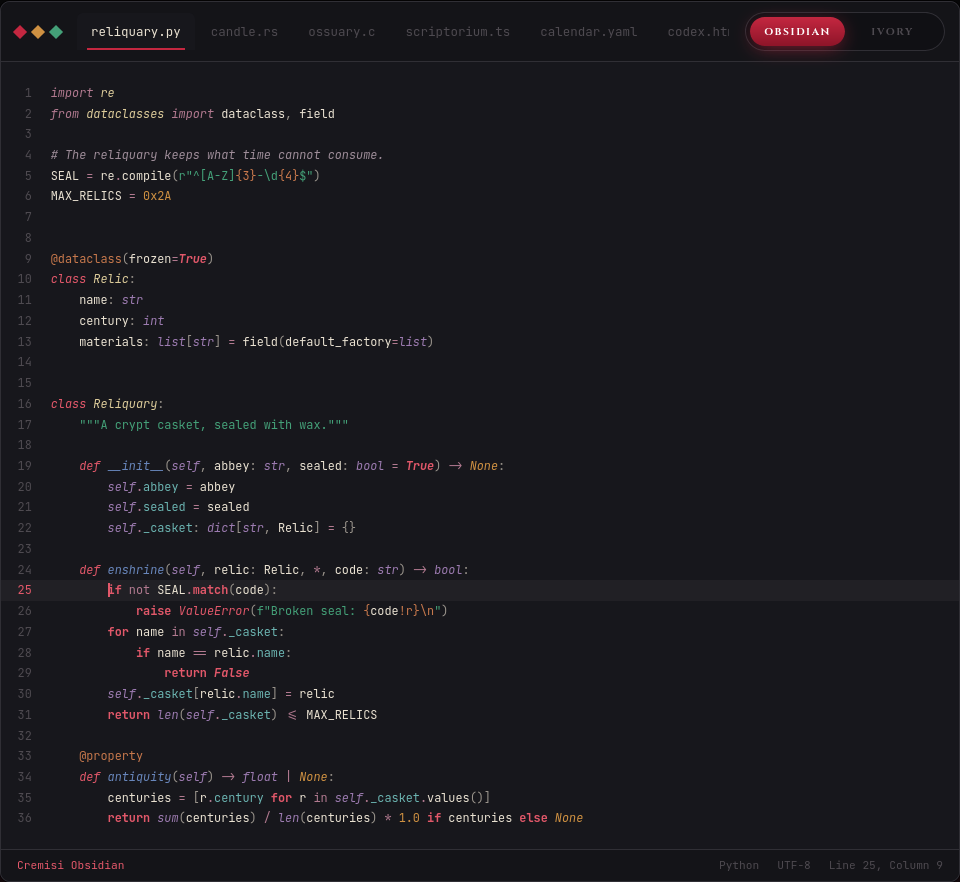
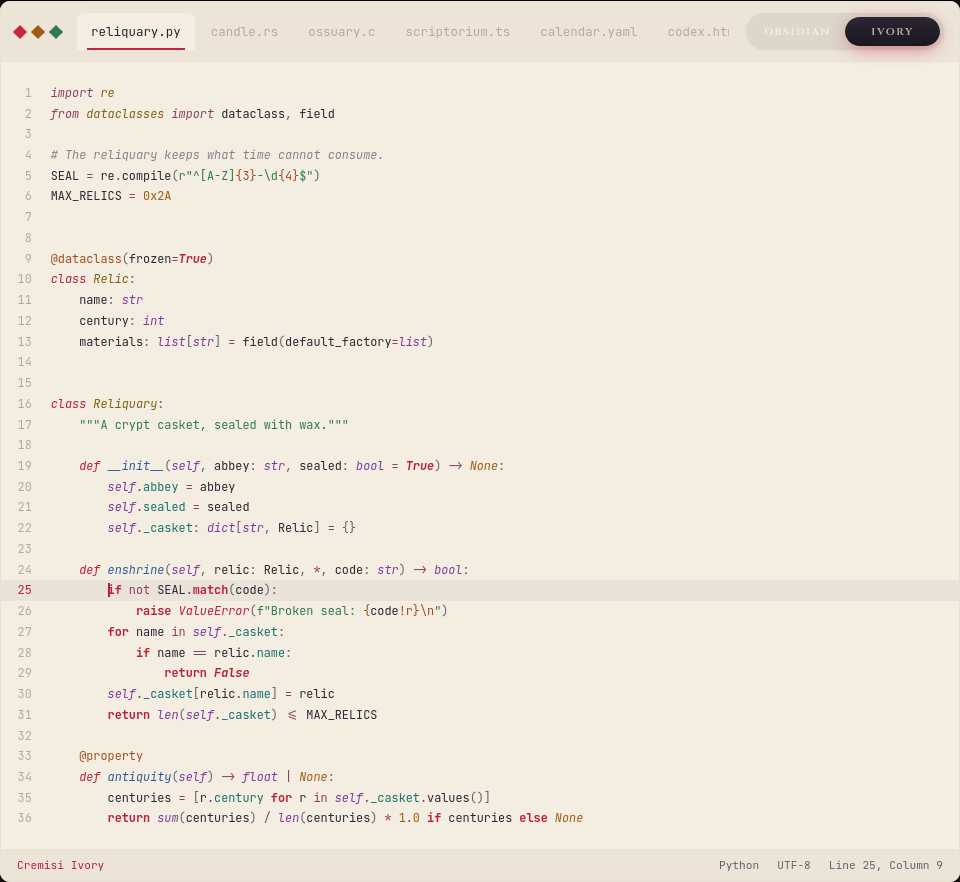
The materials, the two tonal scales and the reasons behind each choice are on the page of the theme: vari-sh.github.io/cremisi.
Install
With Package Control: run Package Control: Install Package from the command palette and pick Cremisi Color Scheme.
If you copied the .sublime-color-scheme files into Packages/User before, remove them:
Sublime Text merges schemes that share a name, and the old copies would override the package.
Use
Run UI: Select Color Scheme from the command palette and pick Cremisi Obsidian or Cremisi Ivory. To follow the system appearance, set both in your preferences:
"color_scheme": "auto",
"light_color_scheme": "Cremisi Ivory.sublime-color-scheme",
"dark_color_scheme": "Cremisi Obsidian.sublime-color-scheme"
Every code token clears 4.5:1 against its own background; only comments, the smoke of incense, may fall below. Requires Sublime Text build 3149 or later.
Source
Both schemes are generated from the palette.yaml of
vari-sh/Cremisi-Theme, together with the VS Code port
and the other ports: changes to the colours belong there, since these files are rebuilt from it.
MIT licence.