
Racket
Sublime Text plugin for the Racket programming Language
Details
Installs
- Total 11K
- Win 4K
- Mac 4K
- Linux 3K
| Oct 29 | Oct 28 | Oct 27 | Oct 26 | Oct 25 | Oct 24 | Oct 23 | Oct 22 | Oct 21 | Oct 20 | Oct 19 | Oct 18 | Oct 17 | Oct 16 | Oct 15 | Oct 14 | Oct 13 | Oct 12 | Oct 11 | Oct 10 | Oct 9 | Oct 8 | Oct 7 | Oct 6 | Oct 5 | Oct 4 | Oct 3 | Oct 2 | Oct 1 | Sep 30 | Sep 29 | Sep 28 | Sep 27 | Sep 26 | Sep 25 | Sep 24 | Sep 23 | Sep 22 | Sep 21 | Sep 20 | Sep 19 | Sep 18 | Sep 17 | Sep 16 | Sep 15 | |
|---|---|---|---|---|---|---|---|---|---|---|---|---|---|---|---|---|---|---|---|---|---|---|---|---|---|---|---|---|---|---|---|---|---|---|---|---|---|---|---|---|---|---|---|---|---|
| Windows | 0 | 1 | 0 | 0 | 0 | 0 | 0 | 0 | 0 | 0 | 0 | 0 | 0 | 1 | 0 | 0 | 0 | 0 | 0 | 0 | 0 | 0 | 0 | 0 | 0 | 0 | 0 | 1 | 2 | 0 | 0 | 2 | 0 | 0 | 0 | 0 | 0 | 0 | 0 | 0 | 0 | 0 | 1 | 0 | 1 |
| Mac | 0 | 0 | 0 | 0 | 0 | 0 | 0 | 1 | 0 | 0 | 0 | 0 | 0 | 0 | 0 | 0 | 0 | 0 | 0 | 0 | 1 | 0 | 2 | 0 | 0 | 0 | 0 | 0 | 0 | 0 | 0 | 1 | 0 | 0 | 0 | 1 | 0 | 0 | 2 | 1 | 0 | 0 | 0 | 3 | 0 |
| Linux | 0 | 0 | 2 | 0 | 0 | 0 | 0 | 0 | 1 | 0 | 0 | 0 | 1 | 1 | 0 | 0 | 0 | 0 | 0 | 0 | 0 | 0 | 0 | 0 | 1 | 0 | 1 | 0 | 0 | 0 | 0 | 1 | 0 | 0 | 1 | 0 | 1 | 0 | 0 | 0 | 0 | 1 | 0 | 0 | 0 |
Readme
- Source
- raw.githubusercontent.com
Sublime Racket
A Sublime Text 4 plugin for the Racket programming language.
Current features include:
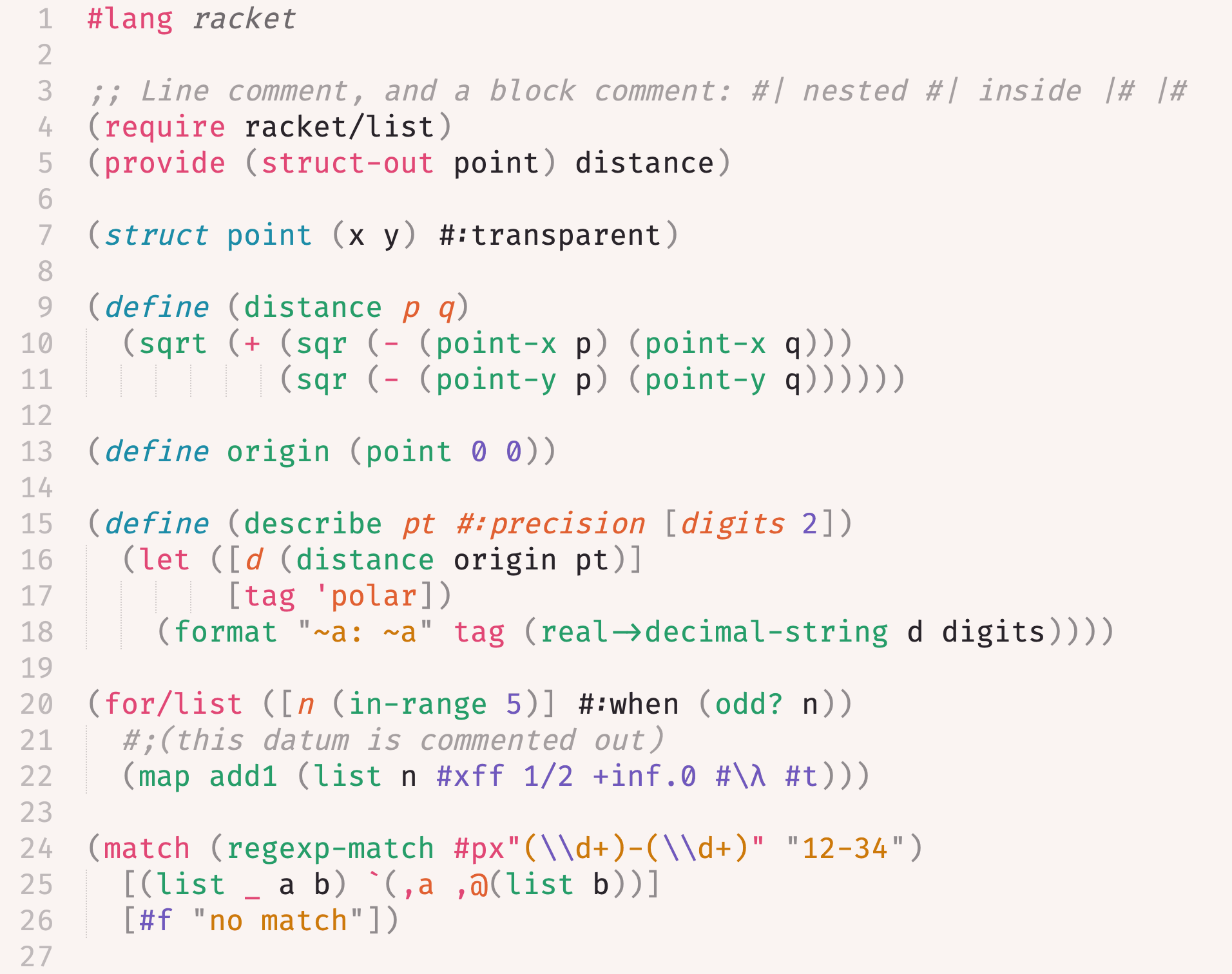
- syntax definition and highlighting: every Racket form and literal is scoped
- Rhombus: highlighting for
.rhmfiles, with the build system and REPL - build system: run, test, compile and format from command palette
- symbol indexing:
Goto Symbollists defined functions and structs - comment settings:
Toggle Commentuses;and#| |# - bracket handling: auto-indent after an open bracket, outdent on close
- REPL: open a Racket REPL in Terminus and send a file, selection, definition or s-expression to it from command palette
- documentation lookup: search the Racket docs for the identifier at the cursor from command palette
Installation
Via Package Control: Package Control: Install Package, then choose
Racket.
Recommended setup
- Terminus: required by the REPL commands
- Parinfer: automatic management of parentheses based on code identation
- LSP with racket-langserver: completion, diagnostics, go to definition and hover docs
Install the server with raco pkg install racket-langserver, then register it in Preferences > Package Settings > LSP > Settings:
{
    "clients": {
      "racket-langserver": {
        "enabled": true,
        "command": ["racket", "--lib", "racket-langserver"],
        "selector": "source.racket, source.rhombus"
      }
    }
  }
racket must be on the PATH Sublime sees.
Features
Detailed information about supported features is in docs/features.md.