
ScopeHunter
A plugin for Sublime Text that gets the scope under the cursor.
Details
Installs
- Total 17K
- Win 7K
- Mac 7K
- Linux 4K
| Oct 16 | Oct 15 | Oct 14 | Oct 13 | Oct 12 | Oct 11 | Oct 10 | Oct 9 | Oct 8 | Oct 7 | Oct 6 | Oct 5 | Oct 4 | Oct 3 | Oct 2 | Oct 1 | Sep 30 | Sep 29 | Sep 28 | Sep 27 | Sep 26 | Sep 25 | Sep 24 | Sep 23 | Sep 22 | Sep 21 | Sep 20 | Sep 19 | Sep 18 | Sep 17 | Sep 16 | Sep 15 | Sep 14 | Sep 13 | Sep 12 | Sep 11 | Sep 10 | Sep 9 | Sep 8 | Sep 7 | Sep 6 | Sep 5 | Sep 4 | Sep 3 | Sep 2 | Sep 1 | |
|---|---|---|---|---|---|---|---|---|---|---|---|---|---|---|---|---|---|---|---|---|---|---|---|---|---|---|---|---|---|---|---|---|---|---|---|---|---|---|---|---|---|---|---|---|---|---|
| Windows | 0 | 0 | 0 | 0 | 0 | 0 | 1 | 0 | 1 | 1 | 0 | 6 | 0 | 0 | 0 | 2 | 0 | 3 | 0 | 1 | 0 | 0 | 6 | 1 | 0 | 1 | 0 | 0 | 0 | 0 | 0 | 0 | 0 | 0 | 0 | 0 | 0 | 0 | 1 | 0 | 3 | 0 | 0 | 0 | 0 | 1 |
| Mac | 0 | 0 | 0 | 0 | 0 | 0 | 0 | 0 | 1 | 1 | 2 | 0 | 0 | 0 | 0 | 1 | 4 | 2 | 1 | 0 | 0 | 0 | 1 | 0 | 2 | 2 | 0 | 0 | 0 | 1 | 0 | 0 | 0 | 0 | 0 | 0 | 0 | 1 | 0 | 0 | 0 | 0 | 0 | 0 | 0 | 0 |
| Linux | 0 | 0 | 0 | 0 | 0 | 3 | 0 | 0 | 1 | 0 | 2 | 2 | 0 | 0 | 0 | 0 | 0 | 0 | 0 | 0 | 0 | 0 | 0 | 0 | 0 | 0 | 0 | 0 | 0 | 0 | 0 | 0 | 0 | 0 | 0 | 0 | 0 | 0 | 0 | 0 | 0 | 0 | 0 | 1 | 0 | 0 |
Readme
- Source
- raw.githubusercontent.com



ScopeHunter
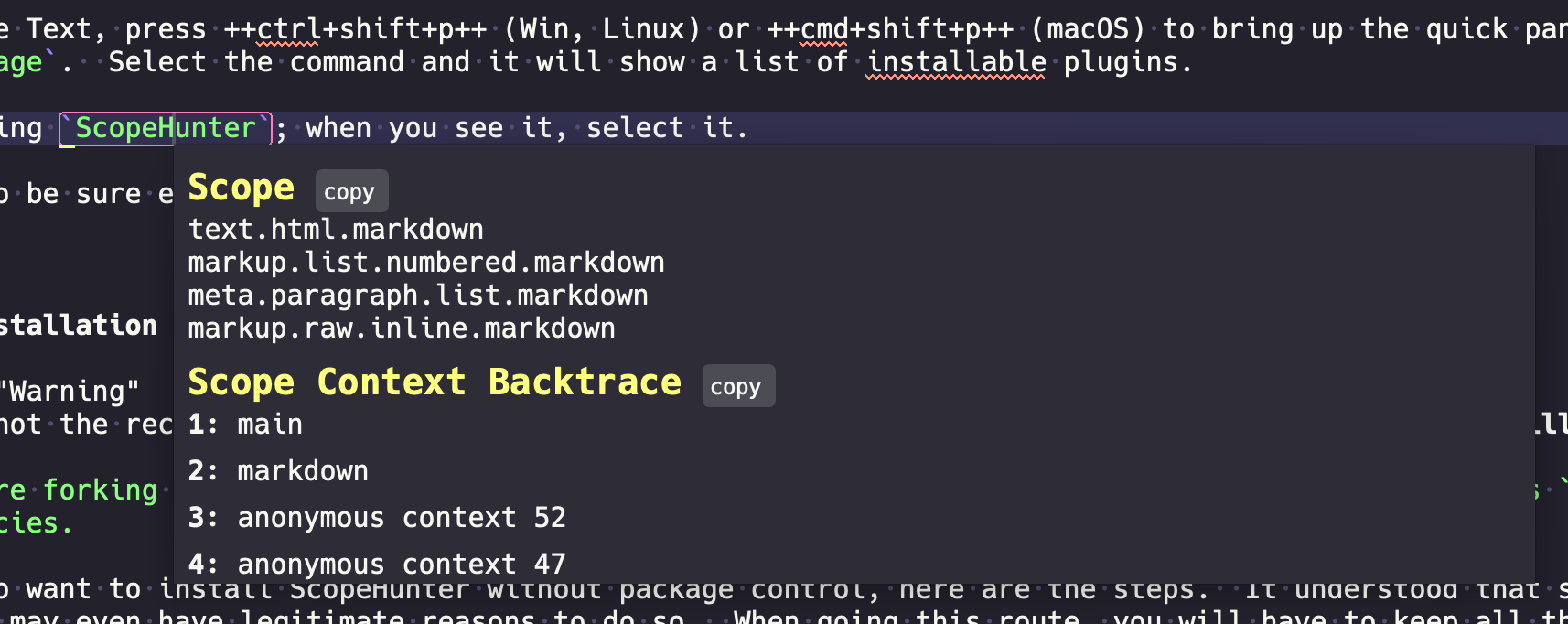
This is a simple plugin that can get the scope under the cursor(s) in Sublime Text. This plugin is useful for plugin development.
Features
All features are configurable via the settings file
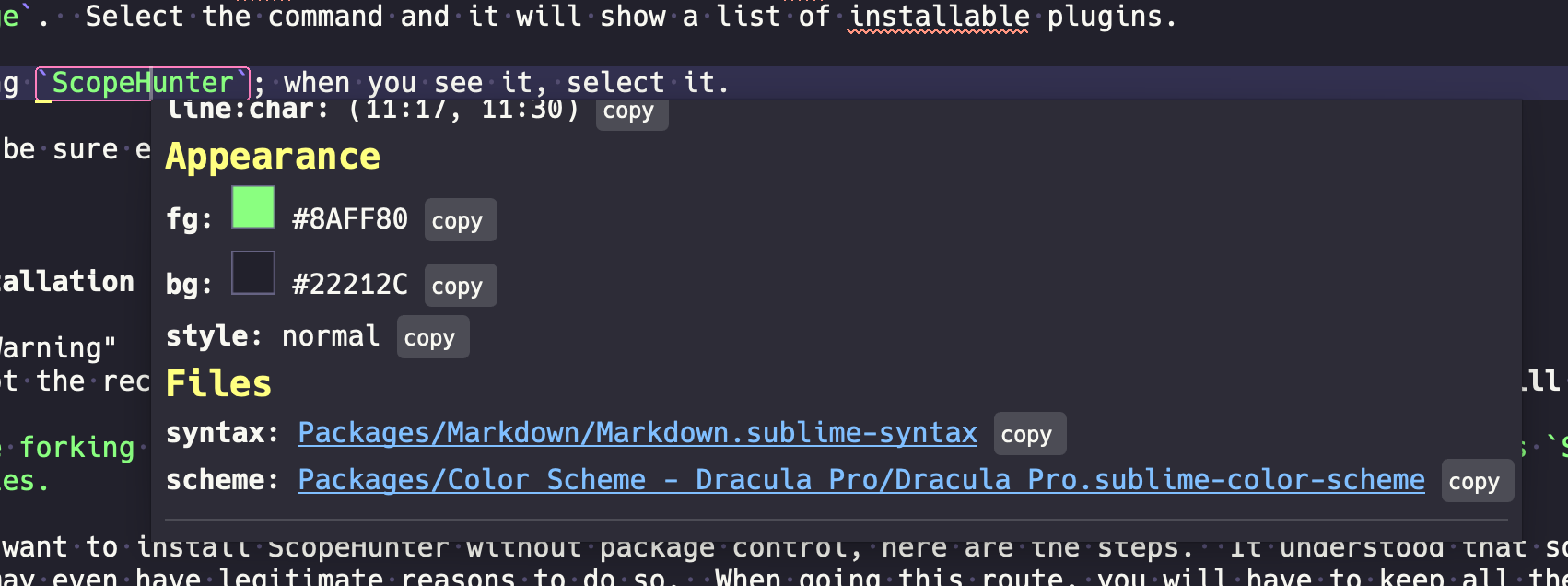
- Tooltip output showing scope, context backtrace, scope extent, color values, links to current syntax and relevant color schemes.
- Customizable to show only the information you care about.
- Auto copy scope to clipboard on execution.
- Quick copy any or all information to the clipboard.
- Toggle instant scoping to keep showing scope as you move around a file.
- Supports SubNotify messages.
Documentation
https://facelessuser.github.io/ScopeHunter/
License
Scope Hunter is released under the MIT license.