
Babel
Syntax definitions for ES6 JavaScript with React JSX extensions.
Details
Installs
- Total 811K
- Win 375K
- Mac 301K
- Linux 136K
| Sep 15 | Sep 14 | Sep 13 | Sep 12 | Sep 11 | Sep 10 | Sep 9 | Sep 8 | Sep 7 | Sep 6 | Sep 5 | Sep 4 | Sep 3 | Sep 2 | Sep 1 | Aug 31 | Aug 30 | Aug 29 | Aug 28 | Aug 27 | Aug 26 | Aug 25 | Aug 24 | Aug 23 | Aug 22 | Aug 21 | Aug 20 | Aug 19 | Aug 18 | Aug 17 | Aug 16 | Aug 15 | Aug 14 | Aug 13 | Aug 12 | Aug 11 | Aug 10 | Aug 9 | Aug 8 | Aug 7 | Aug 6 | Aug 5 | Aug 4 | Aug 3 | Aug 2 | Aug 1 | |
|---|---|---|---|---|---|---|---|---|---|---|---|---|---|---|---|---|---|---|---|---|---|---|---|---|---|---|---|---|---|---|---|---|---|---|---|---|---|---|---|---|---|---|---|---|---|---|
| Windows | 6 | 6 | 3 | 2 | 4 | 2 | 6 | 2 | 11 | 10 | 8 | 6 | 8 | 4 | 4 | 4 | 1 | 4 | 9 | 2 | 4 | 9 | 4 | 2 | 5 | 5 | 8 | 4 | 7 | 8 | 2 | 7 | 5 | 4 | 9 | 8 | 3 | 4 | 12 | 6 | 6 | 5 | 9 | 10 | 6 | 9 |
| Mac | 4 | 4 | 2 | 2 | 2 | 0 | 4 | 0 | 1 | 1 | 2 | 3 | 4 | 3 | 0 | 1 | 2 | 2 | 2 | 3 | 0 | 1 | 0 | 2 | 0 | 1 | 3 | 2 | 2 | 1 | 2 | 0 | 0 | 1 | 7 | 3 | 0 | 0 | 0 | 1 | 3 | 2 | 3 | 1 | 5 | 1 |
| Linux | 2 | 6 | 2 | 1 | 2 | 2 | 1 | 1 | 3 | 1 | 3 | 3 | 3 | 2 | 3 | 2 | 0 | 0 | 1 | 1 | 3 | 4 | 2 | 2 | 2 | 3 | 4 | 3 | 4 | 1 | 4 | 2 | 0 | 0 | 0 | 4 | 3 | 3 | 0 | 1 | 6 | 2 | 1 | 1 | 5 | 8 |
Readme
- Source
- raw.githubusercontent.com
babel-sublime
Language definition for modern JavaScript with JSX syntax, Flow typing, and Styled Components.
Installation
Find it as Babel through Package Control.
Setting as the default syntax
To set it as the default syntax for a particular extension:
- Open a file with that extension,
- From the
Viewmenu, selectSyntax→Open all with current extension as…→Babel→JavaScript (Babel) - Repeat this for each extension (e.g.:
.jsand.jsx).
Setting a Color Scheme
Babel comes bundled with Next from Benvie/JavaScriptNext.tmLanguage. From the command palette, select UI: Select Color Scheme and select Next.
Screenshots
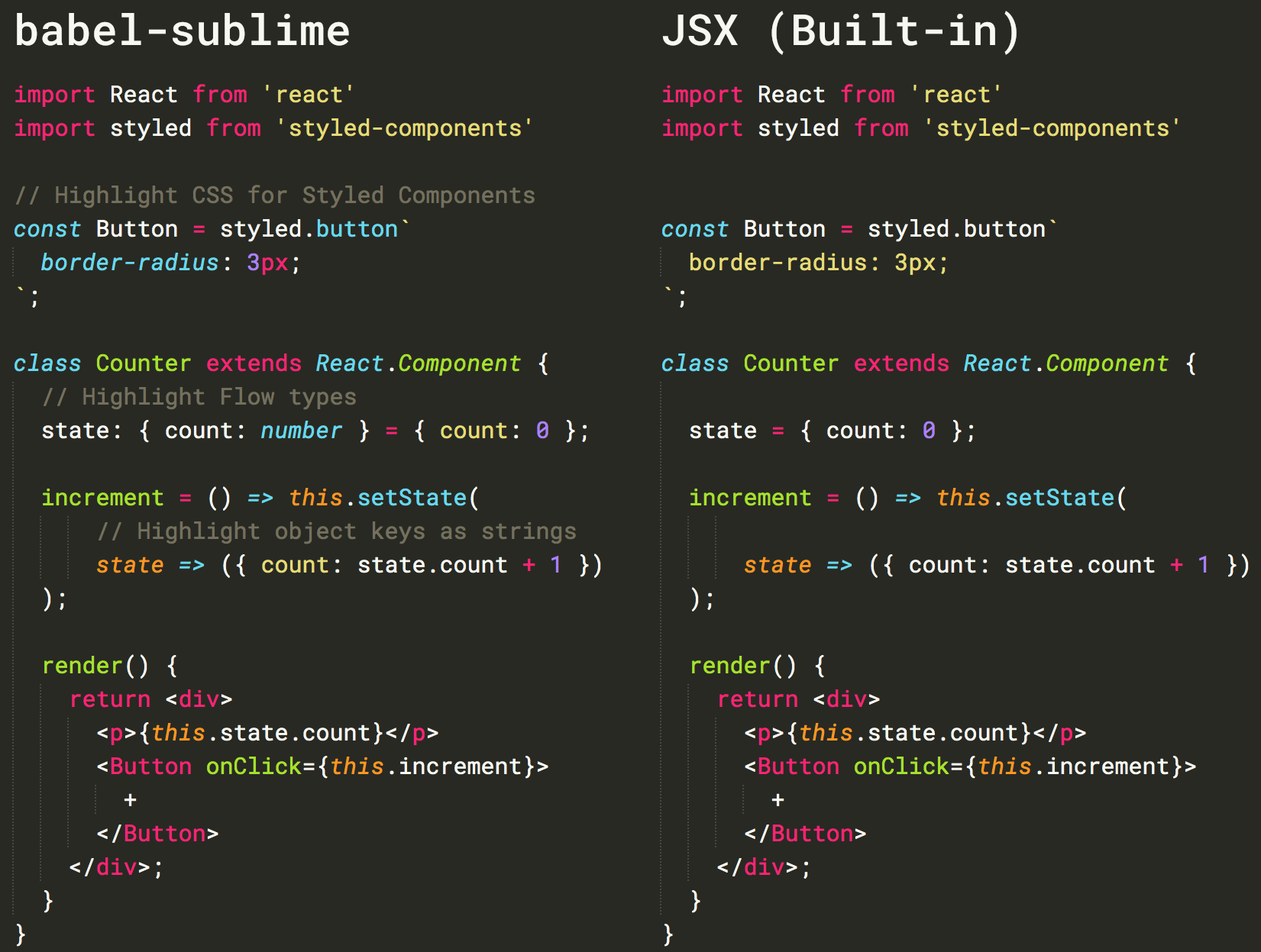
Snippets
Find them separately at babel/babel-sublime-snippets or as Babel Snippets through Package Control.
About
Under the hood, babel-sublime's syntax definition is built using JS Custom. JS Custom is based on Sublime's core JavaScript syntax, which is in turn descended from Benvie/JavaScriptNext.tmLanguage. Special thanks go to @jgebhardt and @zpao.
Contributing
The JavaScript (Babel).sublime-syntax file itself is generated by JS Custom and should not be manually modified — any bug fixes or enhancements to the syntax itself should go through JS Custom.
If you modify the commenting rules or Next theme, make sure to do so by editing the appropriate YAML-tmPreferences or YAML-tmTheme file and converting that file using PackageDev. Then, commit both the source (YAML) file and the converted (XML) file.