
ESPHome
ESPHome YAML configuration file syntax for Sublime Text
Details
Installs
- Total 50
- Win 19
- Mac 21
- Linux 10
| Oct 8 | Oct 7 | Oct 6 | Oct 5 | Oct 4 | Oct 3 | Oct 2 | Oct 1 | Sep 30 | Sep 29 | Sep 28 | Sep 27 | Sep 26 | Sep 25 | Sep 24 | Sep 23 | Sep 22 | Sep 21 | Sep 20 | Sep 19 | Sep 18 | Sep 17 | Sep 16 | Sep 15 | Sep 14 | Sep 13 | Sep 12 | Sep 11 | Sep 10 | Sep 9 | Sep 8 | Sep 7 | Sep 6 | Sep 5 | Sep 4 | Sep 3 | Sep 2 | Sep 1 | Aug 31 | Aug 30 | Aug 29 | Aug 28 | Aug 27 | Aug 26 | Aug 25 | Aug 24 | |
|---|---|---|---|---|---|---|---|---|---|---|---|---|---|---|---|---|---|---|---|---|---|---|---|---|---|---|---|---|---|---|---|---|---|---|---|---|---|---|---|---|---|---|---|---|---|---|
| Windows | 0 | 0 | 0 | 0 | 0 | 0 | 0 | 0 | 1 | 0 | 0 | 0 | 0 | 2 | 0 | 0 | 0 | 0 | 0 | 0 | 0 | 0 | 0 | 0 | 0 | 0 | 0 | 0 | 0 | 0 | 0 | 0 | 1 | 0 | 1 | 0 | 0 | 0 | 0 | 0 | 0 | 0 | 0 | 0 | 0 | 0 |
| Mac | 0 | 0 | 0 | 0 | 0 | 0 | 0 | 0 | 0 | 0 | 0 | 0 | 0 | 0 | 1 | 0 | 0 | 0 | 0 | 0 | 0 | 0 | 0 | 0 | 0 | 0 | 0 | 0 | 0 | 0 | 0 | 0 | 0 | 0 | 0 | 0 | 0 | 0 | 0 | 1 | 0 | 0 | 0 | 0 | 0 | 0 |
| Linux | 0 | 0 | 0 | 0 | 0 | 0 | 0 | 0 | 0 | 0 | 0 | 0 | 0 | 0 | 0 | 0 | 0 | 0 | 0 | 0 | 0 | 0 | 0 | 0 | 0 | 0 | 0 | 0 | 0 | 0 | 0 | 0 | 0 | 0 | 0 | 0 | 0 | 0 | 0 | 0 | 0 | 0 | 0 | 0 | 0 | 1 |
Readme
- Source
- raw.githubusercontent.com
 ESPHome
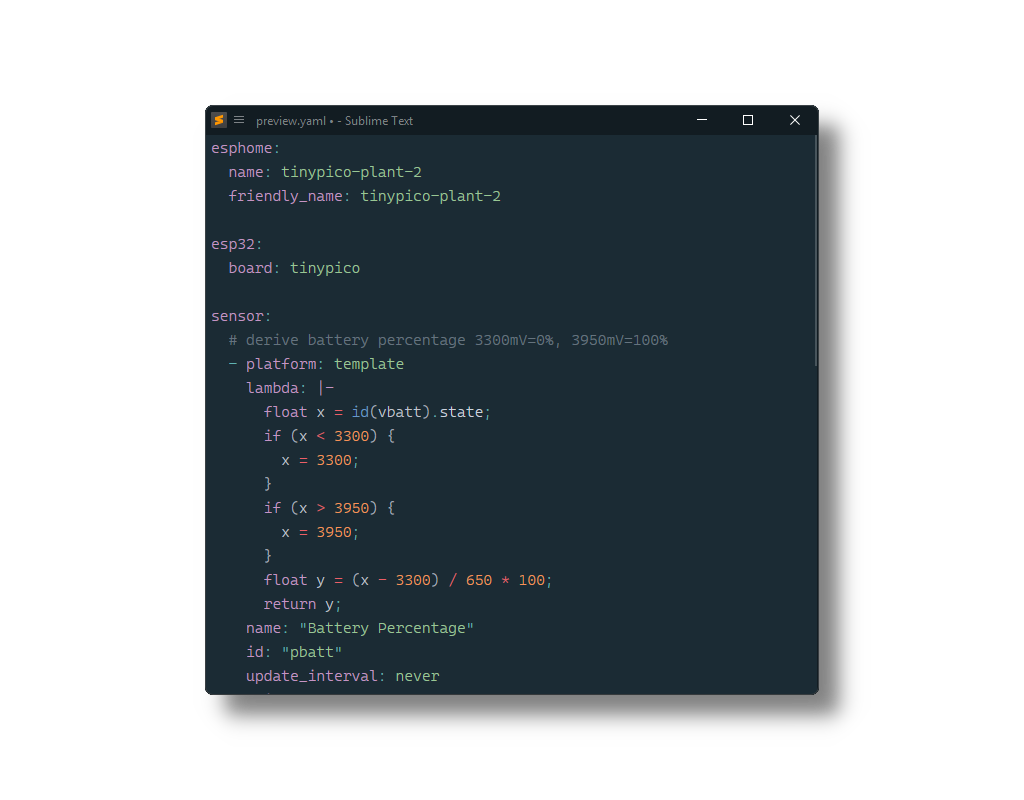
ESPHome YAML configuration file syntax for Sublime Text based on its YAML syntax.
Installation
Package Control
The easiest way to install is using Package Control. It's listed as ESPHome.
- Open
Command Paletteusing ctrl+shift+P or menu itemTools → Command Palette... - Choose
Package Control: Install Package - Find
ESPHomeand hit Enter
Manual Install
- Download appropriate ESPHome.sublime-package for your Sublime Text build.
- Copy it into Installed Packages directory
[!NOTE]
To find Installed Packages…
- call Menu > Preferences > Browse Packages..
- Navigate to parent folder
[!WARNING]
Manually installed packages are not automatically updated by Package Control.
Usage
To apply the syntax, select YAML (esphome) from the Command Palette or from the syntax selector in the status bar.
Since ESPHome configuration files use the .yml/.yaml extension and do not differ much from standard YAML files, there is no easy way to automatically assign it to all ESPHome configuration files (unless you want to use this syntax for all YAML files, which could introduce its own problems). Therefore, it is recommended to use the ApplySyntax or AutoSetSyntax package to assign this syntax based on the file path - most likely on a per-project basis since there is nothing inherently unique about the file names or paths of these configuration files.