
Gold Rose
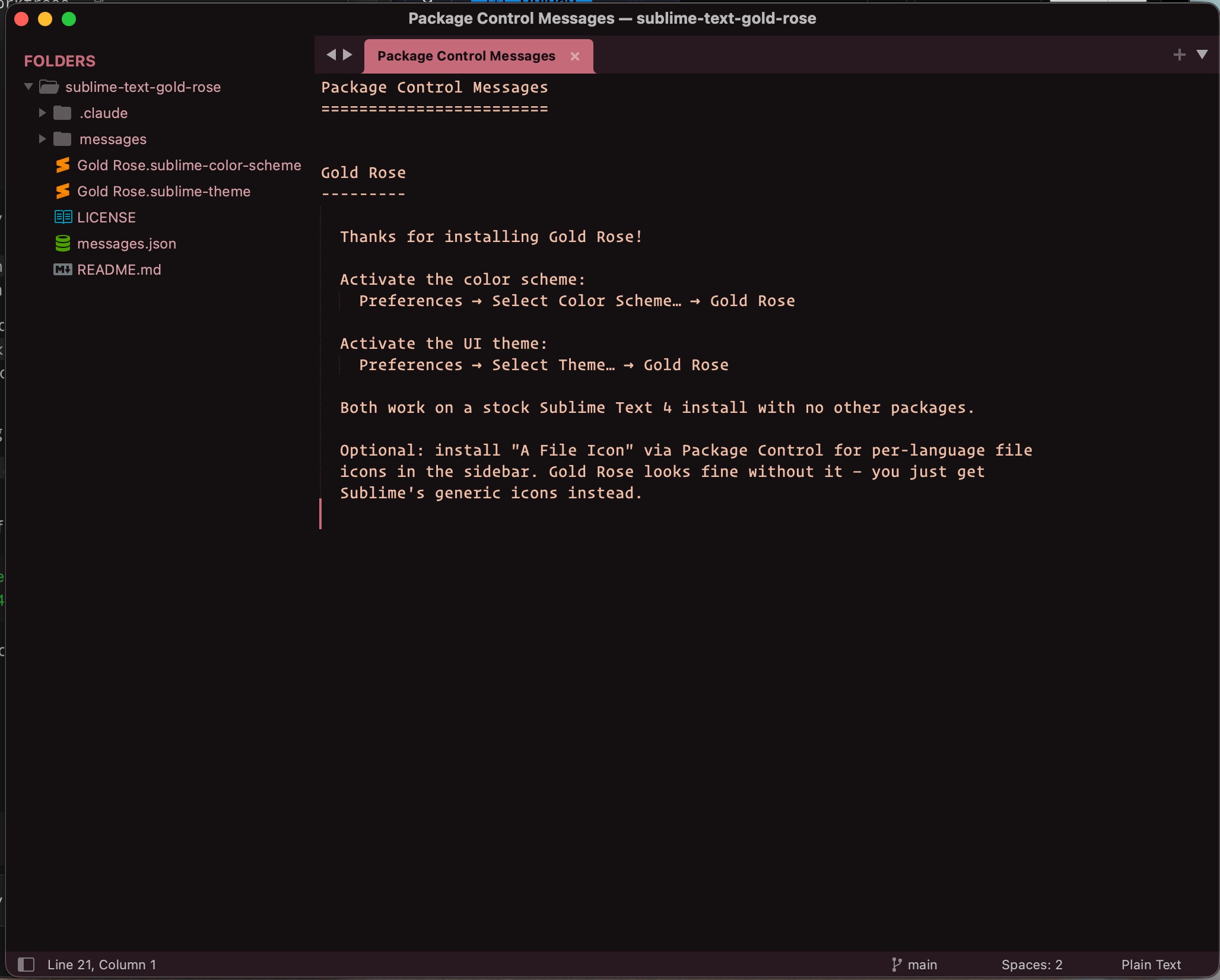
A warm, dark color scheme and UI theme for Sublime Text, built on muted gold, rose, and dusty pink.
Details
Installs
- Total 44
- Win 23
- Mac 15
- Linux 6
| Oct 13 | Oct 12 | Oct 11 | Oct 10 | Oct 9 | Oct 8 | Oct 7 | Oct 6 | Oct 5 | Oct 4 | Oct 3 | Oct 2 | Oct 1 | Sep 30 | Sep 29 | Sep 28 | Sep 27 | Sep 26 | Sep 25 | Sep 24 | Sep 23 | Sep 22 | Sep 21 | Sep 20 | Sep 19 | Sep 18 | Sep 17 | Sep 16 | Sep 15 | Sep 14 | Sep 13 | Sep 12 | Sep 11 | Sep 10 | Sep 9 | Sep 8 | Sep 7 | Sep 6 | Sep 5 | Sep 4 | Sep 3 | Sep 2 | Sep 1 | Aug 31 | Aug 30 | |
|---|---|---|---|---|---|---|---|---|---|---|---|---|---|---|---|---|---|---|---|---|---|---|---|---|---|---|---|---|---|---|---|---|---|---|---|---|---|---|---|---|---|---|---|---|---|
| Windows | 0 | 3 | 0 | 0 | 1 | 0 | 0 | 0 | 0 | 0 | 0 | 0 | 0 | 0 | 0 | 0 | 0 | 1 | 0 | 1 | 0 | 1 | 1 | 0 | 0 | 0 | 0 | 1 | 0 | 0 | 0 | 0 | 0 | 1 | 0 | 0 | 0 | 1 | 0 | 1 | 1 | 0 | 0 | 0 | 0 |
| Mac | 0 | 0 | 1 | 0 | 0 | 0 | 0 | 1 | 0 | 0 | 0 | 0 | 0 | 0 | 0 | 0 | 0 | 0 | 0 | 1 | 0 | 0 | 0 | 1 | 0 | 0 | 0 | 0 | 0 | 0 | 0 | 1 | 0 | 0 | 0 | 0 | 0 | 0 | 1 | 5 | 0 | 0 | 1 | 0 | 1 |
| Linux | 0 | 0 | 0 | 0 | 0 | 0 | 0 | 0 | 0 | 0 | 0 | 0 | 0 | 0 | 0 | 0 | 0 | 0 | 0 | 0 | 0 | 0 | 1 | 0 | 0 | 0 | 0 | 0 | 0 | 1 | 1 | 0 | 0 | 0 | 0 | 0 | 0 | 0 | 0 | 0 | 0 | 0 | 0 | 0 | 0 |
Readme
- Source
- raw.githubusercontent.com
Gold Rose
A warm, dark color scheme and UI theme for Sublime Text, built around a muted gold, rose, and dusty-pink palette. Easy on the eyes for long sessions, with just enough color variety to keep syntax readable.
Screenshots
The UI theme — sidebar, tabs and status bar warmed toward the same palette:
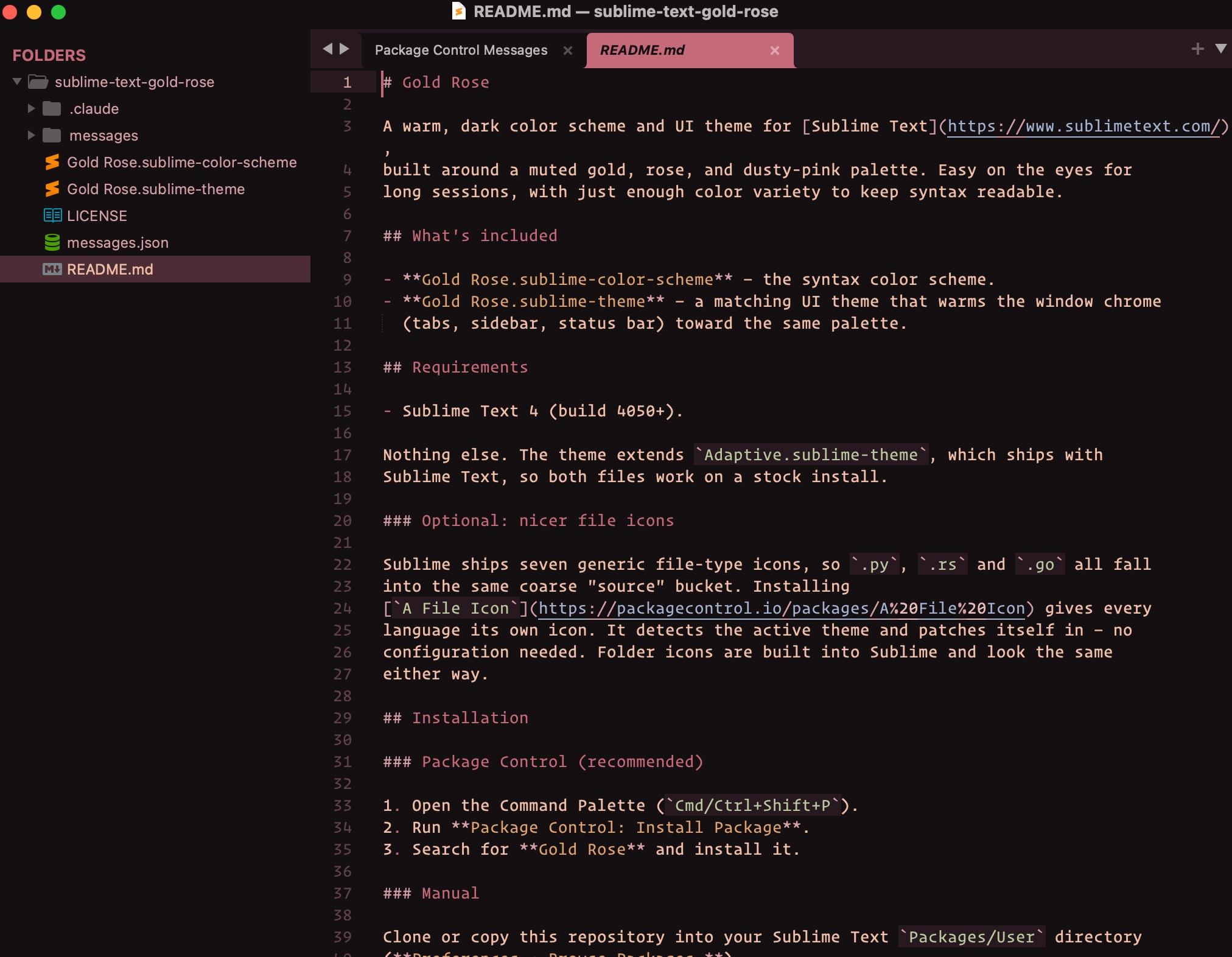
The color scheme — Markdown headings, links, inline code and emphasis:
What's included
- Gold Rose.sublime-color-scheme — the syntax color scheme.
- Gold Rose.sublime-theme — a matching UI theme that warms the window chrome (tabs, sidebar, status bar) toward the same palette.
Requirements
- Sublime Text 4 (build 4050+).
Nothing else. The theme extends Adaptive.sublime-theme, which ships with
Sublime Text, so both files work on a stock install.
Optional: nicer file icons
Sublime ships seven generic file-type icons, so .py, .rs and .go all fall
into the same coarse “source” bucket. Installing
A File Icon gives every
language its own icon. It detects the active theme and patches itself in — no
configuration needed. Folder icons are built into Sublime and look the same
either way.
Installation
Package Control (recommended)
- Open the Command Palette (
Cmd/Ctrl+Shift+P). - Run Package Control: Install Package.
- Search for Gold Rose and install it.
Manual
Clone or copy this repository into your Sublime Text Packages/User directory
(Preferences → Browse Packages…).
Activating
- Color scheme: Preferences → Select Color Scheme… →
Gold Rose. - UI theme: Preferences → Select Theme… →
Gold Rose.
Palette
| Role | Hex |
|---|---|
| Background | #1a1416 |
| Foreground | #e6bfa8 |
| Accent | #B76E79 |
| Rose | #c96b7a |
| Sage | #a3b18a |
| Gold | #d4a373 |
| Slate | #8896b0 |
License
Released under the MIT License.