
MaterialUi React Component Snippet Autocomplete
Materialui React Component Snippet and Autocomplete for Sublime Text
Details
Installs
- Total 5K
- Win 3K
- Mac 649
- Linux 847
| Oct 24 | Oct 23 | Oct 22 | Oct 21 | Oct 20 | Oct 19 | Oct 18 | Oct 17 | Oct 16 | Oct 15 | Oct 14 | Oct 13 | Oct 12 | Oct 11 | Oct 10 | Oct 9 | Oct 8 | Oct 7 | Oct 6 | Oct 5 | Oct 4 | Oct 3 | Oct 2 | Oct 1 | Sep 30 | Sep 29 | Sep 28 | Sep 27 | Sep 26 | Sep 25 | Sep 24 | Sep 23 | Sep 22 | Sep 21 | Sep 20 | Sep 19 | Sep 18 | Sep 17 | Sep 16 | Sep 15 | Sep 14 | Sep 13 | Sep 12 | Sep 11 | Sep 10 | Sep 9 | |
|---|---|---|---|---|---|---|---|---|---|---|---|---|---|---|---|---|---|---|---|---|---|---|---|---|---|---|---|---|---|---|---|---|---|---|---|---|---|---|---|---|---|---|---|---|---|---|
| Windows | 0 | 0 | 0 | 0 | 0 | 0 | 0 | 0 | 1 | 0 | 0 | 0 | 1 | 0 | 0 | 0 | 1 | 0 | 0 | 1 | 0 | 0 | 0 | 0 | 0 | 0 | 1 | 0 | 0 | 0 | 0 | 0 | 1 | 0 | 0 | 0 | 0 | 0 | 0 | 0 | 0 | 1 | 0 | 0 | 0 | 1 |
| Mac | 0 | 0 | 0 | 0 | 0 | 0 | 0 | 0 | 0 | 0 | 0 | 0 | 0 | 0 | 0 | 0 | 0 | 0 | 0 | 0 | 0 | 0 | 0 | 0 | 0 | 0 | 0 | 0 | 0 | 0 | 1 | 0 | 0 | 0 | 0 | 0 | 0 | 0 | 0 | 0 | 0 | 0 | 0 | 0 | 0 | 0 |
| Linux | 0 | 0 | 0 | 0 | 0 | 0 | 0 | 0 | 0 | 0 | 0 | 0 | 0 | 0 | 0 | 0 | 0 | 0 | 0 | 0 | 0 | 0 | 0 | 0 | 1 | 0 | 0 | 0 | 0 | 0 | 0 | 0 | 0 | 0 | 0 | 0 | 0 | 0 | 0 | 0 | 0 | 0 | 0 | 0 | 0 | 1 |
Readme
- Source
- raw.githubusercontent.com
MaterialUi-React-Component Snippet-Autocomplete 
MaterialUi-React-Component Snippet-Autocomplete Sublime Plugin
Auto-complete plugin for MaterialUi Component props .
Installation
With Package Control:
- Run “Package Control: Install Package” command, find and install
MaterialUi React Component Snippet Autocompleteplugin. - Restart ST editor (if required)
Manually:
You can clone this repository to the Packages directory of your Sublime installation.
git clone https://github.com/Pushpamk/materialui-react-component-snippet-autocomplete.git
Configuration
Go to Preference > Setting add "auto_complete_selector": true
Or
Go to Preference > Setting add "auto_complete_triggers": [{"selector": "source.js", "characters": "mui"},{"selector": "source.js", "characters": "api"}]
MaterialUi
MaterialUi is a React components for faster and easier web development. Build your own design system, or start with Material Design.
- Homepage: https://material-ui.com/
Usage
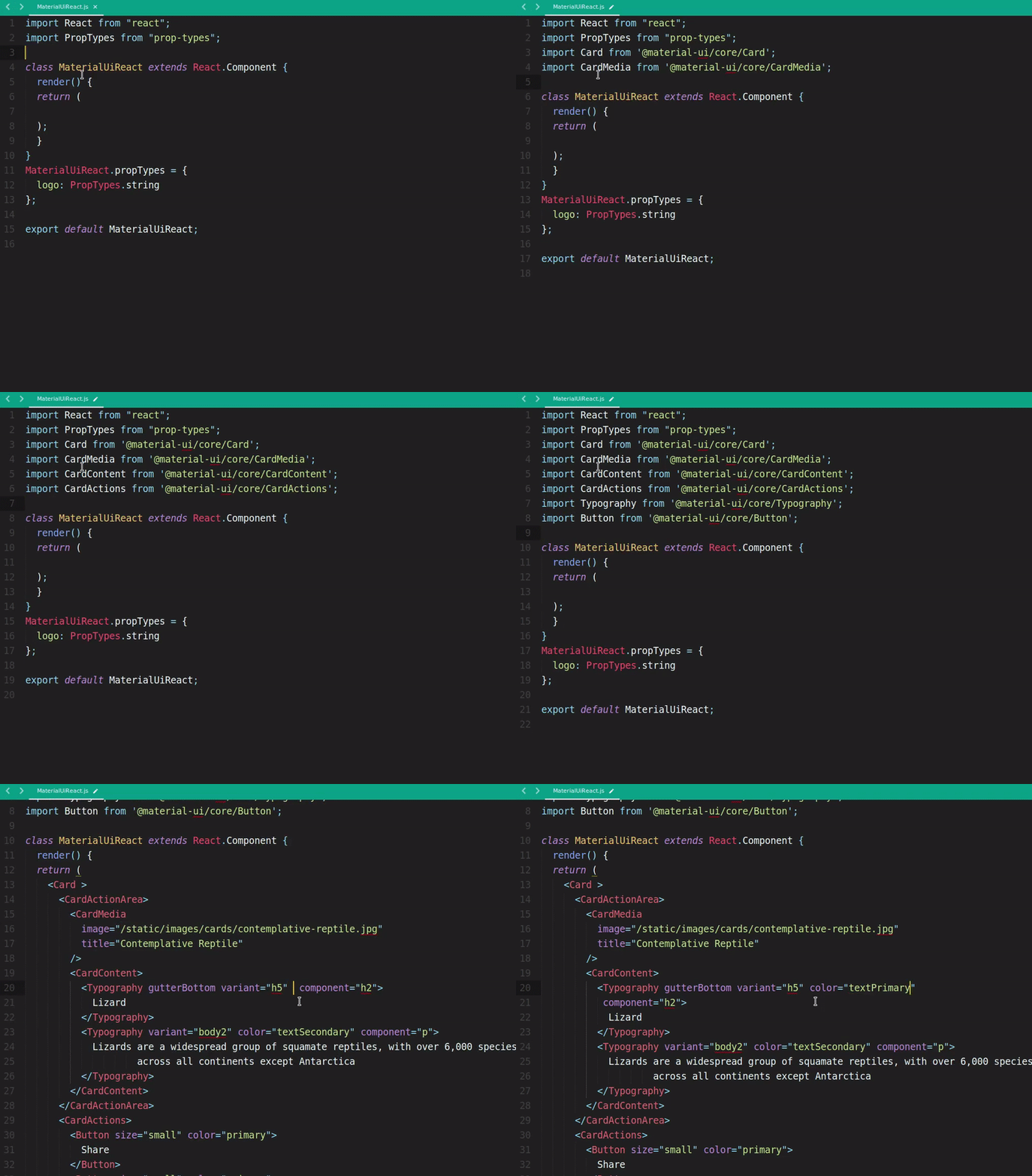
Import MaterialUi Packages
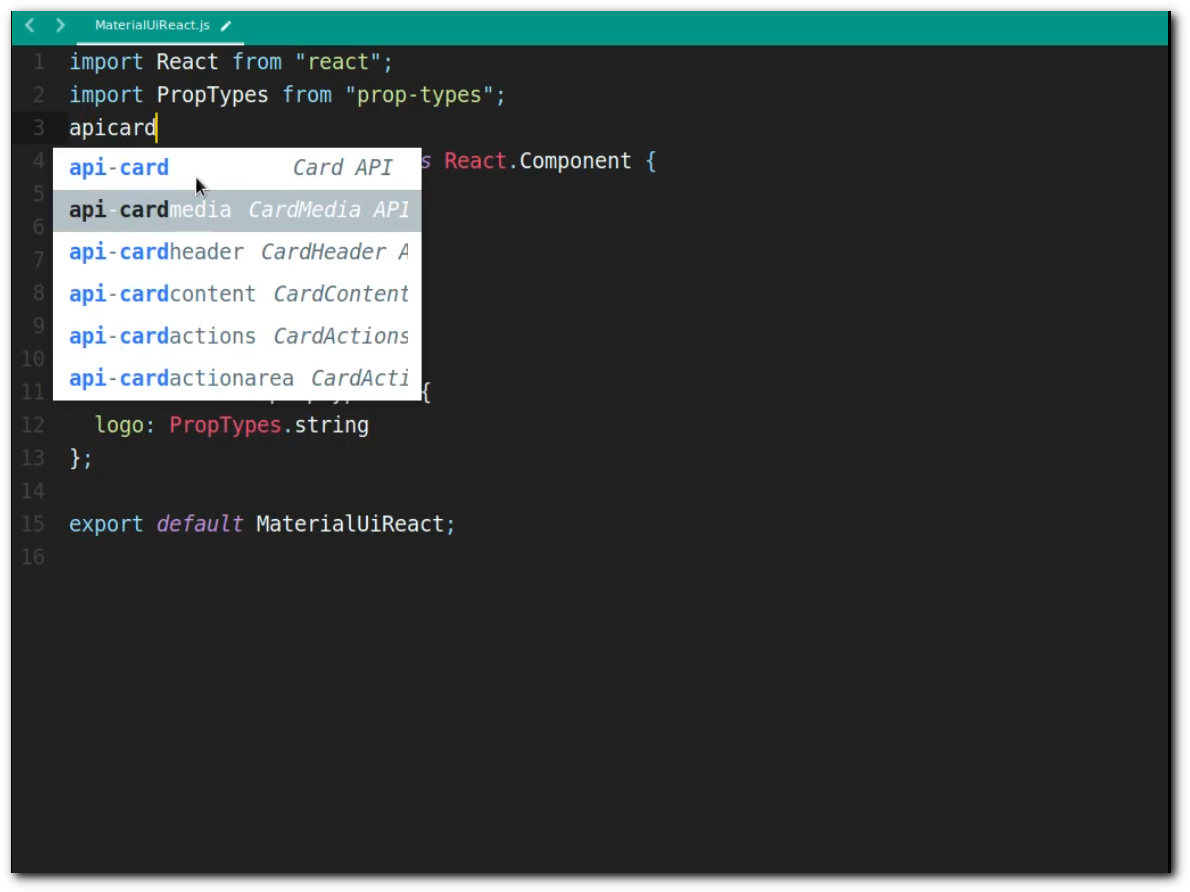
MaterialUi React Component Snippet
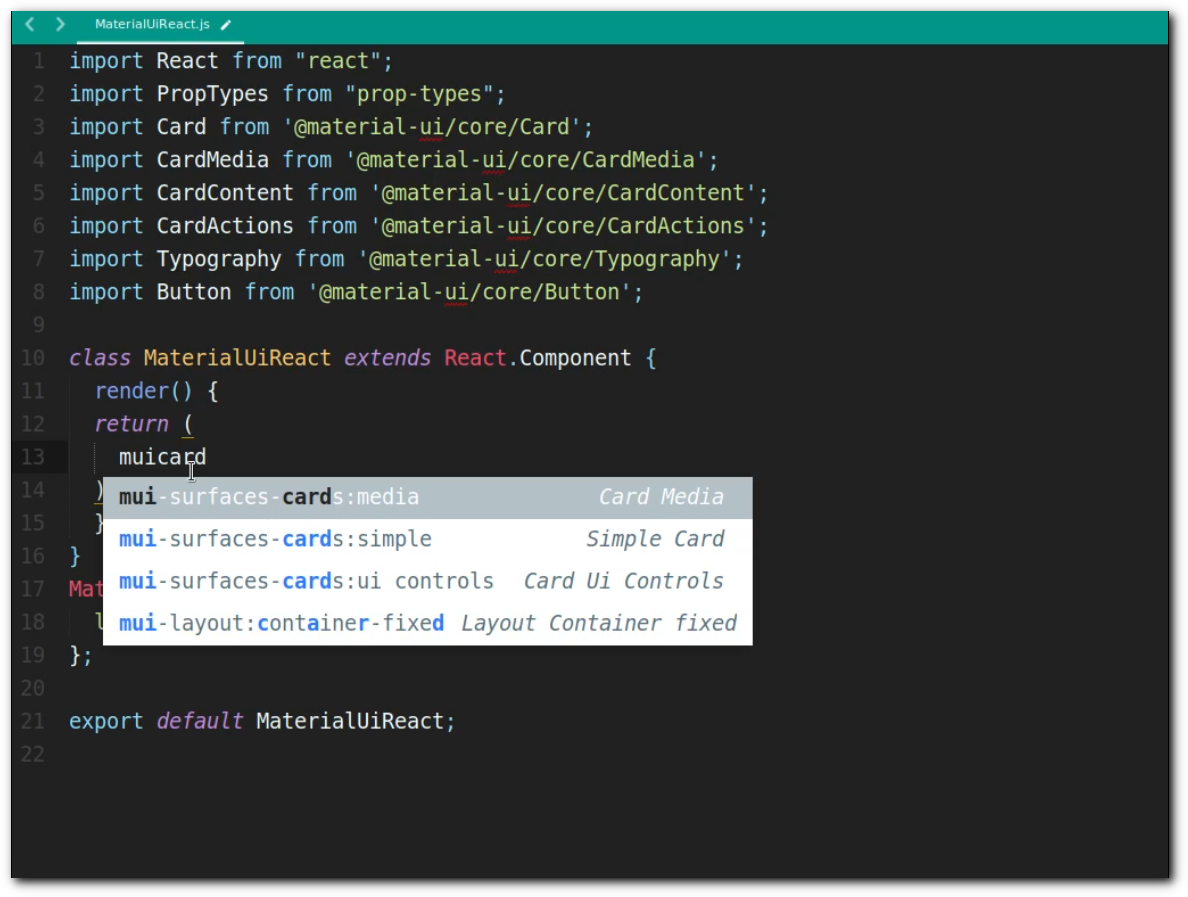
more info: Components
Props name and value autocompletion: When inside components tag (<CardMedia [HERE] />) and (variant="[HERE]"), suggestions will appear.
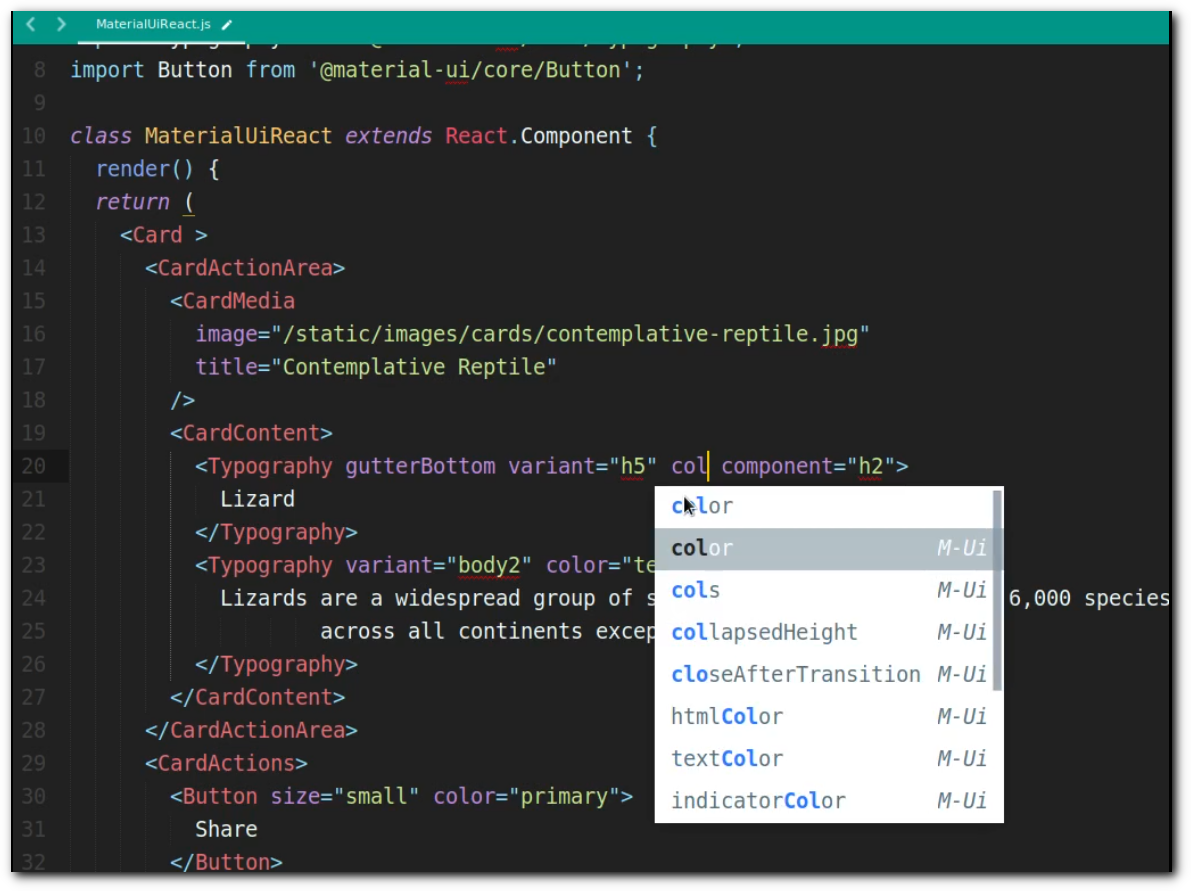
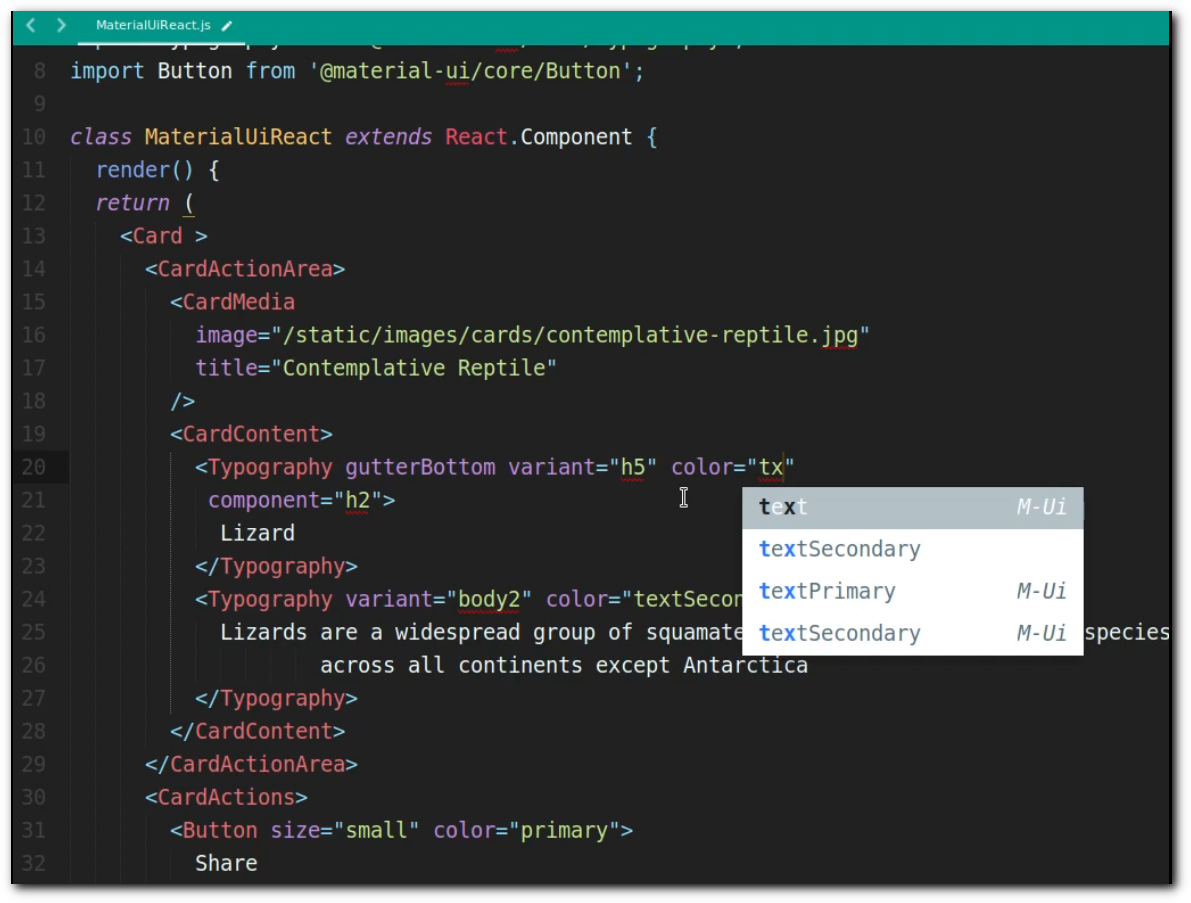
Note: In order for the suggestions to appear, your document needs to have the syntax set to JS. You can set the syntax from the menu View > Syntax or via the Command Palette.
To make a new version of the plugin available via package control, a new version tag needs to be created.
Copyright and license
Licensed under the MIT License