
Coi
Coi syntax for Sublime Text
Details
Installs
- Total 15
- Win 5
- Mac 3
- Linux 7
| Oct 20 | Oct 19 | Oct 18 | Oct 17 | Oct 16 | Oct 15 | Oct 14 | Oct 13 | Oct 12 | Oct 11 | Oct 10 | Oct 9 | Oct 8 | Oct 7 | Oct 6 | Oct 5 | Oct 4 | Oct 3 | Oct 2 | Oct 1 | Sep 30 | Sep 29 | Sep 28 | Sep 27 | Sep 26 | Sep 25 | Sep 24 | Sep 23 | Sep 22 | Sep 21 | Sep 20 | Sep 19 | Sep 18 | Sep 17 | Sep 16 | Sep 15 | Sep 14 | Sep 13 | Sep 12 | Sep 11 | Sep 10 | Sep 9 | Sep 8 | Sep 7 | Sep 6 | |
|---|---|---|---|---|---|---|---|---|---|---|---|---|---|---|---|---|---|---|---|---|---|---|---|---|---|---|---|---|---|---|---|---|---|---|---|---|---|---|---|---|---|---|---|---|---|
| Windows | 0 | 0 | 0 | 0 | 0 | 0 | 0 | 0 | 0 | 0 | 0 | 0 | 0 | 0 | 0 | 0 | 0 | 0 | 0 | 0 | 0 | 0 | 0 | 0 | 0 | 1 | 0 | 0 | 0 | 0 | 0 | 0 | 0 | 0 | 0 | 0 | 0 | 0 | 0 | 0 | 0 | 0 | 0 | 0 | 1 |
| Mac | 0 | 0 | 0 | 0 | 0 | 0 | 0 | 0 | 0 | 0 | 0 | 0 | 0 | 0 | 0 | 0 | 0 | 0 | 0 | 0 | 0 | 0 | 0 | 0 | 0 | 0 | 1 | 0 | 0 | 0 | 0 | 0 | 0 | 0 | 0 | 0 | 0 | 0 | 0 | 0 | 0 | 0 | 0 | 0 | 0 |
| Linux | 0 | 0 | 0 | 0 | 0 | 0 | 0 | 0 | 0 | 0 | 0 | 0 | 0 | 0 | 0 | 0 | 0 | 0 | 0 | 0 | 0 | 0 | 0 | 0 | 0 | 0 | 0 | 0 | 0 | 0 | 0 | 0 | 0 | 0 | 0 | 0 | 0 | 0 | 0 | 0 | 0 | 0 | 0 | 0 | 0 |
Readme
- Source
- raw.githubusercontent.com
Coi
Coi syntax definitions for Sublime Text based on its HTML and CSS syntax.
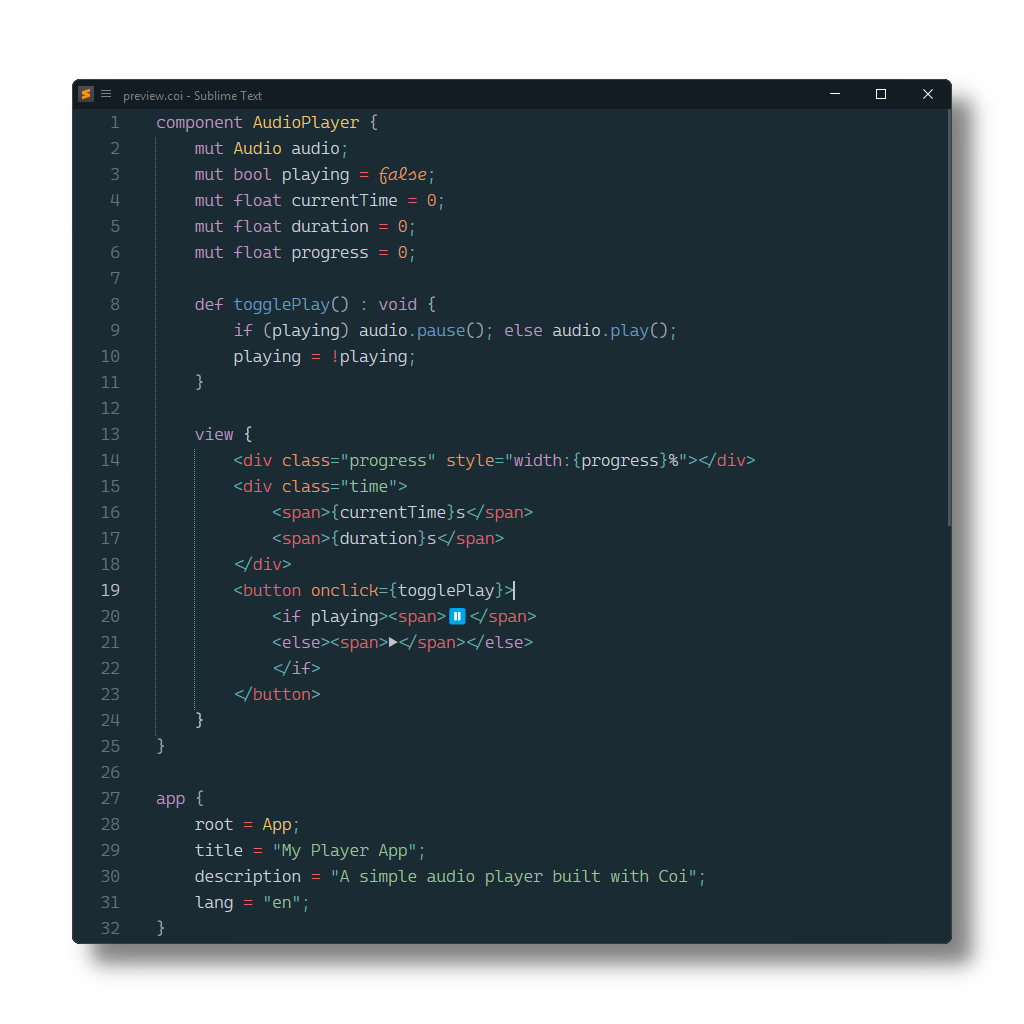
Installation
Package Control
The easiest way to install is using Package Control. It's listed as Coi.
- Open
Command Paletteusing ctrl+shift+P or menu itemTools → Command Palette... - Choose
Package Control: Install Package - Find
Coiand hit Enter
Manual Install
- Download appropriate Coi.sublime-package for your Sublime Text build.
- Copy it into Installed Packages directory
[!NOTE]
To find Installed Packages…
- call Menu > Preferences > Browse Packages..
- Navigate to parent folder
Troubleshooting
§1 Syntax Definition Parse Errors
Coi extends Sublime Text's HTML syntax definition.
If Coi syntax highlighting doesn't work and console displays syntax errors in Coi.sublime-syntax, please make sure to remove any out-dated syntax override.
Steps:
- call Menu > Preferences > Browse Packages..
- Look for HTML folder
- Remove it or at least delete any syntax definition in it.
§2 Styles are not correctly highlighted
Coi relies on CSS (source.css)
to scope style blocks and inline style tag attributes.
Make sure to remove related out-dated syntax packages, which don't meet least compatibility requirements.
They can be identified by calling
e.g. sublime.find_syntax_by_scope("source.css") in ST's console.