
RSBIDE
This plugin adds RS-Balance 3 completions and some IDE-like functions to Sublime Text 3
Details
Installs
- Total 69
- Win 68
- Mac 0
- Linux 1
| Oct 8 | Oct 7 | Oct 6 | Oct 5 | Oct 4 | Oct 3 | Oct 2 | Oct 1 | Sep 30 | Sep 29 | Sep 28 | Sep 27 | Sep 26 | Sep 25 | Sep 24 | Sep 23 | Sep 22 | Sep 21 | Sep 20 | Sep 19 | Sep 18 | Sep 17 | Sep 16 | Sep 15 | Sep 14 | Sep 13 | Sep 12 | Sep 11 | Sep 10 | Sep 9 | Sep 8 | Sep 7 | Sep 6 | Sep 5 | Sep 4 | Sep 3 | Sep 2 | Sep 1 | Aug 31 | Aug 30 | Aug 29 | Aug 28 | Aug 27 | Aug 26 | Aug 25 | |
|---|---|---|---|---|---|---|---|---|---|---|---|---|---|---|---|---|---|---|---|---|---|---|---|---|---|---|---|---|---|---|---|---|---|---|---|---|---|---|---|---|---|---|---|---|---|
| Windows | 0 | 0 | 0 | 0 | 0 | 0 | 0 | 0 | 0 | 0 | 0 | 0 | 0 | 0 | 0 | 0 | 0 | 0 | 0 | 0 | 0 | 0 | 0 | 0 | 0 | 0 | 0 | 0 | 0 | 0 | 0 | 0 | 1 | 0 | 0 | 0 | 0 | 0 | 0 | 0 | 0 | 0 | 0 | 0 | 0 |
| Mac | 0 | 0 | 0 | 0 | 0 | 0 | 0 | 0 | 0 | 0 | 0 | 0 | 0 | 0 | 0 | 0 | 0 | 0 | 0 | 0 | 0 | 0 | 0 | 0 | 0 | 0 | 0 | 0 | 0 | 0 | 0 | 0 | 0 | 0 | 0 | 0 | 0 | 0 | 0 | 0 | 0 | 0 | 0 | 0 | 0 |
| Linux | 0 | 0 | 0 | 0 | 0 | 0 | 0 | 0 | 0 | 0 | 0 | 0 | 0 | 0 | 0 | 0 | 0 | 0 | 0 | 0 | 0 | 0 | 0 | 0 | 0 | 0 | 0 | 0 | 0 | 0 | 0 | 0 | 0 | 0 | 0 | 0 | 0 | 0 | 0 | 0 | 0 | 0 | 0 | 0 | 0 |
Readme
- Source
- raw.githubusercontent.com
RSBIDE
This plugin adds RS-Balance 3 completions and some IDE-like functions to Sublime Text 3
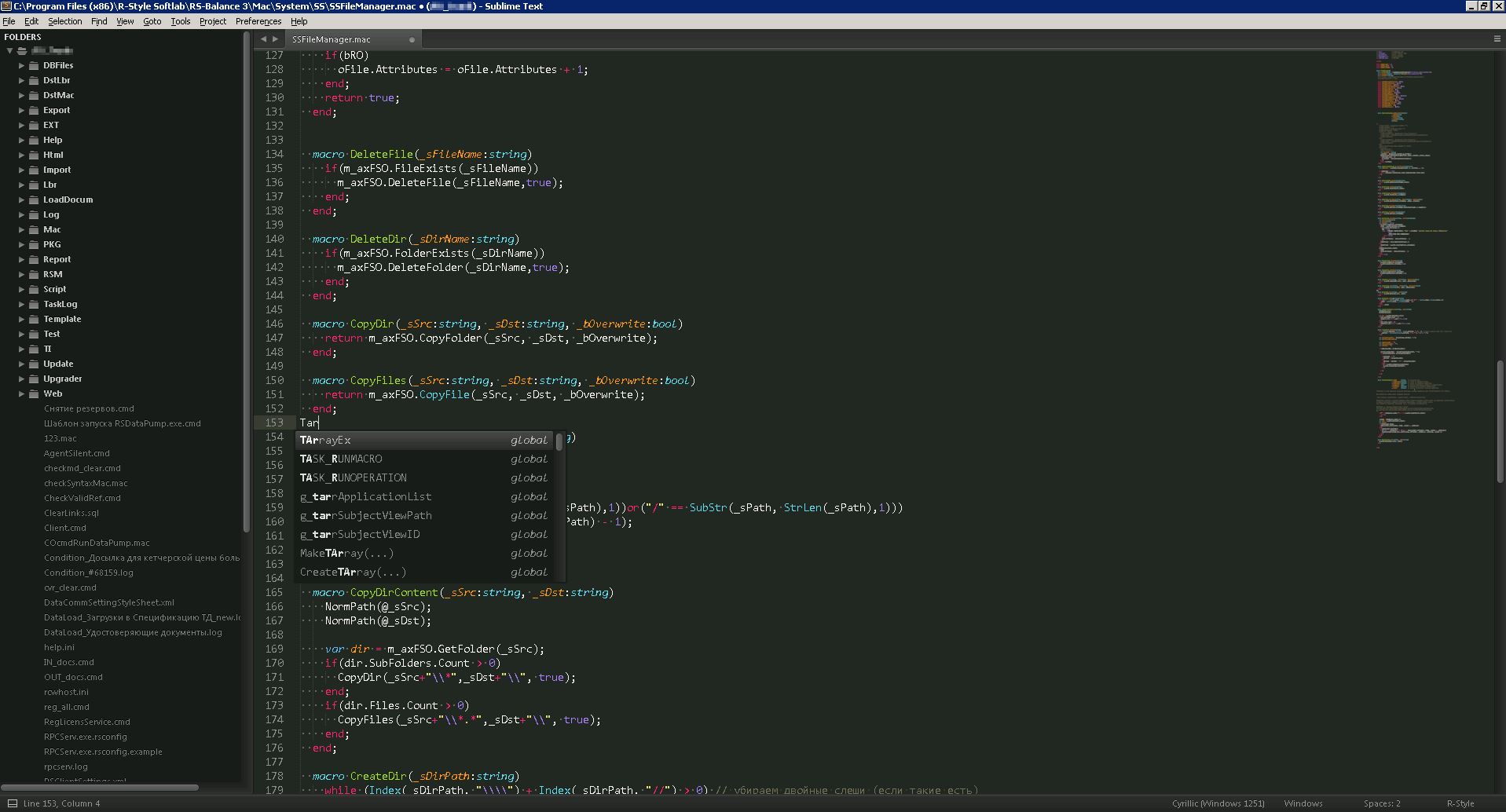
Features
- Auto-completions
- The variables / functions / classes / class options / parameters functions are complemented in view of visibility obalsti
- Together with the name of the function substituted its possible parameters
- Auto-completions Object/Field/Method/Key from *.xml (RSTypeInfo)
- Auto-completions are not case sensitive
- Auto-completion is extended by tethers
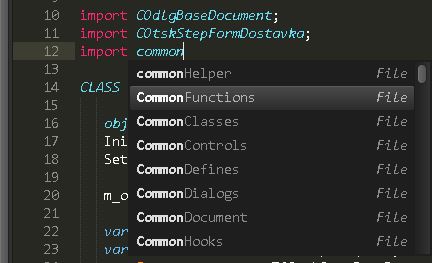
RSBIDE*. sublime-completionsdescription format there - Auto-completion in the import (not only tells the imported files from the project)
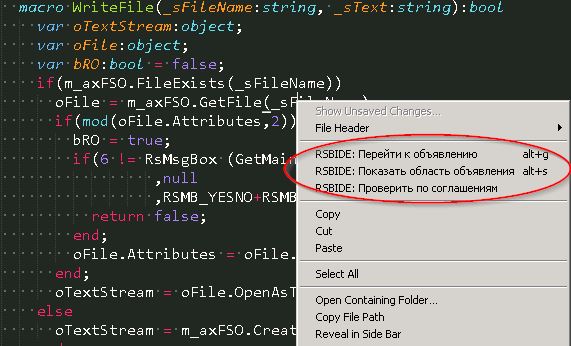
Go to declaration and back again
- Go to Definition
macro name(param),class(...) name (param),var nametaking into account the scope default keys Alt + G - Go to the definition of the selected functions by Alt + G
- Go to the file from the import Alt + G
Go to the parent class Alt + G
Print Signature
macroorclassorvarTo Panel Alt + S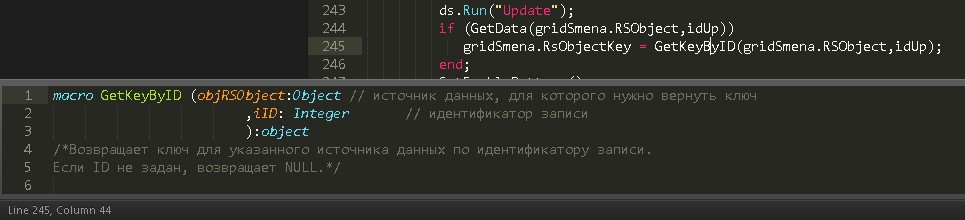
When browsing in the declarations you can always return to your starting position by using one of the above keys when nothing is under your cursor
- Go to Definition
Viewing documents
- If Alt + S word under the cursor is not found in the index, then try to find documentation (Beta)

- If Alt + S word under the cursor is not found in the index, then try to find documentation (Beta)
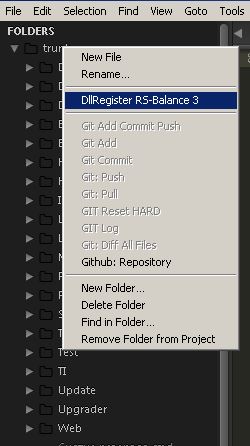
DllRegister RS-Balance 3 from project folder
- Folder context menu “DllRegister RS-Balance 3”
- Disable if not folder RS-Balance 3
Show result registration in status line
Syntax highlighting
- For .mac files
Highlighting comments on the development of the agreement
- All the main parameters in settings
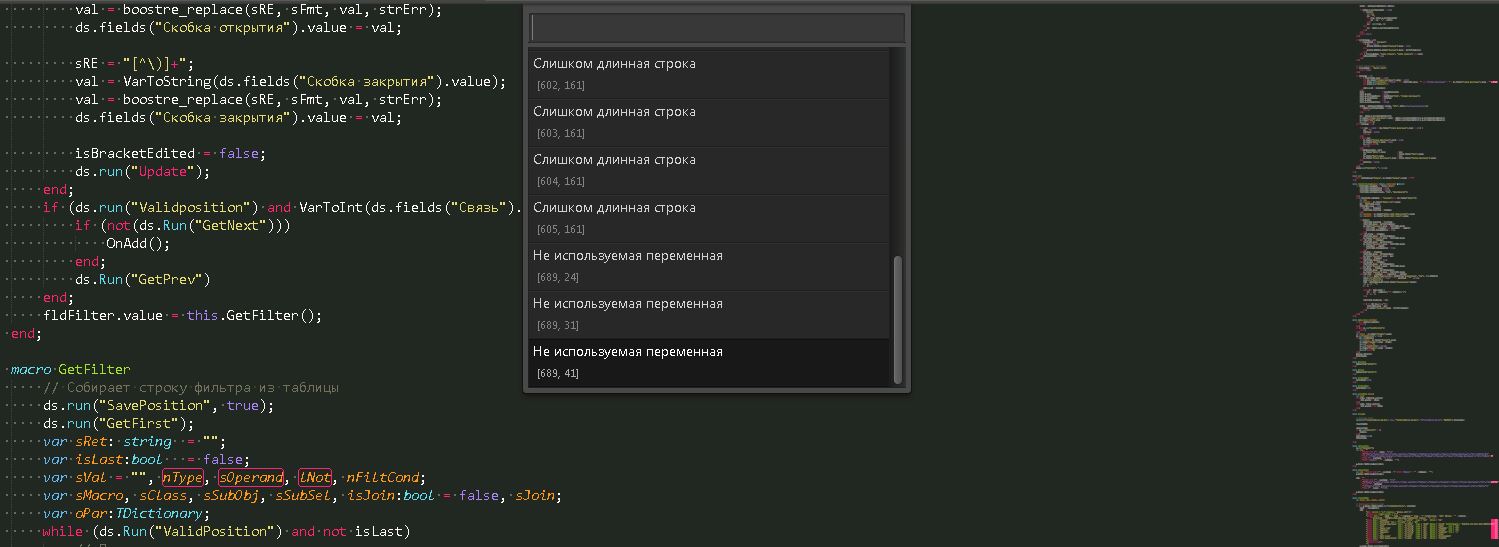
- All the main parameters in settings
Launch RS-Balance 3
- Quickly open the Client with your Reg configuration
- To Run Client use Ctrl + B, F7 or search for it in the command palette.
- Use Ctrl + Shift + B to choice:
- RSInit (RSInit.exe)
- RSInit - client -rsldebug
- RSInit - $file_name -rsldebug
- RSInit - $file_name -rsldebug -windowsauth
- RSInit - client
- RSInit - RPCserv.exe -c -cfg RPCServ.exe.rsconfig
- RSInit - TerminalClient -rsldebug
- RSInit - TypeInfo
- RSInit - RSAdmin
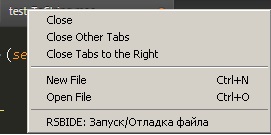
Quick start / debug file from the context menu of the Tab
Various useful Snippets
- Predefined Snippets language features such as defaultproperties RSL
Other commands
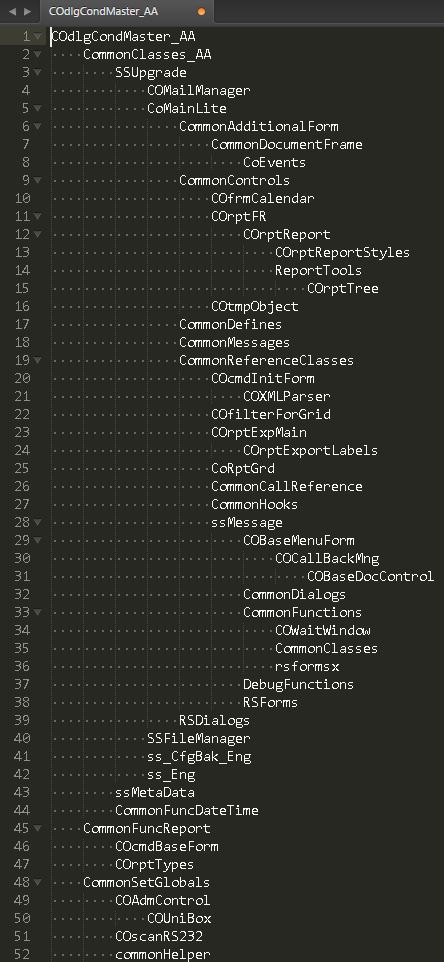
Print Tree Import - It displays the current file tree imports. It opens in a new tab
See Packages/RSBIDE/RSBIDE.sublime-settings for options. As with all ST packages, copy this file into your Packages/User folder and editing the copy there.
Installation
Very easy with Package Control right inside Sublime Text 3 (Package Control needs to be installed):
- Ctrl + Shift + P
- Search for “install”, hit enter
- Search for “RSBIDE”, hit enter
Manually (not recommended):
- Clone or download this package
- Put it into your Packages directory (find using 'Preferences' -> 'Browse Packages…')
plugins for RS-Balance 3
- rstylelint
- Check and highlight syntax errors
- RegExLink
- Opening *.lbr files through the context menu of the project designer
- PasteAsString
- It helps to insert some code as a string
ST3 only: Sublime Text 3